Which Vox Internet Option is Best for You this Holiday Season?

Staying connected as end-of-year down-time arrives

Our summer stories are starting to happen and the end of the year is really here! But even when we’ve packed our suitcases and made sure the pets are taken care of while we move into down-time, we still want (and need) to stay connected this holiday season.

Summer in South Africa means more streaming, online shopping and banking, video calls with family and online gaming – so choosing the right home Internet, and being aware of Internet options offered by your holiday location, can have an impact on your festive connectivity.

The good news is that, just as we all want a variety of ice cream options at the beach, so Vox has a connectivity option – and speed – to suit every home this holiday season. And in the spirit of the holiday season, we’re running some current and ongoing promotions to sweeten the deal even further.

Vox offers a mix of Fibre, Fixed Wireless, LTE/5G and Satellite options, with each option suited to different needs. So here’s a guide to help you pick the best option for your home, do your research on your holiday Connectivity options, and also make the most of current Vox promotions.

Let’s take a look.

wifi 2 | Vox | Which Vox Internet Option is Best for You this Holiday Season?


Fibre To the Home: Best for Top Speed and Reliability

Fibre to the Home delivers high-speed, low-latency Internet directly into your home (or holiday home).

Benefits include very fast symmetrical speeds, which is excellent for 4K streaming, multiple devices and video calls. Uncapped options are available and performance is consistent.

  • It’s ideal for large households, heavy streamers, gamers, households with multiple remote workers (if you must work during the holidays! or when the holiday season is over…).
  • Availability depends on Fibre rollout in your neighbourhood. Installation may take time in new areas.


Current promotions linked to Vox Fibre to the Home include Vox Rewards and Fibre Frenzy!

Vox Rewards

  • Vox Rewards is our super-exciting, recently-launched loyalty programme for qualifying Vox customers, offering perks and rewards for staying connected with Vox through home fibre connections. Depending on the tier that you qualify for, you could enjoy a variety of discounts and savings on groceries, fashion, takeaways, tech, travel and more! See vox.co.za/vox-rewards for eligibility and benefits.
  • Fibre Frenzy is a limited-time campaign on Vox’s Home Fibre packages so do check vox.co.za for current Fibre Frenzy deals and exact terms – you can also click on this link for more information.
  • For landlords providing Connectivity to guests, check out our Guest Wi-Fi hospitality bundle.


LTE / 5G Mobile Broadband: Flexible and Quick to Set Up

holiday Internet South Africa

LTE / 5G uses mobile networks (LTE or 5G) to deliver Internet to a home router or portable device.

Benefits include fast setup and mobile flexibility. This option is suitable for temporary needs or where Fibre isn’t available yet. 5G can offer very high speeds in covered areas.

  • It’s ideal for urban areas with strong 4G/5G coverage as well as short-term stays and holiday homes.
  • Speed and latency depend on mobile network coverage and local congestion; fairness policies may apply depending on the package.
  • Vox and Telkom are currently running our Uncapped LTE promotion, starting from R589 per month, and including a pocket router as a R199 once-off – check it out.


Fixed Wireless (Licensed or Unlicensed Spectrum): Dependable Rural and Suburban Option

fixed Wireless home Internet

Fixed Wireless using microwave signals provides a point-to-point or point-to-multipoint radio link between a home-mounted antenna and a local tower. Its benefits include good speeds and stable connections where Fibre isn’t laid, but line-of-sight to a tower exists. It is often faster and provides a lower latency than Satellite.

  • It’s ideal for suburbs, small towns and rural areas with a Vox radio site nearby.
  • Fixed Wireless requires a professional site survey and performance depends on line-of-sight availability and network capacity.
  • You can find out more on Vox Fixed Wireless to the Home.


Satellite: Providing Coverage where Nothing Else Reaches

Satellite Internet South Africa

Internet delivered via Satellite dishes is ideal for remote or rural properties beyond terrestrial networks. Its benefits include coverage that is available almost anywhere, making it perfect for some coastal areas, farms and remote homes, including holiday rentals.

  • It’s ideal for houses outside Fibre and mobile coverage areas, where connectivity is otherwise unavailable.
  • Higher latency means that it’s not ideal for competitive gaming. In addition, weather can affect reliability, and costs/data policies may be higher than terrestrial options.
  • Find out more on Satellite connectivity.


Considerations for the Holidays (and Beyond)

A few factors should be considered as you think about your Connectivity options for the holiday season and even next year, if you want to take advantage of our Vox Rewards programme.

 

Vox launches Kiwi Wireless

  • If you stream 4K, game and have many users, Fibre is your best bet.
  • If you need a quick setup or a temporary solution, LTE/5G works well.
  • If you’re in a small town or on the fringe of Fibre rollout, Fixed Wireless often gives the best compromise of speed and reliability.
  • If you’re remote and need coverage regardless of location, Satellite is the reliable fallback.


Practical Tips Before You Switch

Vox usually runs localised or seasonal promotions (discounted installation, bonus data or limited-time bundle savings). Check the Vox website regularly, including the promotions pages, for the most up-to-date specials and Ts and Cs. Here are some tips:

  • Check coverage: Use the coverage tool on vox.co.za to see what’s available at your address.
  • Match package to use requirements: Choose speeds that suit your household’s peak usage.
  • Ask about promos: Promotions can change monthly, so ask a Vox consultant about current offers and how long they run, and you can also check here.


Check coverage and current Fibre Frenzy or Vox Rewards offers at vox.co.za or on the latest deals page, or call Vox Consumer Support on 087 805 0530 for a personalised recommendation.

South Africans work hard and they play hard also, and never more than during our end-of-year summer holiday season! Stay connected with Vox – we have a solution for your location and your needs, no matter what time of year it is.

ice cream 2202605 640 | Vox | Which Vox Internet Option is Best for You this Holiday Season?
You always have choices – and sweet deals! – with Vox!


FAQs

Which Vox option is best for streaming and gaming during the holidays?
Fibre is best for low-latency, high-speed needs like 4K streaming and gaming. If Fibre isn’t available, 5G or fixed Wireless are the next-best options.

What is Vox Rewards and how do I join?
Vox Rewards is a loyalty programme for qualifying customers. Visit vox.co.za/vox-rewards to see eligibility and benefits.

What is Fibre Frenzy?
Fibre Frenzy is Vox’s limited-time promotion on selected Fibre packages. Check the Vox website for exact bundles and promotional periods.

How do I know if Fibre is available at my home?
Use the coverage checker on vox.co.za or contact Vox support to confirm availability for your address.

Is Satellite Internet good for a holiday home?
Yes, Satellite brings connectivity to remote holiday homes, though latency and weather impact should be considered.

Can I use LTE/5G as a permanent home solution?
Yes, in areas with strong coverage LTE/5G can be a permanent solution, especially where Fibre isn’t available, but check data fairness policies.

How long does installation take for Fibre or fixed Wireless?
Installation times vary by location and demand — ask Vox for a projected install date when you sign up.

Can I switch between Vox services if I move or change needs?
Yes. Vox offers different home connectivity products and can advise on switching based on coverage and your new address.


AI and Enterprise Wi-Fi: New Frontiers of Possibility

Artificial intelligence (AI) makes it possible for machines to learn from experience, adjust to new inputs and perform human-like tasks.

Using technologies such as deep learning and natural language processing, computers can be trained to accomplish specific tasks by processing large amounts of data and recognising patterns in the data. The Wi-Fi arena is no different in that AI can also make the processing of tasks speedier and more efficient – we are now in the era of AI-driven networking.

AI Wi-Fi refers to wireless networks that make use of artificial intelligence to optimise connectivity, performance, connected user experience and security. This technology uses machine learning (ML) algorithms to analyse network hardware, traffic, user behaviour and environmental factors in real-time. The AI initiates closed loop automation to adjust the network settings, such as resource allocation, to improve performance.

This article discusses how AI can be used in Enterprise Wi-Fi networks, and how AI is benefitting Vox and our Wi-Fi customers.


AI-Driven Business Intelligence for Enterprise Networks

android 7711290 1920 resized | Vox | AI and Enterprise Wi-Fi: New Frontiers of Possibility

Artificial intelligence in Wi-Fi networks today can assist significantly with the configuration of the network, as well as with support thereafter, including being able to spot issues before they become a serious problem.

Vox has partnered with Wi-Fi networking equipment specialist, Ruckus Networks, for approximately the last decade, and within our partnership we proudly offer its AI Managed Wi-Fi offering for enterprise networks, which presents AI-driven business intelligence for enterprise networks.

As a cloud-based service for network intelligence and service assurance, Ruckus AI Managed Wi-Fi with Analytics is powered by machine learning (ML) and artificial intelligence (AI). This in turn helps customers get the most from their network, for example by identifying network assurance incidents, classifying them by severity, tracing root causes and making specific AI recommendations for remediation. It automatically monitors network health relative to configurable thresholds.


Benefits of AI-Driven Enterprise Wi-Fi

ai generated 8310945 1280 resized | Vox | AI and Enterprise Wi-Fi: New Frontiers of Possibility

AI can dynamically adjust Wi-Fi parameters like channel selection and contention window size to optimise network performance, ensuring smooth and efficient data transmission. In addition, it simplifies life for IT departments and technicians, as AI dramatically reduces the time to resolution for service incidents.

It can also eliminate some Help Desk tickets by addressing issues before they affect users, allowing the organisation to be proactive in this regard and solve problems before they arise. Additionally, by addressing the root cause for one incident, organisations can avoid other incidents that might arise from that cause.

Most importantly, it alleviates the need for an organisation’s IT department to manage the Wi-Fi network – Vox will manage this. Organisations can view real-time dashboards and, if required log tickets via the Vox enterprise support desk, because Vox has comprehensive visibility into network operations, which accelerates troubleshooting.

By proactively addressing issues and optimising network performance, AI can contribute to a better overall user experience, with faster speeds, reduced buffering, and fewer connection problems. In addition, AI can simplify network management, by automating many of the tasks associated with managing a complex Wi-Fi network, thereby reducing the burden on IT staff.


Faster Feature Updates Due to Cloud-Based Licences

globe 2679754 1920 resized | Vox | AI and Enterprise Wi-Fi: New Frontiers of Possibility

A question that might spring to mind is the following: ‘How does South Africa compare to the developed world with regards to our access to AI within the Wi-Fi arena?’ and the answer may surprise you on the upside.

In essence, because today we have the option of moving to a cloud-based licence, all users globally are able to benefit from feature updates to cloud platforms, as they could all be on the same version due to simultaneous software updates. In this regard, South African companies will not necessarily be running behind users in other parts of the world, thanks to the cloud.

Vox is very pleased to be able to bring our customers the latest Wi-Fi networking feature updates as soon as they are made available to us from our upstream providers and placed onto the relevant platforms. Because Vox is accessing features as they are rolled out by the supplier, this means in turn that our customers benefit as and when new features and updates become available.

Knowing that we are able to offer our clients first-world AI-enabled Wi-Fi technology, in partnership with Ruckus Networks, is something of which we are truly proud.

Is Your Business Wi-Fi Due for an Upgrade?

A better Wi-Fi environment brings increased productivity to your employees and your organisation

Business Wi-Fi provides your employees with their gateway to the Internet, including operations in the Cloud. This requires stability and reliability – and as your business grows, your Wi-Fi needs may change. What worked for your organisation yesterday may not be sufficient in the future as your company’s Wi-Fi requirements increase.

Perhaps your organisation’s infrastructure was installed a few years ago, but as cost-effectively as possible – it may have been that the Wi-Fi requirement then wasn’t as much of a focus point as it has since become. Now, your organisation is growing and the need for improved Wi-Fi services is apparent.

Let’s have a look at why your business Wi-Fi may be due for an upgrade – and the steps you can take to implement this.

Enterprise connectivity resized | Vox | Is Your Business Wi-Fi Due for an Upgrade? 


A Better Wi-Fi Environment Brings Increased Productivity

Wi-Fi has been around for the past 25 to 30 years and has evolved significantly during that time. With vastly more applications and computer programs available today, a much higher throughput is required to maximise the experience of the users in your organisations.

The days of having a single room with Wi-Fi access in it within the entire premises, or a dedicated area across the particular floor in the building, are long gone. People today expect Wi-Fi access in every environment that they move into. Your corporate solution therefore needs to work properly and enable productivity – you don’t want your employees being forced to spend five to 10 minutes trying to connect. Conversely, a better Wi-Fi environment brings increased productivity.

worried 7895199 1280 resized | Vox | Is Your Business Wi-Fi Due for an Upgrade?

With a clear requirement for functionally excellent Wi-Fi access throughout the organisation, it may be time to invest in better, enterprise-level equipment, and an organisation that can assist you in managing and planning the Wi-Fi design as efficiently as possible.


Advantages of Upgrading Your Business Wi-Fi Network

Vox provides managed Wi-Fi services for businesses. This enables remote software and firmware updates, and reduced technician call-outs, through remote troubleshooting and fault remediation.

One of our services is offering audits on existing Wi-Fi, because with legacy old equipment, security becomes a risk. We also know that not every business is looking for brand-new Wi-Fi in a new building from scratch. Very often, we find that we’re taking over the legacy Wi-Fi previously used by the company, and we may be able to upgrade the existing assets or infrastructure.

The advantages of upgrading your business Wi-Fi network include the following:

  • Increased speed and bandwidth;
  • Improved connection reliability;
  • Improved security and privacy; and
  • Easier setup and management.


Security alone is a particularly serious issue, as network threats are becoming increasingly sophisticated. At Vox, we are keenly aware of the need to carry out regular software updates on our network equipment, such as access points and switches, as is necessary with all technology.

An access point can become a security risk if no one is managing it: for example, the manufacturer could find security vulnerabilities with certain equipment, and if it doesn’t get a security patch or update, the access point becomes vulnerable.


Overcoming Wi-Fi Challenges Presented by Infrastructure

ai generated 9294453 1280 resized | Vox | Is Your Business Wi-Fi Due for an Upgrade?

The construction materials used in buildings, such as concrete, glass, brick and metal, can interfere with Wi-Fi signals and obstruct them in different ways, especially in larger or older buildings with thick walls. To counteract this challenge, Vox uses specialised software to create virtual models of your office space.

This software considers the different structural properties of the various building materials, allowing you to predict how Wi-Fi signals will travel and where obstacles might cause issues.

This virtual planning considers such factors as signal strength as well as how to determine the best access point and placement for access points and switches, to optimise network performance and capacity in areas where it’s needed most.


Vox Managed Wi-Fi Solutions

business 9086202 1280 resized | Vox | Is Your Business Wi-Fi Due for an Upgrade?


Our business Wi-Fi offerings are designed to optimise your Wi-Fi coverage, extend range and expand networking possibilities, enhancing the user experience and providing seamless, reliable connectivity for all devices, as follows:

  • Solve network issues and limit service centre interaction, reducing technical call outs. Network analytics provides information such as alarms, incidents and client experience information, including time to connect to the access points.
  • Radio Frequency (RF) design and planning: Our RF heatmap design software enables correct planning, scoping and implementation to improve overall Wi-Fi experience for both users and organisations.
  • Enterprise Equipment: Vox partners with enterprise grade equipment vendors, such as Ruckus Networks, to provide robust equipment from access points to managed switches and management cloud platforms, offering enhanced Wi-Fi connections and capacity for concurrent user devices.


Bespoke Managed Wi-Fi Solutions with Vox

The benefits of managed Wi-Fi solutions ensure, for example, that your organisation carries out regular, planned security updates in the same way as for our phones and computers. Vox offers any organisation a bespoke Wi-Fi solution according to their particular requirements.

We also understand the requirements of speed versus capacity. For example, your organisation might have a boardroom that is required to facilitate a meeting with 100 people in it once a week, and otherwise is seldom used. At Vox, we understand how to cater to the capacity that may be only required from time to time.

A managed Wi-Fi solution also offers convenience, as our Service Centre is able to remotely troubleshoot and improve network performance using cloud-based administrative tools. This ensures that more connected devices can enjoy uninterrupted Wi-Fi in your business.

It all speaks to ongoing connectivity, which in turn speaks to improved productivity.

Is your business Wi-Fi due for an upgrade? Feel free to reach out to us on 087 805 5050 or via email on corporatesales@voxtelecom.co.za and begin a discussion.

5-Star Experience vs 1-Star Google Review: Your Guests Want Great Wi-Fi

How the Travel Industry Needs to Get Connected


From the moment that plane commuters reach their destination, travellers around the world can immediately hear the surround-sound beeping noises as passengers, now safely arrived, turn on their phones to once again become fully connected. We find a similar story when travellers arrive at their guesthouse or hotel: according to a travel industry survey, one-third of guests ask for the Wi-Fi password as they register at the front desk, and two-thirds are online within seven minutes of checking in.


luggage 7653518 1920 | Vox | 5-Star Experience vs 1-Star Google Review: Your Guests Want Great Wi-Fi

It just proves once again that in today’s connected world, being able to access information and communication services is increasingly important. Just because someone is away from home doesn’t mean they don’t need to stay connected, even when on holiday (unless they’re making the deliberate choice to go off-line).

As for business travellers, a seamless Internet experience is necessary to communicate with clients and colleagues, access work documents and take part in meetings. Providing quick and efficient Wi-Fi services allows both leisure and business guests to enjoy their stay without undue stress.

Let’s look at how the Wi-Fi experience in a guesthouse or hotel can shape either a five-star guest experience or earn your establishment an unwanted one-star Google review.


Wi-Fi For Guests: A Fundamental Hospitality Amenity

People who travel want to update others on their safe whereabouts, and being unable to receive communication, or send outbound messages, can cause anxiety. By providing reliable, fast Wi-Fi services from the moment of registration, hotel guests can start to relax and enjoy their stay sooner.

Access to excellent Wi-Fi increasingly ranks as a necessity for today’s traveller when choosing a hotel – right up there with comfort, cleanliness, and excellent food and beverage offerings. With mobile devices, laptops and remote work now prevalent, complimentary access to Wi-Fi has become a key requirement for both business travellers and holiday makers.

A speed of 10 to 20Mbps per guest is recommended as being a decent Wi-Fi offering that should comfortably allow your guests to stream in full HD – you wouldn’t receive complaints if your customers had access to these speeds.

Excellent Wi-Fi adds to the guest experience, while the opposite also holds true: unhappiness with the Wi-Fi can make people more easily inclined to find fault in other, unrelated areas. From a purely commonsense perspective, this seems counter-intuitive, and a negation of the cost and effort that’s been spent on the marketing initiatives to entice the traveller to your establishment in the first place.


Factors to Consider for your Guests’ Wi-Fi

nature 2564502 1920 2 | Vox | 5-Star Experience vs 1-Star Google Review: Your Guests Want Great Wi-Fi

While most hotels and guesthouses today offer complimentary Wi-Fi service to guests, it might not be equivalent to what people are used to having in their own homes, which can cause frustration.

Considerations when choosing a guest Wi-Fi solution include the following:

  • Cost: The pricing structure will be based on the coverage area, usage and the number of users.
  • Technical support: Reliable customer support is critical.
  • Compliance requirements: The network must meet relevant data privacy and security regulations.


Elevating the Wi-Fi Experience

Vox provides managed Wi-Fi services for businesses. This enables remote software and firmware updates, as well as remote troubleshooting and fault remediation using cloud-based administrative tools. This all works to enhance ongoing connectivity.

Vox offers audits on existing Wi-Fi, because we know that not every business is looking for a new-build Wi-Fi, and we may be  able to upgrade existing assets or infrastructure. To provide a superior internet experience for guests, hotels and guesthouses should ensure that they:

  • Invest in high-speed Internet infrastructure (the foundation of your Wi-Fi experience) to support faster bandwidth and improve overall performance.
  • Implement a reliable Wi-Fi network that covers all areas of the premises, including common areas and guest rooms.
  • Optimise the Wi-Fi signal strength with strategic placement  of Wi-Fi access points or meshdevices, to ensure a strong and consistent connection throughout the premises.
  • Implement robust security measures such as strong encryption and password protocols.


With Vox, our aim is to enhance your guests’ Wi-Fi experience. We can provide a neatly pre-packaged Wi-Fi mesh unit solution to ensure that all areas of the guesthouse are serviced. These mesh units are also easily managed by a user-friendly app, which further enhances the functionality. If more advanced cabling solutions are required, perhaps for a larger premises, our technicians and engineers can set up the solution.


Happy Guests, Positive Business Outcomes

Noting that ‘The Customer is King’ is especially critical in the travel industry – guests want to feel valued as they step over the threshold, and excellent Wi-Fi is a key aspect of attracting quality guests and then retaining them for future return visits.


woman 1851464 1920 | Vox | 5-Star Experience vs 1-Star Google Review: Your Guests Want Great Wi-Fi

Investing in fast and dependable Wi-Fi access gives you a competitive edge in terms of increased guest satisfaction and corresponding loyalty. It’s also important to gather feedback from your guests to stay on top of any Internet connectivity issues that might have occurred, to keep your standards consistently high.

Another consideration is for South African hoteliers to aim their marketing at the local target market. The rise of domestic travel since the aftermath of the Covid-19 pandemic presents an alternative option in addition to targeting overseas guests. Arguably, domestic tourists might also be more easily able to plan a repeat visit if they’re content with their overall experience.

With everything that South Africa has to offer tourists, both local and international, wouldn’t it be a pity for guests to be unhappy with your Wi-Fi offering, when it’s a relatively simple amenity to offer – to excellent standards – thanks to experts like Vox?

Talk to us at Vox if you have any questions or concerns about setting up a great guesthouse Wi-Fi experience. We’d love to hear from you – contact us via help@voxtelecom.co.za or call 087 805 0530.

How to Make the Most of Your Vox Connectivity Line

Tips to make sure you’re getting what you signed up for

Picture the scene. It’s early afternoon and your small one is streaming HD videos in one room, your teenager is on a video call in their bedroom, and mom and dad are both working from home, simultaneously accessing the Internet via different laptops, in two other corners of the house. Best of all, thanks to your Fibre to the Home (FTTH) Internet connection, there’s no buffering or lagging in sight.


How to Make the Most of Your Vox Connectivity Line
How to make the most of your Vox connectivity line

Looking back, it’s quite surprising to think that even 15 years ago, this wasn’t a common scenario – for starters, YouTube was only started in 2005, and Netflix Streaming in January 2007. As for widespread Fibre connectivity in South Africa, it was still just a twinkle in somebody’s eye, because the first subsea Fibre cable to reach South Africa went live only in 2009. Today, Internet access has become one of the most important areas of our lives.

Internet connectivity opens us up to an incredible world of information, entertainment and opportunity, and nobody wants a slow or buffering connection, while price and value-conscious consumers are justifiably concerned about getting true value from their purchases. But what happens when you’ve paid for a decent Internet package, but it doesn’t seem to be working quite as well as you expected? When the Modern Family-inspired Internet scenario sketched out above starts stuttering and freezing?

Because even with a Fibre Internet connection – generally regarded as the crème de la crème of Internet connectivity – several factors can still reduce the performance of your Fibre to the Home (FTTH) Internet speed and reliability.

This article looks at how you can make the most of your Vox FTTH Connectivity line when certain challenges rear their heads.


Wi-Fi: Enabling Wireless Connectivity from Your Fibre Optic Line  

improve Wi Fi signal


Good Internet connectivity depends on many factors, including your Internet Service Provider (ISP) first and foremost, as well as the speed of your chosen Internet package; whether your devices are modern or no longer that new; and Wi-Fi options and challenges.

  • The job of a Wi-Fi router is to ‘convert’ the data packets carried within light pulses through Fibre Optic cables laid in your neighbourhood, into the Wi-Fi radio wave signal inside your home.
  • This then enables your family’s digital devices – laptops, tablets, smartphones and smart TVs – to link into the Internet, creating a wireless Internet connection for your home (cable-free Internet, in other words).


Wi-Fi functionality is integral to the performance of your Fibre-based Internet line.


Improving Your Wireless Signal

 If your internet connectivity line doesn’t seem to be giving you the results you were expecting, or if you’re experiencing Wi-Fi dead zones in your home (caused by the distance of your device from the wireless router, thick walls or electrical interference), there are a few things you can do to improve your Wi-Fi network, as follows:

  • Router position: Choose a central location in your home, and raise the router off the floor. Also, don’t place the Wi-Fi router inside a cupboard or desk. Sometimes just raising the router a little higher up from the floor for better signal distribution will increase its range and speed. Make sure your router is away from other electronic and electrical equipment, metal objects and solid brick or concrete walls.
  • Router speed: Your router should handle a speed rated the same or higher than your chosen Internet package. And so, if your Fibre Internet is 500Mbps, your router should be able to offer speeds at least this fast.
  • Number of devices: All Wi-Fi equipment supplied by Vox is strong enough to cover an estimated 100 square metres, depending on what material your walls are made of. Vox recommends adding an additional device for every 50 to 100 square metres extra.
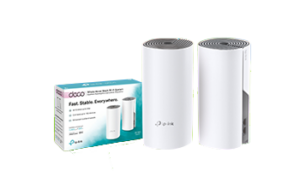
  • Mesh System to enhance signal: If the Wi-Fi range in your house is poor, a Vox mesh router system can help to push the signal further, so the whole family can stay connected throughout the house, providing an uninterrupted lag-free high-speed Wi-Fi connection for multiple devices in every corner of your home.Vox Wi Fi Home Mesh
  • How many mesh units can I have in my home? The Vox two-pack can connect up to 100 devices and you can include up to eight units in your home if more coverage is needed. A Vox Wi-Fi Home Mesh network can handle a mix of IoT products, smart TVs, smartphones, tablets and other electronic devices, such as wireless printers.
  • Other devices can interfere with your Wi-Fi connection, including microwave ovens, cordless phones, Bluetooth products, baby monitors, alarms, cameras and other wireless LANs. To prevent this, position the Wi-Fi router or mesh extender as far away as possible from microwave ovens, Bluetooth devices, and 2.4 GHz cordless phones.
  • App-Enabled: If you want to check your Wi-Fi range, there are apps available for Apple and Android smartphones, for example ‘Sweetspot’ for Apple and ‘WiFi analyzer’ for Android.


Not Just the Wi-Fi to Consider

A Wi-Fi router is not the only critical component that enhances your user experience.

  • Wired after all: As outlined above, a Wi-Fi Home Mesh network can provide incredibly strong Internet connectivity, but there are still times when an Ethernet cable might be the best solution – for example, if you have very thick walls, or for plugging into an HD television or gaming setup, where the speed needs to stay high and the connectivity lag-free. Look at buying an Ethernet cable that is rated for ‘Cat 5e’ or ‘Cat 6’.
  • Great Internet, old device = problem: You won’t get the maximum range and performance from a newer wireless router unless your devices also use the same Wi-Fi standard. An old laptop is unlikely to have ‘ac’ or ‘n’ Wi-Fi access, so check the specifications to see which wireless standard it is using. If you don’t want to buy a new laptop straight away, you can buy a wireless adapter that plugs into a USB port on your laptop.


The Magic of Blazing Fast Internet


Vox Wi Fi Home Mesh

When you signed up for your FTTH Internet connection, you chose an option for yourself and your family that is fast, reliable and future-proof, and ready to deliver you the best possible Internet experience. Considering its scope and importance, maximising your internet connectivity line is critically important.

The good news is that you can optimise your home Wi-Fi experience with the right choice of routers, extenders and mesh options.

Your Vox Home Fibre line is future‑proof and capable of delivering outstanding home Internet, but a few simple tweaks to router placement, device choices and using mesh or Ethernet where needed will ensure the whole family gets the experience you expected.

If you need help optimising your home Wi‑Fi or want to add Vox Wi‑Fi Home Mesh, simply visit vox.co.za, sign up with Vox, or contact Vox Support on 087 805 0530.

With Vox Fibre to the Home, you are enabled by great Internet access. Welcome to a world of online opportunities.


Frequently Asked Questions

How can I tell if the issue is my Vox Fibre line or my home Wi‑Fi?

Run a speed test directly from a device connected by Ethernet to your router. If wired speeds match your plan, the issue is likely Wi‑Fi or device related.

How many Vox mesh units do I need?

A Vox two‑pack covers many typical homes and supports up to 100 devices. You can add up to eight units for larger homes or difficult layouts.

Where should I place my router for best coverage?

Position the router centrally, elevated and away from thick walls, metal objects and kitchen appliances. Avoid cupboards or behind large furniture.

Will a mesh system reduce my Internet speed?

A well-configured mesh keeps speeds high across the home. For best performance, place mesh units strategically and use wired backhaul where possible.

Do I need a new router if I upgrade my Vox Fibre package?

Your router should support the speed of your new package. If it’s rated lower than your plan, consider upgrading to a higher‑spec router or Vox Wi‑Fi Home Mesh.

Can old devices cause slow Wi‑Fi for the whole house?

Older devices can occupy airtime and reduce performance for others. Where possible, update device Wi‑Fi adapters or move bandwidth‑heavy tasks to wired connections.

Is Ethernet worth the hassle for a smart TV or console?

Yes. Ethernet (Cat 5e/Cat 6) offers the most reliable, low‑latency connection and is ideal for HD streaming and competitive gaming.

How do I contact Vox Support for help?

Visit vox.co.za for product info and self-service tools, or call Consumer Support on 087 805 0530 for assistance.

Vox and the Lions Group – A Case Study

The Lions Group consists of three entities, namely the Golden Lions Rugby Union, the Lions Rugby Company, and EPS Management. Collectively, the three companies are the custodians of rugby in their region, from grassroots development all the way up to international interprovincial teams. While their primary focus is rugby, the Group has diversified its revenue streams to include various other activities, including concerts, sporting events, commercial rentals, and private functions and conferencing.

Pieter Burger, Manager Director: EPS, explains: “We have a passion for innovation and doing things differently, and consistent improvements in and around our facilities make them not only relevant, but also industry leaders in certain areas. This flexibility in our product offering, combined with innovation, is what distinguishes us from our competitors.”


The Business Challenge

During big games or concerts, stadiums face unique challenges due to their large, dense crowds, and one of these challenges involves providing connectivity to the highest standard.

Excellent connectivity is needed for broadcasting purposes, both within the stadium as well as to external broadcasting channels; financial transactions, including the sales of food and beverages and retail items; and Wi-Fi connectivity for the fans, which is an imperative for any live entertainment experience.

“As with any large sports and entertainment stadium, technology plays an important role in customer experiences at the Emirates Airline Park (Ellis Park Stadium), the home of the Golden Lions rugby team,” notes Stefan Pretorius: Enterprise Key Account Manager at Vox.

“Through Vox’s use of innovative technology, we assist in providing both stadium employees and customers alike with positive experiences during high-profile events. The use of network optimisation techniques can help maintain a high-quality Wi-Fi connection for everyone, but it all starts with sufficient and optimal broadband infrastructure.”

“As part of the entertainment industry, it is critical for the Lions Group to know that innovative technology and leading connectivity are together able to enhance high performance, as well as the consumers’ experience and preferences,” adds Burger. “Connectivity access networks, and their reliable uptime, is key in our industry.”


465008034 8772678062797376 4077640001360117771 n | Vox | Vox and the Lions Group – A Case Study


The Business Solution

Pretorius clarifies that Vox is responsible for supplying all connectivity to Emirates Airline Park, as follows:

  • Two 1Gbps dedicated Business Fibre links;
  • One 200Mbps dedicated Business Fibre link to the practice stadium next door;
  • Firewalls; and
  • An SD-WAN Solution for load balancing.


“Vox is a strategic partner of the Lions Group,” says Burger, “and we have benefited from our existing partnership with them for some years now. One of these advantages is that, as our technology requirements progressively increase, so we turn to Vox to implement enhancements as required.

“Before signing up with Vox, our main concerns and challenges involved Voice over Internet Protocol (VoIP), Connectivity and cloud solutions. Today, as our infrastructure partner, Vox provides excellent bandwidth and reliable uptime, and takes care of any required upgrades following a needs assessment and consultation. We also enjoy efficient support from Vox very quickly whenever required.”


Overall Experience with Vox

“We never have any concerns or issues with the implementation processes for our chosen solutions, which are always effectively handled by Vox engineers,” comments Burger. “Just like the Lions Group, we know that Vox has a strong entrepreneurial spirit and always strives to improve and enhance its service offering and effectiveness, and we admire and appreciate this shared synergy.

“We believe that Emirates Airline Park has the best bandwidth and reliability of any stadium in South Africa, as was displayed to such good effect during the Springboks versus New Zealand test in August 2024. Our relationship and overall experience with Vox is excellent – we could not ask for a better partner!”

Playing Detective: Why Do I Have No Internet Access?!!

Possibilities to unpack

There’s never a good time for the Internet to go down, and we’ve all been there – that “Oh nooooo!” moment of discovering that there’s no Internet access (generally the polar opposite of an “Aha!” moment). Whether or not there’s an instantly obvious reason as to why you suddenly have no Internet access (for example, an unexpected power outage), you’ll want to get back online immediately to carry on with where you were, whether it was working, streaming, gaming or banking.

Finding out exactly where the fault lies can be a little like playing detective (probably a detective in a bad mood). Let’s take a look at the possible reasons for your lack of Internet access, and how to handle the problem.


ISPs versus FNOs

With Fibre Internet connectivity, customers generally deal directly with their Internet Service Providers (ISP) – which is where Vox comes in – but Fibre Network Operators (FNOs) also play a significant role in the connectivity landscape.

  • An FNO installs, owns and maintains the Fibre Optic Cable network infrastructure that allows users to access the Internet.
  • An ISP manages how customers receive their Internet services, essentially acting as a middleman between the FNO and the customer. The ISP manages the speed and bandwidth of the Internet coming from the FNO’s cables into your home, offering different Internet packages to cater for different customers’ needs.


Help – My Internet Access is Down!

Let’s say you’re watching your current favourite TV show via a streaming service and the screen suddenly goes blank (but the lights are still on). First things first: try to keep your blood pressure under control, and then check that the issue doesn’t lie with the TV. If you can access your show on your phone or laptop, then it’s not Internet access that’s down but rather your smart TV.

On the other hand, if you’re having connectivity issues across multiple devices, you can then assume that something has gone wrong with your Internet access. There could be a few reasons for this.

internet down

  • Check that your Wi-Fi router and/or ONT (modem) isn’t malfunctioning: Your ONT (also known as an Optical Network Terminal) is the box on the wall (originally installed by the FNO) that connects the Fibre cables outside your property to your Wi-Fi router inside. Make sure all cables are connected properly and that none have come loose. If everything seems fine, unplugging and plugging back in, then waiting about 30 seconds for the device to reboot, usually fixes most ONT and / or router problems.


Additionally, you might physically be too far away from your Wi-Fi router, or the router itself is in the wrong place. Ideally, your Wi-Fi router should be in a central location in your home, not too close to the floor and away from your kitchen Microwave or other electronic devices that might interfere with the radio signal, such as a baby monitor in a child’s room.

  • The Wi-Fi network might be congested (externally and internally):

While network congestion won’t necessarily knock out your Internet connection completely, it can certainly cause slower speeds. Are other members of your family causing your Internet access to slow because of massive bandwidth consumption via streaming, downloading or gaming?

Besides waiting for the congestion to clear (or bribing your teenagers to stop playing), you can make the most of the speeds you are getting by placing your router in an optimal location (as outlined above), adjusting your Wi-Fi settings or using an Ethernet cable.

wi fi 5438427 1920 | Vox | Playing Detective: Why Do I Have No Internet Access?!!


The good news is that usually, ISP outages happen rather seldom and are resolved as quickly as possible; it’s not in the best interests of any ISP to be slack in leaving things unresolved.

  • Is it the FNO? This is where it can get tricky for consumers. Their ISP is usually their first port of call and being told, with apologies, that “It’s not us; it’s the people who provide the Fibre network to your area” can feel like someone is not taking ownership. Having contacted your ISP, you could use your mobile phone data and see if there are any outages reported on Twitter, or perhaps your neighbourhood WhatsApp group. If there’s a number to call, do so – and again, hopefully the problem will be resolved as quickly as possible.


Sometimes, Fibre networks go down because of breaks in submarine Fibre cables in the ocean – that’s generally a global issue, and a massive headache for everyone.

  • Power outages: If the power goes out, so does your Wi-Fi router, so we can’t forget about electricity issues, whether they are called load shedding, load reduction or come in a no-name brand packaging. Best practice advice is to support your Wi-Fi connection with an uninterruptible power supply (UPS). ONTs and routers use very little electricity, and having access to a UPS could save your Teams meeting – and your sanity.


Few things today are more guaranteed to put us instantly into Angry Detective Mode than suddenly losing our Internet access.


detective 8619520 1920 | Vox | Playing Detective: Why Do I Have No Internet Access?!!

The most common cause is a problem with your router or modem, or a loose cable, but your Internet can also fail because of a more technical reason. Whenever there’s an issue, you can always contact us and we will gladly be of assistance.

At Vox, our help is available 24 hours a day, throughout the year.


When to contact Vox support

If you’ve run the checks above and still have no internet access, contact Vox for assistance:


Quick FAQs

Q: My TV lost streaming but my phone works — is the internet down?
A: No – this usually means the smart TV or the app is at fault. Try restarting the TV or app first.

Q: How long do ISP outages usually take to fix?
A: Most ISP issues are resolved quickly; longer outages can occur if there’s damage to the fibre network or major maintenance.

Q: Can broken submarine fibre affect my home connection?
A: Yes. Submarine cable faults can cause wider regional disruptions, which your ISP will report on if affected.

Q: My device shows ‘connected’ but there’s no internet – what now?
A: This often means the device is connected to your router but the router itself has lost upstream connection. Reboot your ONT and router, try a different device, and if multiple devices still have no internet, contact Vox on 087 805 0530.

Q: Can I use my phone’s mobile data as a temporary fix?
A: Yes, you can hotspot your phone to get devices online while you troubleshoot. Remember mobile data may be slower or limited by your cap, so use it for essential tasks until your home connection is restored.

Q: I see a cut or damage to fibre outside my property — who fixes it?
A: Physical fibre repairs are handled by the Fibre Network Operator (FNO). Report the issue to Vox support (087 805 0530 / help@voxtelecom.co.za ) so they can escalate to the FNO and arrange a repair.

Internet, Unplugged: The Convenience of Wi-Fi

(‘The Internet’ and ‘Wi-Fi’ Are Not the Same)


“Hi, can I please use your Internet?”

“No, but you are welcome to access my Wi-Fi – let me give you the password.”

The Internet and Wi-Fi are not the same. Nobody owns the global Internet, but people pay for their connectivity and Wi-Fi services (to the home or office) to access the Internet. Knowing the difference makes for clearer understanding and communication.

And just as it’s the nature of water to flow freely through a well-built system, so does  information on the internet when it’s enabled by the correct infrastructure. Wi-Fi enables us to access this information without having to plug in our devices through a cable – let’s take a look.


The Internet of Possibilities

Back in its earliest days, people had to plug their devices into an ethernet cable (or before that, an ADSL connection, which was essentially a Telkom landline) to connect to the Internet.

That’s why people talked about ‘Being online’ – because you were ON the internet, but only because you were connected to a LINE (i.e. the cable).

Today, most people connect to the Internet in their homes (or at their office premises) through a wireless connection, in other words through Wi-Fi access. It’s a huge step up from having to have your device constantly plugged in to remain connected.

So how does Wi-Fi access enable wireless connectivity?

marvin meyer SYTO3xs06fU unsplash | Vox | Internet, Unplugged: The Convenience of Wi-Fi


From Fibre Outside to Wireless Inside

Your home Wi-Fi network begins with Fibre Optic cables that are laid outside your property within the neighbourhood by the fibre network operators (FNOs). Through these Fibre Optic cables, Internet data is transmitted at the speed of light.

When you sign up for a Wi-Fi service, an internet service provider (ISP) – like Vox – then takes over. The ISP links the FNO Fibre box outside your property boundary with a separate (shorter) Fibre Optic cable to an optical network terminal (ONT) inside your home.

The ONT is linked with one last short cable into your Wi-Fi router, which then ‘converts’ Internet data received via the Fibre optics into radio signals, to create your home Wi-Fi network.

And voila! You and your devices have access to wireless Internet access in your home.


Internet Like Water

Much like water, the Internet, with its constant access to information and services, has become fundamental to modern life today. So you could also think of the process like this:

  • Firstly, the Internet is the water that is constantly flowing.
  • The Fibre cables are your hosepipe – the actual infrastructure that carries the Internet to you.
  • Your Wi-Fi router is the primary sprinkler that makes the Internet easily accessible. Wi-Fi lets you access the Internet without having to literally plug in your device.
  • Finally, mesh units or access points placed strategically within your home further sprinkle your Wi-Fi everywhere it’s needed, allowing for the freest possible flow of the Internet and the information it allows us to share.

hose 3401513 1920 | Vox | Internet, Unplugged: The Convenience of Wi-Fi


From the way we communicate and work, to how we shop, bank and entertain ourselves, the Internet has revolutionised multiple aspects of our lives.

Vox can assist you with all of your connectivity needs, from infrastructure to Wi-Fi, with a host of additional options to quench your thirst for fully-enabled communications.

We’re proud to say that there’s no obstacle to free-flowing communications that we can’t solve for you.