Great Internet Plan, Problem Router?

It’s weekend at last – but Internet access has slowed to a crawl…

Picture the scene, in this non-Vox household. (You’ll see why that’s important later in the story.)

Dad’s watching the Premier League on a streaming service; Mom’s chatting online to her friend overseas; Teenager is doing the initial download of a long-awaited new game, and Tween is on YouTube. Everyone is happy – and then the dreaded buffering starts. Everyone is instantly much less happy, and more bandwidth is clearly required.

“But wait!” says a lone voice, “we upgraded to a new home Internet plan last week and our new download speed is supposed to be blazing fast – so why is it not working?!!!”

The answer could lie with the router.

New Plan, Old Router?

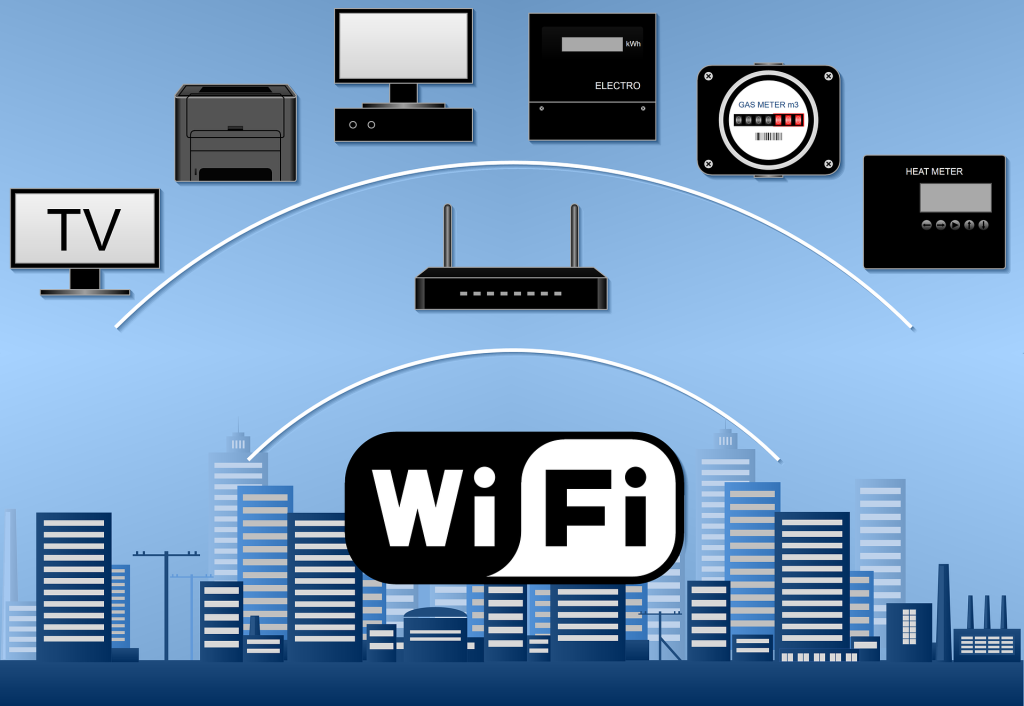
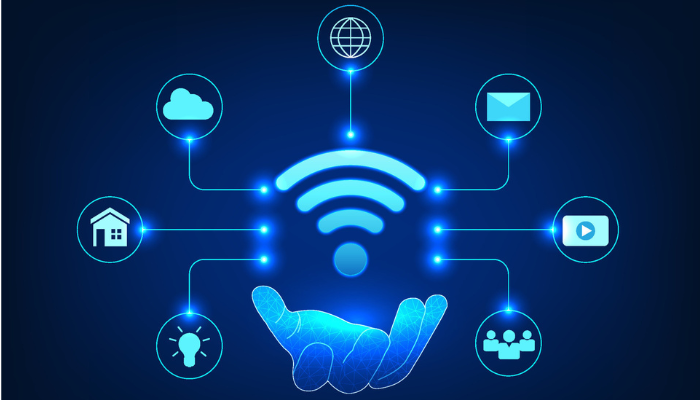
Wi-Fi, as an enabler, carries most of the Internet traffic in a connected home. Your Wi-Fi router converts the Internet data received via the Fibre Optic cables in your neighbourhood into radio signals, to create your home Wi-Fi network and provide all the devices on it with Internet access, using built-in antennas.
 

Untitled design 2024 08 13T154659.142 | Vox | Great Internet Plan, Problem Router?

If you have a Fibre to the Home (FTTH) Internet plan that supports a download speed of say 25Mbps, an older router (and fewer users) is unlikely to cause a bottleneck in your connections.

However, if you then upgrade to a new 300Mbps plan (because of Teenagers / Tweens / the Premier League), but your previous router supports only 25Mbps wired, your Wi-Fi won’t be able to live up to the connectivity promise if your Internet Service Provider (ISP) doesn’t supply you with a newer model.

Connect With Vox

Vox connects you to the Internet and thereafter continues to manage your connection. When you sign up with Vox, we will furnish you with a suitable free-to-use Wi-Fi router based on your chosen package. We don’t charge a delivery fee for the router, or even a monthly fee for its usage – this is included as part of your bundle.

As a premium ISP, Vox ensures that, for standard installations, your Vox free-to-use Wi-Fi router is installed by a dedicated Vox engineer. Alternatively, our Self-Install process allows you to install your free-to-use Wi-Fi router, by following an easy step-by-step guide.


    • Fun fact: Different Wi-Fi devices work according to varying frequency bands. Older routers work on the 2.4 Ghz frequency, while newer phones and laptops use the more stable 5Ghz range. A dual-band device that supports both frequencies is ideal.


Not all routers over a few years old are necessarily bad, but if you’ve upgraded your Internet plan or added more devices to your network, an older router might have a harder time juggling the extra work than a newer model.

Signs that you might need a Wi-Fi router upgrade include the following: slow speeds; a weak connection; malfunctioning equipment; incompatibility with new devices and even overheating.


    • Fun Fact: Old smartphones, tablets, and other devices can slow also down your Internet access, even if you have a new, fast router and an upgraded Internet plan.


jonathan kemper ff96HE413W0 unsplash | Vox | Great Internet Plan, Problem Router?

At Home with Vox

The moral of the story is that new tech needs to meet its match – in other words, more new tech.

As outlined, older routers and network equipment can affect the household’s Wi-Fi speeds, especially when there are multiple users. We believe the issue of having the wrong Wi-Fi router for an upgraded Internet plan with Vox is highly unlikely, because we take care of that level of detail, and the responsibility, for you.

For Customer Service and General Queries, our Vox teams are on hand from 08:00 to 17:00, Monday through Friday, and from 08:00 to 14:00 on Saturdays and non-religious public holidays. You can reach us at help@voxtelecom.co.za or call 087 805 0530.

With Vox, upgrading your FTTH Internet usage plan is a straightforward process, and our Technical Support team is always able and willing to help you. We have a Wi-Fi solution for every need.

Sign up with our Fibre to the Home offerings and say goodbye to buffering and hello to hassle-free, connected weekends – for the whole family.


 

AdobeStock 478762309 1 | Vox | Great Internet Plan, Problem Router?


Smart home, smart security: Lock all the doors (IOT and Wi-Fi) wi-fi

Smart geysers, pool pumps, doors, fridges, washing machines and gates are opening the door to a whole new world of efficiency but they do present a risk

There are more than 400 million smart homes globally. In South Africa, it’s expected to reach 20.6% of the market by 2028 with multiple well-known brands selling smart devices designed to optimise lighting, power and water usage, and home security.   With the increase of (IOT) Internet of Things Wi-Fi devices, attackers are now targeting smart home appliances, wearables and security systems.

As South Africans become increasingly reliant on smart door locks, smart security cameras, smart smoke detectors, fire alarms and home security systems, it’s equally important that they ensure these smart solutions are secure themselves. The risk to health and property if a device is left open to hackers is untenable, and yet many homeowners don’t realise how important it is to change the password on their router. The latter’s password is usually set to default when it’s purchased or installed, and this makes it an easy gateway into any home network.

Then there’s the risk that comes with not using a strong password. According to the World Economic Forum, the world’s most popular passwords are still terrible – 123456 is the world’s most common. It is also the worst. More than 4.5 million people have used it and it takes a hacker under a second to crack. In fact, if a person’s password appears on any of the top password lists, it’s not going to keep their home safe.

Now, imagine if that password was used to gain access to your home security system. A digitally savvy criminal can remotely open the gate, turn off the beams, unlock the front door, turn off the cameras and the alarms, and walk into your home without anyone noticing. This becomes even more bone-chilling if you realise that this could all happen while you were at home.

It is not a sign to stop using these devices. The value they add to quality of life is significant. The ability to schedule temperatures, lighting, switches, speakers and appliances is incredibly convenient, and saves both time and money. It’s more of a call to network action. Yes, you can use your IoT Wi-Fi devices to monitor your solar and improve your standard of living, but do so with a network that’s been optimised to handle the load and the risk.

The network is not only a point of vulnerability, it’s also the key to ensuring it can handle the demands of a comprehensively smart home. Older routers can handle up to 32 devices at the same time before losing coherence, so the first, most important step, is to prioritise investing into the latest technology. A modern router with an incredibly strong password will immediately make your network more secure and will make it easier for you to connect multiple devices and gain all the benefits of a smart home and smart technology.

When you optimise your network settings for your IoT Wi-Fi devices, your devices will function better and you will gain better control over performance and network capacity. It sounds complex, but it boils down to using the best possible technology to handle the role. And this is not just the router. You want reliable equipment and a connectivity provider who can ensure your devices remain secure and functioning optimally.

When you combine the connectivity with the security and the technology, then you have the perfect trifecta of smart home functionality that will deliver the right performance at a consistency it demands. It also means that as a South African, you get that smart doorbell, intelligent power management and all the other digital bells and whistles within a tight ecosystem that’s geared to protect your home without compromise.

Playing Detective: Why Do I Have No Internet Access?!!

Possibilities to unpack

There’s never a good time for the Internet to go down, and we’ve all been there – that “Oh nooooo!” moment of discovering that there’s no Internet access (generally the polar opposite of an “Aha!” moment). Whether or not there’s an instantly obvious reason as to why you suddenly have no Internet access (for example, an unexpected power outage), you’ll want to get back online immediately to carry on with where you were, whether it was working, streaming, gaming or banking.

Finding out exactly where the fault lies can be a little like playing detective (probably a detective in a bad mood). Let’s take a look at the possible reasons for your lack of Internet access, and how to handle the problem.


ISPs versus FNOs

With Fibre Internet connectivity, customers generally deal directly with their Internet Service Providers (ISP) – which is where Vox comes in – but Fibre Network Operators (FNOs) also play a significant role in the connectivity landscape.

  • An FNO installs, owns and maintains the Fibre Optic Cable network infrastructure that allows users to access the Internet.
  • An ISP manages how customers receive their Internet services, essentially acting as a middleman between the FNO and the customer. The ISP manages the speed and bandwidth of the Internet coming from the FNO’s cables into your home, offering different Internet packages to cater for different customers’ needs.


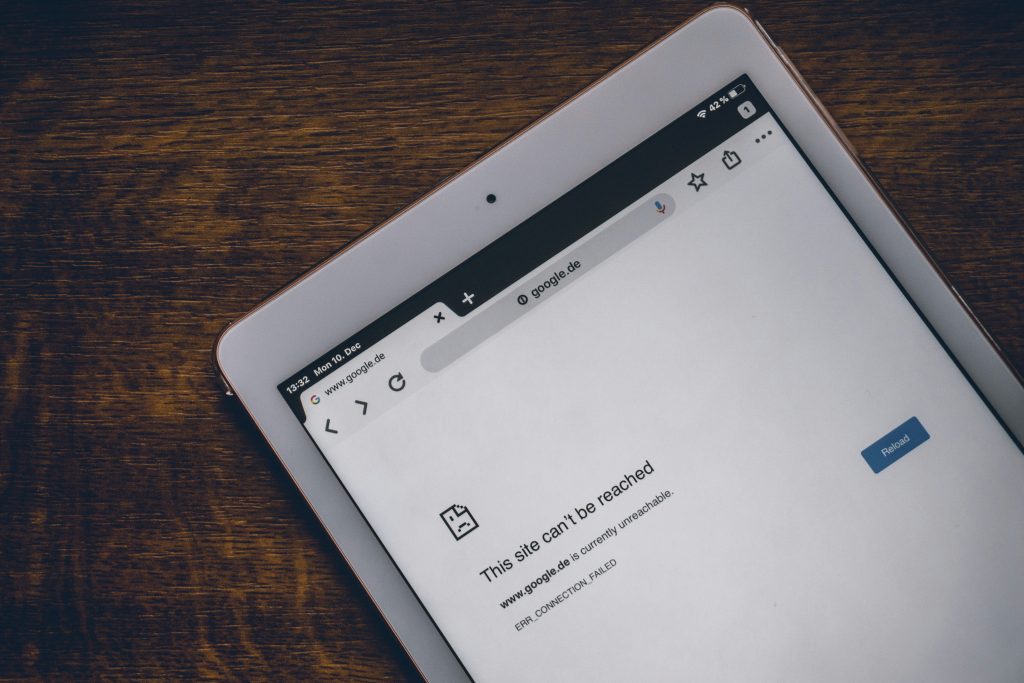
Help – My Internet Access is Down!

Let’s say you’re watching your current favourite TV show via a streaming service and the screen suddenly goes blank (but the lights are still on). First things first: try to keep your blood pressure under control, and then check that the issue doesn’t lie with the TV. If you can access your show on your phone or laptop, then it’s not Internet access that’s down but rather your smart TV.

On the other hand, if you’re having connectivity issues across multiple devices, you can then assume that something has gone wrong with your Internet access. There could be a few reasons for this.

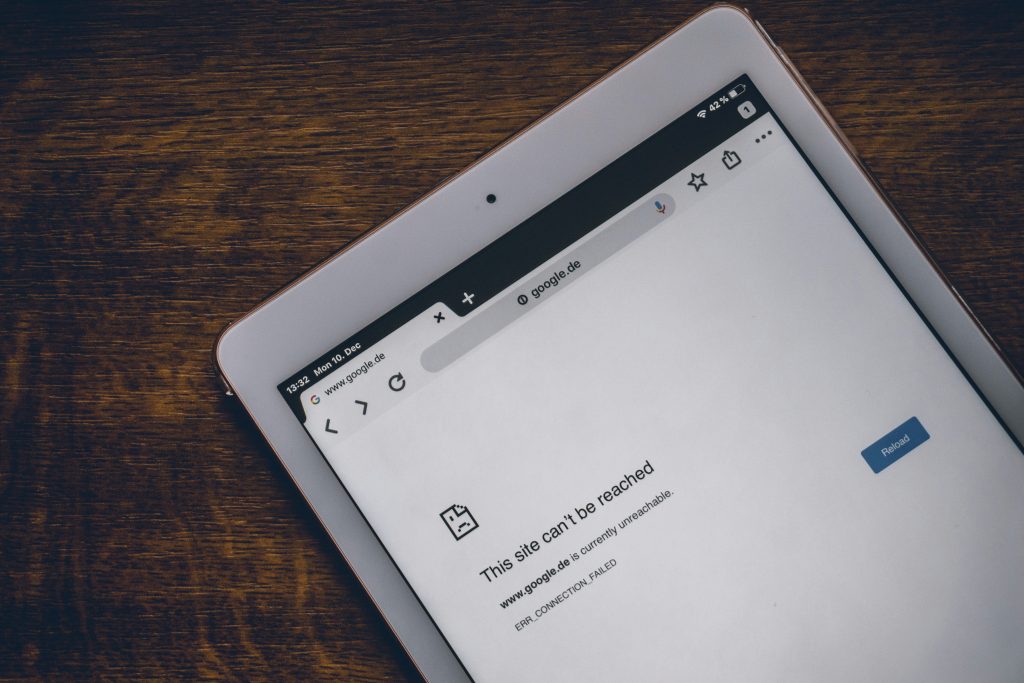
internet down

  • Check that your Wi-Fi router and/or ONT (modem) isn’t malfunctioning: Your ONT (also known as an Optical Network Terminal) is the box on the wall (originally installed by the FNO) that connects the Fibre cables outside your property to your Wi-Fi router inside. Make sure all cables are connected properly and that none have come loose. If everything seems fine, unplugging and plugging back in, then waiting about 30 seconds for the device to reboot, usually fixes most ONT and / or router problems.


Additionally, you might physically be too far away from your Wi-Fi router, or the router itself is in the wrong place. Ideally, your Wi-Fi router should be in a central location in your home, not too close to the floor and away from your kitchen Microwave or other electronic devices that might interfere with the radio signal, such as a baby monitor in a child’s room.

  • The Wi-Fi network might be congested (externally and internally):

While network congestion won’t necessarily knock out your Internet connection completely, it can certainly cause slower speeds. Are other members of your family causing your Internet access to slow because of massive bandwidth consumption via streaming, downloading or gaming?

Besides waiting for the congestion to clear (or bribing your teenagers to stop playing), you can make the most of the speeds you are getting by placing your router in an optimal location (as outlined above), adjusting your Wi-Fi settings or using an Ethernet cable.

wi fi 5438427 1920 | Vox | Playing Detective: Why Do I Have No Internet Access?!!


The good news is that usually, ISP outages happen rather seldom and are resolved as quickly as possible; it’s not in the best interests of any ISP to be slack in leaving things unresolved.

  • Is it the FNO? This is where it can get tricky for consumers. Their ISP is usually their first port of call and being told, with apologies, that “It’s not us; it’s the people who provide the Fibre network to your area” can feel like someone is not taking ownership. Having contacted your ISP, you could use your mobile phone data and see if there are any outages reported on Twitter, or perhaps your neighbourhood WhatsApp group. If there’s a number to call, do so – and again, hopefully the problem will be resolved as quickly as possible.


Sometimes, Fibre networks go down because of breaks in submarine Fibre cables in the ocean – that’s generally a global issue, and a massive headache for everyone.

  • Power outages: If the power goes out, so does your Wi-Fi router, so we can’t forget about electricity issues, whether they are called load shedding, load reduction or come in a no-name brand packaging. Best practice advice is to support your Wi-Fi connection with an uninterruptible power supply (UPS). ONTs and routers use very little electricity, and having access to a UPS could save your Teams meeting – and your sanity.


Few things today are more guaranteed to put us instantly into Angry Detective Mode than suddenly losing our Internet access.


detective 8619520 1920 | Vox | Playing Detective: Why Do I Have No Internet Access?!!

The most common cause is a problem with your router or modem, or a loose cable, but your Internet can also fail because of a more technical reason. Whenever there’s an issue, you can always contact us and we will gladly be of assistance.

At Vox, our help is available 24 hours a day, throughout the year.


When to contact Vox support

If you’ve run the checks above and still have no internet access, contact Vox for assistance:


Quick FAQs

Q: My TV lost streaming but my phone works — is the internet down?
A: No – this usually means the smart TV or the app is at fault. Try restarting the TV or app first.

Q: How long do ISP outages usually take to fix?
A: Most ISP issues are resolved quickly; longer outages can occur if there’s damage to the fibre network or major maintenance.

Q: Can broken submarine fibre affect my home connection?
A: Yes. Submarine cable faults can cause wider regional disruptions, which your ISP will report on if affected.

Q: My device shows ‘connected’ but there’s no internet – what now?
A: This often means the device is connected to your router but the router itself has lost upstream connection. Reboot your ONT and router, try a different device, and if multiple devices still have no internet, contact Vox on 087 805 0530.

Q: Can I use my phone’s mobile data as a temporary fix?
A: Yes, you can hotspot your phone to get devices online while you troubleshoot. Remember mobile data may be slower or limited by your cap, so use it for essential tasks until your home connection is restored.

Q: I see a cut or damage to fibre outside my property — who fixes it?
A: Physical fibre repairs are handled by the Fibre Network Operator (FNO). Report the issue to Vox support (087 805 0530 / help@voxtelecom.co.za ) so they can escalate to the FNO and arrange a repair.

Ripping off the PBX Blindfold: What’s under the hood?

Cloud-based telephony built on a carrier grade platform that simplifies voice? What does that even mean, and how can businesses find the right solution, asks Natalie van der Merwe, Head of Telephony at Vox

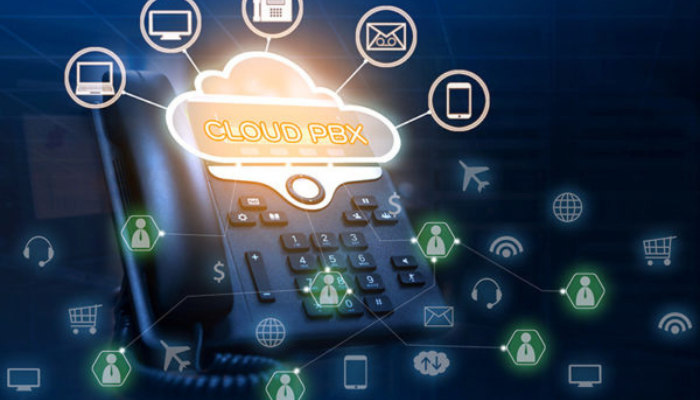
The cloud PBX market is expected to reach $71.75 billion by 2031 with a compound annual growth rate of 18.52%. This growth is driven by the accessibility and reliability of the technology that sits at its heart. Flexible, agile, and capable of providing communication and collaboration tools to companies wanting to operate effectively on the global stage, cloud PBX – a core component of the move towards Unified Communications as a Service (UCaaS) solutions – is cost-effective and easy to integrate within the business. However, companies don’t have visibility into the technology that powers these solutions or how this will evolve to meet their changing business needs.

The technology behind digital closed doors can often have a serious impact on the business if it isn’t the right fit, or fit for purpose. For example, is it capable of meeting an organisation’s call volumes? Is it capable of providing high quality of service (QoS)? What service provision has been put in place to ensure last mile call quality? Have factors such as network congestion, latency and packet loss been taken into consideration as these can have a significant impact on call volumes and customer service.

Cracking those doors open means asking questions about redundancy, self-service manageability, on-premises versus cloud-based equipment, and last-mile service delivery. If you need a self-reliant solution that requires minimal intervention or complexity, then you need to consider investing in a managed service option that will provide your business with all the PBX functionality needed while ensuring ongoing security, optimised redundancy and prioritising 24/7/365 support against agreed service level agreements. As a starting point, companies should consider flexible contract terms that allow them to test the digital waters before making a long-term commitment to a specific PBX platform.

The challenge for many companies is understanding whether the technology they have chosen can meet these essential prerequisites to ensure optimal business operations. Wedded to this is the need to ensure that any cloud-based PBX platform provides robust security and reliability. In an era where cyber threats are increasingly sophisticated and downtime can lead to significant financial losses, having a secure and reliable communication system is important for maintaining business continuity and protecting sensitive information.

The third consideration is perhaps the one that most decision-making comes down to – cost. How does the technology provide balance against the costs expected for the initial investment? Some solutions limit the amount of on-site hardware investment you’re required to make in order to benefit from the solution. You need only ensure employees have access to the right handsets and the system runs perfectly. Others may require a heftier on-site cost but this will depend on your company’s unique needs. However, in most cases, using a smart solution that relies on a stable connectivity architecture and a limited on-site hardware cost is enough to ensure your business enjoys reliable uptime and communication capabilities.

You also need visibility into the data network and connectivity capabilities of your cloud-based PBX service provider. Hosted within a datacentre as part of your UCaaS strategy means you want optimised bandwidth, reduced latency and cost-effective data transfer so you’re not stung by unexpected costs, and you can run seamless video conferencing, texting, calling and collaborative communications.

Selecting the right solution often comes down to the right service provider. An all-in-one offering with trusted connectivity, service and technology makes it a lot easier to pin down the SLA and ensure the solution meets your business needs. At the same time, it’s important to pick the provider capable of answering your technology questions. Find out what platform they are using, what technology underpins its back-end service delivery, how they guarantee bandwidth and exceptional latency, and how they are evolving their tech to meet changing market needs.

Before you sign on any dotted line, rip off the blindfold and find out what technology is being used to keep your business connected to the outside world. Understanding whether the platform for your essential communications is a one-of-a-kind, home-grown solution or a globally recognised system can transform your decision-making, and change the narrative around the perceived complexity of PBX systems and UCaaS functionality.


Internet, Unplugged: The Convenience of Wi-Fi

(‘The Internet’ and ‘Wi-Fi’ Are Not the Same)


“Hi, can I please use your Internet?”

“No, but you are welcome to access my Wi-Fi – let me give you the password.”

The Internet and Wi-Fi are not the same. Nobody owns the global Internet, but people pay for their connectivity and Wi-Fi services (to the home or office) to access the Internet. Knowing the difference makes for clearer understanding and communication.

And just as it’s the nature of water to flow freely through a well-built system, so does  information on the internet when it’s enabled by the correct infrastructure. Wi-Fi enables us to access this information without having to plug in our devices through a cable – let’s take a look.


The Internet of Possibilities

Back in its earliest days, people had to plug their devices into an ethernet cable (or before that, an ADSL connection, which was essentially a Telkom landline) to connect to the Internet.

That’s why people talked about ‘Being online’ – because you were ON the internet, but only because you were connected to a LINE (i.e. the cable).

Today, most people connect to the Internet in their homes (or at their office premises) through a wireless connection, in other words through Wi-Fi access. It’s a huge step up from having to have your device constantly plugged in to remain connected.

So how does Wi-Fi access enable wireless connectivity?

marvin meyer SYTO3xs06fU unsplash | Vox | Internet, Unplugged: The Convenience of Wi-Fi


From Fibre Outside to Wireless Inside

Your home Wi-Fi network begins with Fibre Optic cables that are laid outside your property within the neighbourhood by the fibre network operators (FNOs). Through these Fibre Optic cables, Internet data is transmitted at the speed of light.

When you sign up for a Wi-Fi service, an internet service provider (ISP) – like Vox – then takes over. The ISP links the FNO Fibre box outside your property boundary with a separate (shorter) Fibre Optic cable to an optical network terminal (ONT) inside your home.

The ONT is linked with one last short cable into your Wi-Fi router, which then ‘converts’ Internet data received via the Fibre optics into radio signals, to create your home Wi-Fi network.

And voila! You and your devices have access to wireless Internet access in your home.


Internet Like Water

Much like water, the Internet, with its constant access to information and services, has become fundamental to modern life today. So you could also think of the process like this:

  • Firstly, the Internet is the water that is constantly flowing.
  • The Fibre cables are your hosepipe – the actual infrastructure that carries the Internet to you.
  • Your Wi-Fi router is the primary sprinkler that makes the Internet easily accessible. Wi-Fi lets you access the Internet without having to literally plug in your device.
  • Finally, mesh units or access points placed strategically within your home further sprinkle your Wi-Fi everywhere it’s needed, allowing for the freest possible flow of the Internet and the information it allows us to share.

hose 3401513 1920 | Vox | Internet, Unplugged: The Convenience of Wi-Fi


From the way we communicate and work, to how we shop, bank and entertain ourselves, the Internet has revolutionised multiple aspects of our lives.

Vox can assist you with all of your connectivity needs, from infrastructure to Wi-Fi, with a host of additional options to quench your thirst for fully-enabled communications.

We’re proud to say that there’s no obstacle to free-flowing communications that we can’t solve for you.


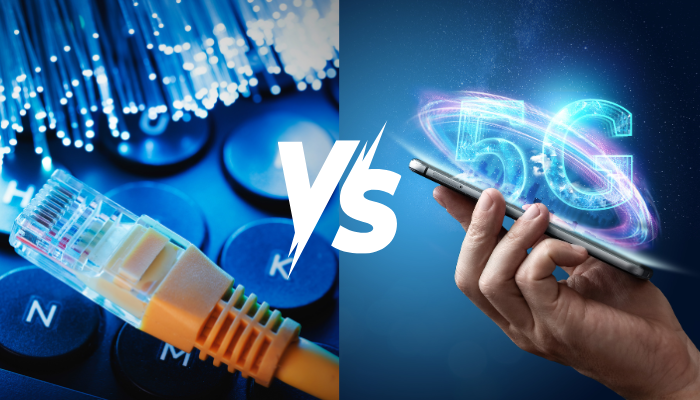
Fibre vs 5G – Where is the Future Headed?

In a world of constant innovation, two contenders make their claim to the throne.

The title in question? King of Connectivity.

Up until now, both have emerged as leading innovations destined to shape the future of communication. Fibre was firmly King Undisputed, and there was that incident with 5G and Covid (which we don’t talk about – but that’s firmly behind us). Today, both offer groundbreaking advantages yet vastly different applications, scalability, and uses. Today, we’ll unpack the strengths of each, and make a definitive decision as to which one is truly best.

Fibre Internet:

Often called the Backbone of Connectivity, Fibre Cables transmit Data as light through microscopic strands (known as, shock horror, Fibres). For years, it’s been the undisputed gold standard of Internet – offering unmatched speed and reliability.

Why it’s Awesome:

  • More Speed, Better Bandwidth: You know the deal. Fibre offers up to 100Gbps speeds and more, meaning it’s a perfect conduit for data-heavy applications like 4K Video Streaming, Cloud Services, and Large Scale Enterprise Networks.
  • Low Latency, Low Problems: Fibre generally boasts minimal delays due to its use of light-based Data transmission, meaning it’s perfect for gaming and real-time connectivity needs.
  • Real Internet, Real Reliable: Remember the days of Copper Cables? Long gone. Fibre is less susceptible to interference, damage, or theft – meaning it’s ultra-reliable (and South Africa proof).


The Downsides:

  • It Can Be Costly: Performance wise, Fibre is unbeatable. However, the process of getting there can be quite time-consuming and, more importantly, expensive. This makes accessibility, particularly in rural areas, a significant investment and reduces the potential reach thereof.
  • Mobility Matters: Unlike more mobile alternatives, Fibre is primarily a fixed connection. It’s great at the home or at the office, but if you’re after on-the-go Connectivity, there’s not much Fibre can do (nor can you take it with you).


5G Network:

We’re way beyond the doomsday projections linking the pandemic to 5G towers. Today, the technology represents the fifth generation of wireless networks – promising faster speeds, improved latency, and the capability to support large numbers of connected devices.


Why it’s Awesome:

  • UltraSpeeds Made Mobile: With amazing download/upload speeds, 5G offers lightning quick browsing and streaming to smartphones or mobile devices – making it essential for those who need rapid connectivity on-the-go.
  • Connectivity, and Beyond: since it’s designed to support as many as 1 million devices per square KM, 5G promises to be the backbone of smart cities or densely populated urban areas requiring Internet less prone to interruption.


The Downsides:

  • Coverage Matters: The problem with 5G signals is that they can struggle to penetrate thick walls, or cover long distances. This creates a need for more towers (and we all know how well that went in 2020) and limits immediate expansion into suburban areas.
  • It’s Codependent: You can’t unlock the full potential of 5G without a robust Fibre backbone – meaning it needs to be backed by proper cabling and infrastructure.


The Future: A Complementary Partnership

Rather than one technology replacing the other, Fibre and 5G will work hand in hand to shape the future of connectivity.

The question should then be reworked from “which one will replace the other” to “how will they work together” to shape the future of Connectivity.

First, Fibre:

The bottom line is that Fibre is revolutionary and will continue serve as the foundation blocks for years to come. As our Internet demands increase, no alternative at present has the capability (or scalability) required to meet these enhanced demands. Fibre does. From Cloud to Datacentres to home, business, and iOt needs, it’s primed to dominate the industry for generations to come.

Furthermore, it is pivotal to powering 5G networks – requiring a correlation to each 5G base station in order to maximise its potential.

Next, 5G:

5G is primed to dominate mobile connectivity and high-speed internet on-the-go. From innovating smart cities to vehicles, industrial automation, and healthcare, the high capacity/low latency power dynamic means it’s primed to be a cornerstone of a majorly connected connectivity ecosystem.


Our takeaway? The future will be HYBRID.

Fibre will continue to be the backbone, but 5G will serve as the central nervous system required to power the perfect body. They’ll serve to complement rather than compete with one another – with the endgame being seamless, fast, reliable Internet for both fixed and mobile users alike.

In South Africa, the debate “fibre vs 5G” keeps cropping up, but each technology serves different needs. Fibre internet remains the backbone for high-capacity, low-latency links (think datacentres, enterprise and fixed broadband), while 5G network takes mobility, dense device support and smart-city applications to the next level.


FAQs

Is Fibre faster than 5G?
Yes — Fibre can offer higher, more consistent speeds and symmetrical upload/download performance; 5G can be very fast on mobile but is more variable depending on coverage.

Do I need Fibre for 5G to work?
Essentially yes — 5G base stations typically rely on a Fibre backbone to deliver the full benefits of low latency and high throughput.

Which is cheaper: Fibre or 5G?
It depends. Fibre installation can be costly upfront, especially in rural areas; 5G fixed wireless can be cheaper to deploy in hard-to-reach areas but may offer different performance levels.

Will 5G replace Fibre in homes?
Unlikely. Fibre remains the best option for consistent, high-capacity home and business links. 5G is a strong complement, particularly where Fibre isn’t available.

Which is better for businesses?
For stable, scalable operations and cloud services, business Fibre is preferred. For mobility, IoT or temporary sites, 5G provides flexibility — most organisations benefit from both.

Cops Versus Robbers? The Beginner’s Guide to NOT Getting Cyber Attacked

Being “cyber attacked” means someone targets your devices, accounts or data to steal, disrupt or extort. The good news: common sense and a few simple steps — like patching, strong passwords, MFA and backups — stop most attackers.

Why should you treat cyber security like a neighbourhood watch?

Remember how we lock doors, set alarms and teach kids not to talk to strangers? The same basic rules apply online. In the physical world we have obvious barriers (walls, gates, locks). Online, we build those barriers with software settings, routines and awareness. People are often the weakest part of the chain — so awareness is your best first defence.

Common tricks the “robbers” use

  • Phishing: convincing emails or messages that look legit, asking you to click a link or enter details.
  • Malware and ransomware: malicious software that installs itself and steals or locks your files.
  • Weak or stolen passwords: reused or simple passwords let criminals open multiple accounts.
  • Unsecure Wi‑Fi and public hotspots: attackers can snoop on traffic if the network isn’t protected.
  • Social engineering: attackers manipulate people (often over the phone or messaging) to reveal information.

Quick checklist — how not to get cyber attacked

Treat this like a home‑security checklist. Do these first:

  • Patch and update: keep your phone, computer and router firmware up to date — updates often fix security holes.
  • Use strong, unique passwords: one per account. Better: use a password manager to generate and store them.
  • Turn on multi‑factor authentication (MFA): a second step (code or app) stops many account takeovers.
  • Install reputable anti‑malware and keep it current: antivirus plus real‑time protection reduces risk.
  • Secure your Wi‑Fi: use WPA2/WPA3 encryption and a strong admin password on your router.
  • Back up your data regularly: offline or cloud backups let you recover if ransomware hits.
  • Think before you click: check senders, hover to preview links, never enter credentials on odd pages.
  • Limit admin privileges: don’t run daily tasks as an administrator account.
  • Be careful with attachments and downloads: only open files from people you trust.
  • Protect children: use parental controls and teach them not to share personal info.

Simple, everyday analogies that help

  • Passwords = keys: don’t use the same key for every door.
  • MFA = a deadbolt + key: if someone gets the key, they still need the deadbolt.
  • Updates = fixing broken locks: delaying updates is like leaving the back door open.

If you suspect you’ve been cyber attacked — take immediate action

  1. Disconnect affected device(s) from the network (Wi‑Fi/mobile data) to limit spread.
  2. Change important passwords from a different, clean device — start with email and banking.
  3. Turn on MFA where possible and check account recovery options.
  4. Restore from backups if files are encrypted, and seek expert help for ransomware.
  5. Notify your bank and relevant services if financial details were exposed.
  6. Get professional help if needed — a managed service or security specialist can contain and investigate.

Keep it proportionate — tips for families and small businesses

You don’t need an army of tools. Focus on the basics — updates, MFA, backups and awareness — and build from there. For businesses wanting to step up, consider managed detection or firewall services, but start with the essentials first.

Play the game smarter than the robbers

Teaching simple habits — like not clicking suspicious links and using MFA — makes you a much harder target. Cyber security doesn’t need to be scary; make it part of daily routine and you’ll reduce the odds of getting cyber attacked significantly.

Frequently Asked Questions

What does it mean to be “cyber attacked”?
It’s when a person or group uses digital tools to steal, damage or block access to your devices, accounts or data — for example phishing, malware or account takeover.

What’s the quickest way to reduce my risk of being cyber attacked?
Turn on multi‑factor authentication, use unique strong passwords (with a password manager), keep software updated and back up your data.

Can antivirus stop all cyber attacks?
No. Antivirus helps a lot, but it’s not a complete shield. Combine it with updates, MFA, secure Wi‑Fi and cautious behaviour for best protection.

I clicked a phishing link — what should I do?
Disconnect from the internet, change passwords (from a different device), enable MFA, scan for malware, and contact your bank or service providers if you entered any financial details.

Are kids at risk of being cyber attacked?
Yes — kids can be targeted by social engineering or exposed to unsafe content. Use parental controls, teach safe habits and monitor what they install or share.

Vox collaborates with MTN South-Africa Wireless to deliver cost-effective and reliable connectivity

  • Vox customers benefit from exceptional speeds and coverage with MTN South Africa and Tarana Technology
  • Pricing from as little as R 900 excl VAT a month, the broadband service is affordable for the South African SME market
  • Companies that operate in hard to connect areas now have access to reliable connectivity


Vox, a market leading, end-to-end internet service provider in South Africa, is leveraging MTN South-Africa’s Fixed Wireless Access network powered by cutting-edge Tarana technology that’s reimagining the boundaries of connectivity. This technology uses a customised combination of algorithm and antenna to provide a high-speed internet connection that doesn’t require direct line of sight between the transmitter and the receiver. Operating easily in areas that are considered challenging or that have had to deal with limited connectivity due to obstacles, MTN South-Africa’s collaboration with Vox provides exceptional connectivity reliability and speeds to South African customers.

“The solution is ideally suited for the small to medium business,” says Nikita Appelman, Product Manager for Wireless at Vox. “For companies that don’t have access to business fibre, our collaborative solution with MTN South-Africa offers them a reliable primary service that’s cost-effective and fast. This can also be a reliable redundancy option for customers that experience outages on their primary Fibre connectivity. This service offers an incredible connectivity solution with superb coverage and market traction.”

Connectivity is an invaluable asset that ensures companies can leverage next-generation communication and collaboration tools to engage with customers and the global market. Vox is leveraging this solution from MTN South-Africa to provide customers with scalability and flexibility through primary, temporary, temporary to redundant, and redundant services to SMEs.

“Compared with a fibre installation, this solution is measurably faster to install,” concludes Appelman. “Companies can be installed on the network quickly and immediately feel the benefits. With long-range and high capacity, the Tarana technology – currently one of the best on the market – has coverage in most urban areas and selected rural environments. The range extends into the kilometres, and provides broad coverage.”

The collaboration forms part of Vox’s commitment to providing customers with the perfect connectivity at the right price and with trusted support and service. It’s fast, accessible and cost-effective, and allows for small to medium enterprises to flourish.

‘Stranger Danger’ From Just One Click

We teach children to look both ways before crossing the road — we should teach employees the same caution online. Phishing and malicious attachments are the “stranger danger” of the Internet: an email that looks legit can be the single click that opens a door to ransomware, data loss and costly downtime. Organisations can reduce risk dramatically by equipping people with simple, repeatable habits and the right protections.

Phishing is a fraudulent email or message designed to trick people into clicking links or opening attachments that install malware or steal credentials. One careless click can allow attackers to deploy ransomware or access sensitive company data.

Don’t click: how phishing works

Cyber criminals impersonate trusted organisations or colleagues, craft urgent requests, or hide malicious links in seemingly normal documents. The attack chain is often short: a convincing message → one click or opened attachment → malware executes → attackers escalate access or encrypt files. That single step is why “stranger danger online” is so effective.

Ransomware attacks unleash havoc

When malware runs on one device it can move laterally across a network, encrypting files and disrupting operations. Recovery can be lengthy and expensive; backups, endpoint protection and incident response plans reduce harm, but stopping the initial click is the most cost‑efficient defence.

Look both ways: how to spot phishing — 5 quick checks

  • Check the sender address (does it match the organisation, not just the display name?).
  • Hover over links to view the real URL before clicking.
  • Don’t open unexpected attachments — confirm with the sender first.
  • Watch for urgent language, threats or inconsistent tone and spelling.
  • Verify payment or credential requests with a separate call to the sender.

How to help employees become cyber‑smart

  1. Train: regular, bite‑sized awareness sessions that explain phishing examples and reporting steps.
  2. Test: run simulated phishing campaigns and give immediate feedback to anyone who clicks.
  3. Enforce: use technical controls (MFA, endpoint protection) and clear reporting routes so staff act quickly.

Joint responsibilities — people, process, products

Security is everyone’s job. Employees need awareness and reporting channels; managers must model safe behaviour and enforce policies; IT should deploy prevention tools and run simulated exercises. Combine behaviour change with product protections like phishing simulations and endpoint defences to lower organisational risk.

A quick tip on reporting and response

If you suspect an email is phishing: don’t click the link, screenshot the message, forward it to your IT security team (or quarantine it), and change exposed passwords if you believe credentials were entered. Rapid reporting shortens the mean time to detect and contain costly threats.

Learn more about our cybersecurity solutions and protective services.

Frequently Asked Questions

  1. What is a phishing email?
    A phishing email impersonates a trusted sender to trick recipients into revealing credentials or opening malware‑bearing attachments.
  2. How can one click cause a ransomware attack?
    A malicious attachment or link can install malware that encrypts files and spreads across a network, forcing an organisation to restore from backups or pay a ransom.
  3. How do I spot a phishing email?
    Check the sender address, hover links to see the real URL, avoid unexpected attachments, watch for urgency or greedy requests, and verify with the sender if unsure.
  4. What should employees do if they suspect phishing?
    Do not click; report the message to your security or IT team, quarantine the email if possible, and change any potentially exposed passwords.
  5. Are simulated phishing campaigns effective?
    Yes — regular simulations with immediate, contextual training reduce click rates and reinforce safer online behaviour.
  6. What is multi‑factor authentication (MFA) and why use it?
    MFA requires an extra verification step (e.g. SMS or authenticator app) beyond a password and greatly reduces the chance of account takeover.
  7. How often should employees receive cyber awareness training?
    At minimum quarterly refreshers plus just‑in‑time micro‑learning after simulations; frequent reinforcement keeps awareness high.

Internet Connectivity Failover: How Vox Keeps You Online During Subsea Cable Outages

Hazards That Take Down Undersea Fibre Cables and Disrupt Connectivity

Internet Connectivity Failover: How Vox Keeps You Online During Subsea Cable Outages

Discover how Vox’s Internet connectivity failover solutions using Fixed LTE-A and 5G keep homes and businesses online during subsea cable outages caused by natural disasters, wars, or marine activity.

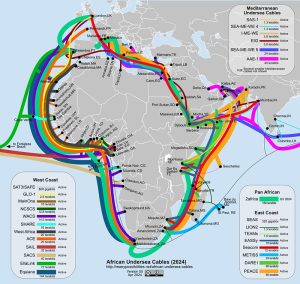
Around 98 percent of international Internet traffic is carried around the world by subsea cables, which wrap incredibly thin Fibre Optic cables within multiple protective layers. These submarine cables are generally quite robust, but damaging events, with subsequent outages, do occur – quite frequently. Reasons for the outages can include forces of nature; human activity, like fishing, wars, and dropping ships’ anchors in the wrong place; and even inquisitive sharks and other big fish.

Any time sub-sea cables break, for whatever reason, it highlights the impact of this type of damage to global connectivity, and the importance of having a backup plan to maintain an acceptable Connectivity service level.

As an Internet Service Provider (ISP), Vox has multiple Connectivity offerings and solutions. Let’s unpack how the Internet sometimes goes down because of unforeseen deep-sea events – and how businesses and individuals can protect themselves against the consequent disruptions.

African Dis-Connections

deep sea cables off Africa | Vox | Internet Connectivity Failover: How Vox Keeps You Online During Subsea Cable Outages

On 14 March 2024, four subsea cables were cut in the ocean off West Africa, namely the WACS, ACE, SAT3 and MainOne cables. Service providers had to move quickly to try and re-route traffic and mobilise a cable repair ship to head off to that part of the globe to fix it. The reason for this massive simultaneous break of four separate cables was a deep-sea landslide off the coast of West Africa.

A few months later, on 12 May, the East Coast of Africa went down, but this time the reason that multiple countries saw reduced Internet connectivity was due to human activity.

The SEACOM and EASSy submarine cables were damaged off the coast of KwaZulu-Natal by a dragged ship’s anchor – something that happens quite often, as well as occasions when the trawler nets of big fishing vessels drag on the ocean floor and get tangled up with subsea cables.

New Casualties of War

Staying with human activity: the Red Sea is a bottleneck for global shipping as well as Internet and telecommunications cables. It opens in the Gulf of Aden, where the coastal country of Yemen has seen a civil war raging for the past 10 years.

data3MpSLzsy2ONckD rHumC aWptbzKw9vVST1EA1siRZ ioURQso4Lp9x 6rLfmXGWzOxnDI2T4qa9n2PJeBNY33opJp6L2249cgtY6k1qbr1Gm r FsTnXSdfC3850CloHhnsi | Vox | Internet Connectivity Failover: How Vox Keeps You Online During Subsea Cable Outages

In late 2023, Yemen’s Houthi rebels began targeting global shipping in the Red Sea with missile attacks. In addition, Internet connectivity between parts of Asia, Africa, and Europe suddenly slowed on 24 February this year when three Red Sea submarine cables were damaged. This caused a significant disruption to Middle East communication networks.

It turned out that the submarine cables were accidentally cut by the anchor of a sinking ship that had been struck by a missile fired by the Houthis a few days before. Even though deliberate sabotage was ruled out, the immediate result was that Middle East communications suddenly became an unexpected casualty of war.

Something Fishy

Did you hear the one about Google being attacked by sharks? (And no, this is not a trick question.)

Nobody really knows why sharks like to chomp down on deep-sea cables, but one theory is that they are attracted to the magnetic field created by the high voltage carried through the cables, which resembles those created by fish. Another theory is that they are just curious.

shark bites cable | Vox | Internet Connectivity Failover: How Vox Keeps You Online During Subsea Cable Outages

Back to Google – here’s footage of a deep sea shark inspecting the Google cable with its teeth in 2014. Since then, Google has taken pains to reinforce its submarine cables to protect them from shark damage. Presumably other cable providers have done the same.

Stay Connected with Vox

Internet communications are an integral part of global life today, with massive knock-on effects when deep-sea cables are cut – and so failover (or backup) solutions are critical for countries and organisations everywhere.

In the event of a Fibre outage, Vox Fixed LTE-A and 5G offerings – which are wireless offerings and not cable-based – can provide Failover solutions that will automatically switch you over to a Fixed LTE-A or 5G network as a backup connectivity medium.

Vox Fixed LTE-A and 5G solutions allow homes and businesses to stay running at all times, to ensure uninterrupted Connectivity. In addition, business continuity can be enhanced by transferring Vox Data, VoIP and PBX solutions onto the failover Network, with various data bundles available to meet budgetary and operational requirements. Month-to-month contracts (with no long-term commitment required) are also offered.

And so if – or rather when – sections of the internet go down in the future due to deep-sea cable damage, Vox Fixed LTE-A and 5G solutions offer the ultimate backup plan for uninterrupted access to the Internet, to make sure that you and your business always stay connected.

This means no more interrupted Internet, staying connected in the face of disruptive events, and keeping things – quite literally – ‘business as usual’.