Great Internet Plan, Problem Router?

It’s weekend at last – but Internet access has slowed to a crawl…

Picture the scene, in this non-Vox household. (You’ll see why that’s important later in the story.)

Dad’s watching the Premier League on a streaming service; Mom’s chatting online to her friend overseas; Teenager is doing the initial download of a long-awaited new game, and Tween is on YouTube. Everyone is happy – and then the dreaded buffering starts. Everyone is instantly much less happy, and more bandwidth is clearly required.

“But wait!” says a lone voice, “we upgraded to a new home Internet plan last week and our new download speed is supposed to be blazing fast – so why is it not working?!!!”

The answer could lie with the router.

New Plan, Old Router?

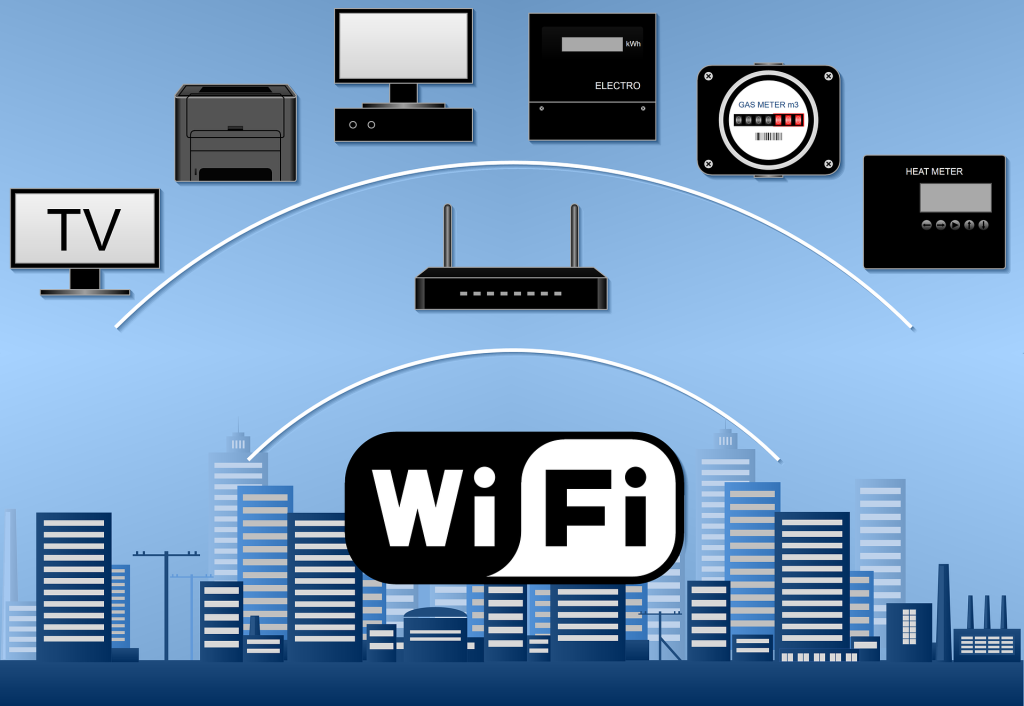
Wi-Fi, as an enabler, carries most of the Internet traffic in a connected home. Your Wi-Fi router converts the Internet data received via the Fibre Optic cables in your neighbourhood into radio signals, to create your home Wi-Fi network and provide all the devices on it with Internet access, using built-in antennas.
 

Untitled design 2024 08 13T154659.142 | Vox | Great Internet Plan, Problem Router?

If you have a Fibre to the Home (FTTH) Internet plan that supports a download speed of say 25Mbps, an older router (and fewer users) is unlikely to cause a bottleneck in your connections.

However, if you then upgrade to a new 300Mbps plan (because of Teenagers / Tweens / the Premier League), but your previous router supports only 25Mbps wired, your Wi-Fi won’t be able to live up to the connectivity promise if your Internet Service Provider (ISP) doesn’t supply you with a newer model.

Connect With Vox

Vox connects you to the Internet and thereafter continues to manage your connection. When you sign up with Vox, we will furnish you with a suitable free-to-use Wi-Fi router based on your chosen package. We don’t charge a delivery fee for the router, or even a monthly fee for its usage – this is included as part of your bundle.

As a premium ISP, Vox ensures that, for standard installations, your Vox free-to-use Wi-Fi router is installed by a dedicated Vox engineer. Alternatively, our Self-Install process allows you to install your free-to-use Wi-Fi router, by following an easy step-by-step guide.


    • Fun fact: Different Wi-Fi devices work according to varying frequency bands. Older routers work on the 2.4 Ghz frequency, while newer phones and laptops use the more stable 5Ghz range. A dual-band device that supports both frequencies is ideal.


Not all routers over a few years old are necessarily bad, but if you’ve upgraded your Internet plan or added more devices to your network, an older router might have a harder time juggling the extra work than a newer model.

Signs that you might need a Wi-Fi router upgrade include the following: slow speeds; a weak connection; malfunctioning equipment; incompatibility with new devices and even overheating.


    • Fun Fact: Old smartphones, tablets, and other devices can slow also down your Internet access, even if you have a new, fast router and an upgraded Internet plan.



jonathan kemper ff96HE413W0 unsplash | Vox | Great Internet Plan, Problem Router?

At Home with Vox

The moral of the story is that new tech needs to meet its match – in other words, more new tech.

As outlined, older routers and network equipment can affect the household’s Wi-Fi speeds, especially when there are multiple users. We believe the issue of having the wrong Wi-Fi router for an upgraded Internet plan with Vox is highly unlikely, because we take care of that level of detail, and the responsibility, for you.

For Customer Service and General Queries, our Vox teams are on hand from 08:00 to 17:00, Monday through Friday, and from 08:00 to 14:00 on Saturdays and non-religious public holidays. You can reach us at help@voxtelecom.co.za or call 087 805 0530.

With Vox, upgrading your FTTH Internet usage plan is a straightforward process, and our Technical Support team is always able and willing to help you. We have a Wi-Fi solution for every need.

Sign up with our Fibre to the Home offerings and say goodbye to buffering and hello to hassle-free, connected weekends – for the whole family.


 

AdobeStock 478762309 1 | Vox | Great Internet Plan, Problem Router?


Smart home, smart security: Lock all the doors (IOT and Wi-Fi) wi-fi

Smart geysers, pool pumps, doors, fridges, washing machines and gates are opening the door to a whole new world of efficiency but they do present a risk

There are more than 400 million smart homes globally. In South Africa, it’s expected to reach 20.6% of the market by 2028 with multiple well-known brands selling smart devices designed to optimise lighting, power and water usage, and home security.   With the increase of (IOT) Internet of Things Wi-Fi devices, attackers are now targeting smart home appliances, wearables and security systems.

As South Africans become increasingly reliant on smart door locks, smart security cameras, smart smoke detectors, fire alarms and home security systems, it’s equally important that they ensure these smart solutions are secure themselves. The risk to health and property if a device is left open to hackers is untenable, and yet many homeowners don’t realise how important it is to change the password on their router. The latter’s password is usually set to default when it’s purchased or installed, and this makes it an easy gateway into any home network.

Then there’s the risk that comes with not using a strong password. According to the World Economic Forum, the world’s most popular passwords are still terrible – 123456 is the world’s most common. It is also the worst. More than 4.5 million people have used it and it takes a hacker under a second to crack. In fact, if a person’s password appears on any of the top password lists, it’s not going to keep their home safe.

Now, imagine if that password was used to gain access to your home security system. A digitally savvy criminal can remotely open the gate, turn off the beams, unlock the front door, turn off the cameras and the alarms, and walk into your home without anyone noticing. This becomes even more bone-chilling if you realise that this could all happen while you were at home.

It is not a sign to stop using these devices. The value they add to quality of life is significant. The ability to schedule temperatures, lighting, switches, speakers and appliances is incredibly convenient, and saves both time and money. It’s more of a call to network action. Yes, you can use your IoT Wi-Fi devices to monitor your solar and improve your standard of living, but do so with a network that’s been optimised to handle the load and the risk.

The network is not only a point of vulnerability, it’s also the key to ensuring it can handle the demands of a comprehensively smart home. Older routers can handle up to 32 devices at the same time before losing coherence, so the first, most important step, is to prioritise investing into the latest technology. A modern router with an incredibly strong password will immediately make your network more secure and will make it easier for you to connect multiple devices and gain all the benefits of a smart home and smart technology.

When you optimise your network settings for your IoT Wi-Fi devices, your devices will function better and you will gain better control over performance and network capacity. It sounds complex, but it boils down to using the best possible technology to handle the role. And this is not just the router. You want reliable equipment and a connectivity provider who can ensure your devices remain secure and functioning optimally.

When you combine the connectivity with the security and the technology, then you have the perfect trifecta of smart home functionality that will deliver the right performance at a consistency it demands. It also means that as a South African, you get that smart doorbell, intelligent power management and all the other digital bells and whistles within a tight ecosystem that’s geared to protect your home without compromise.

Playing Detective: Why Do I Have No Internet Access?!!

Possibilities to unpack

There’s never a good time for the Internet to go down, and we’ve all been there – that “Oh nooooo!” moment of discovering that there’s no Internet access (generally the polar opposite of an “Aha!” moment). Whether or not there’s an instantly obvious reason as to why you suddenly have no Internet access (for example, an unexpected power outage), you’ll want to get back online immediately to carry on with where you were, whether it was working, streaming, gaming or banking.

Finding out exactly where the fault lies can be a little like playing detective (probably a detective in a bad mood). Let’s take a look at the possible reasons for your lack of Internet access, and how to handle the problem.


ISPs versus FNOs

With Fibre Internet connectivity, customers generally deal directly with their Internet Service Providers (ISP) – which is where Vox comes in – but Fibre Network Operators (FNOs) also play a significant role in the connectivity landscape.

  • An FNO installs, owns and maintains the Fibre Optic Cable network infrastructure that allows users to access the Internet.
  • An ISP manages how customers receive their Internet services, essentially acting as a middleman between the FNO and the customer. The ISP manages the speed and bandwidth of the Internet coming from the FNO’s cables into your home, offering different Internet packages to cater for different customers’ needs.


Help – My Internet Access is Down!

Let’s say you’re watching your current favourite TV show via a streaming service and the screen suddenly goes blank (but the lights are still on). First things first: try to keep your blood pressure under control, and then check that the issue doesn’t lie with the TV. If you can access your show on your phone or laptop, then it’s not Internet access that’s down but rather your smart TV.

On the other hand, if you’re having connectivity issues across multiple devices, you can then assume that something has gone wrong with your Internet access. There could be a few reasons for this.

internet down

  • Check that your Wi-Fi router and/or ONT (modem) isn’t malfunctioning: Your ONT (also known as an Optical Network Terminal) is the box on the wall (originally installed by the FNO) that connects the Fibre cables outside your property to your Wi-Fi router inside. Make sure all cables are connected properly and that none have come loose. If everything seems fine, unplugging and plugging back in, then waiting about 30 seconds for the device to reboot, usually fixes most ONT and / or router problems.


Additionally, you might physically be too far away from your Wi-Fi router, or the router itself is in the wrong place. Ideally, your Wi-Fi router should be in a central location in your home, not too close to the floor and away from your kitchen Microwave or other electronic devices that might interfere with the radio signal, such as a baby monitor in a child’s room.

  • The Wi-Fi network might be congested (externally and internally):

While network congestion won’t necessarily knock out your Internet connection completely, it can certainly cause slower speeds. Are other members of your family causing your Internet access to slow because of massive bandwidth consumption via streaming, downloading or gaming?

Besides waiting for the congestion to clear (or bribing your teenagers to stop playing), you can make the most of the speeds you are getting by placing your router in an optimal location (as outlined above), adjusting your Wi-Fi settings or using an Ethernet cable.

wi fi 5438427 1920 | Vox | Playing Detective: Why Do I Have No Internet Access?!!


The good news is that usually, ISP outages happen rather seldom and are resolved as quickly as possible; it’s not in the best interests of any ISP to be slack in leaving things unresolved.

  • Is it the FNO? This is where it can get tricky for consumers. Their ISP is usually their first port of call and being told, with apologies, that “It’s not us; it’s the people who provide the Fibre network to your area” can feel like someone is not taking ownership. Having contacted your ISP, you could use your mobile phone data and see if there are any outages reported on Twitter, or perhaps your neighbourhood WhatsApp group. If there’s a number to call, do so – and again, hopefully the problem will be resolved as quickly as possible.


Sometimes, Fibre networks go down because of breaks in submarine Fibre cables in the ocean – that’s generally a global issue, and a massive headache for everyone.

  • Power outages: If the power goes out, so does your Wi-Fi router, so we can’t forget about electricity issues, whether they are called load shedding, load reduction or come in a no-name brand packaging. Best practice advice is to support your Wi-Fi connection with an uninterruptible power supply (UPS). ONTs and routers use very little electricity, and having access to a UPS could save your Teams meeting – and your sanity.


Few things today are more guaranteed to put us instantly into Angry Detective Mode than suddenly losing our Internet access.


detective 8619520 1920 | Vox | Playing Detective: Why Do I Have No Internet Access?!!

The most common cause is a problem with your router or modem, or a loose cable, but your Internet can also fail because of a more technical reason. Whenever there’s an issue, you can always contact us and we will gladly be of assistance.

At Vox, our help is available 24 hours a day, throughout the year.


When to contact Vox support

If you’ve run the checks above and still have no internet access, contact Vox for assistance:


Quick FAQs

Q: My TV lost streaming but my phone works — is the internet down?
A: No – this usually means the smart TV or the app is at fault. Try restarting the TV or app first.

Q: How long do ISP outages usually take to fix?
A: Most ISP issues are resolved quickly; longer outages can occur if there’s damage to the fibre network or major maintenance.

Q: Can broken submarine fibre affect my home connection?
A: Yes. Submarine cable faults can cause wider regional disruptions, which your ISP will report on if affected.

Q: My device shows ‘connected’ but there’s no internet – what now?
A: This often means the device is connected to your router but the router itself has lost upstream connection. Reboot your ONT and router, try a different device, and if multiple devices still have no internet, contact Vox on 087 805 0530.

Q: Can I use my phone’s mobile data as a temporary fix?
A: Yes, you can hotspot your phone to get devices online while you troubleshoot. Remember mobile data may be slower or limited by your cap, so use it for essential tasks until your home connection is restored.

Q: I see a cut or damage to fibre outside my property — who fixes it?
A: Physical fibre repairs are handled by the Fibre Network Operator (FNO). Report the issue to Vox support (087 805 0530 / help@voxtelecom.co.za ) so they can escalate to the FNO and arrange a repair.

Ripping off the PBX Blindfold: What’s under the hood?

Cloud-based telephony built on a carrier grade platform that simplifies voice? What does that even mean, and how can businesses find the right solution, asks Natalie van der Merwe, Head of Telephony at Vox

The cloud PBX market is expected to reach $71.75 billion by 2031 with a compound annual growth rate of 18.52%. This growth is driven by the accessibility and reliability of the technology that sits at its heart. Flexible, agile, and capable of providing communication and collaboration tools to companies wanting to operate effectively on the global stage, cloud PBX – a core component of the move towards Unified Communications as a Service (UCaaS) solutions – is cost-effective and easy to integrate within the business. However, companies don’t have visibility into the technology that powers these solutions or how this will evolve to meet their changing business needs.

The technology behind digital closed doors can often have a serious impact on the business if it isn’t the right fit, or fit for purpose. For example, is it capable of meeting an organisation’s call volumes? Is it capable of providing high quality of service (QoS)? What service provision has been put in place to ensure last mile call quality? Have factors such as network congestion, latency and packet loss been taken into consideration as these can have a significant impact on call volumes and customer service.

Cracking those doors open means asking questions about redundancy, self-service manageability, on-premises versus cloud-based equipment, and last-mile service delivery. If you need a self-reliant solution that requires minimal intervention or complexity, then you need to consider investing in a managed service option that will provide your business with all the PBX functionality needed while ensuring ongoing security, optimised redundancy and prioritising 24/7/365 support against agreed service level agreements. As a starting point, companies should consider flexible contract terms that allow them to test the digital waters before making a long-term commitment to a specific PBX platform.

The challenge for many companies is understanding whether the technology they have chosen can meet these essential prerequisites to ensure optimal business operations. Wedded to this is the need to ensure that any cloud-based PBX platform provides robust security and reliability. In an era where cyber threats are increasingly sophisticated and downtime can lead to significant financial losses, having a secure and reliable communication system is important for maintaining business continuity and protecting sensitive information.

The third consideration is perhaps the one that most decision-making comes down to – cost. How does the technology provide balance against the costs expected for the initial investment? Some solutions limit the amount of on-site hardware investment you’re required to make in order to benefit from the solution. You need only ensure employees have access to the right handsets and the system runs perfectly. Others may require a heftier on-site cost but this will depend on your company’s unique needs. However, in most cases, using a smart solution that relies on a stable connectivity architecture and a limited on-site hardware cost is enough to ensure your business enjoys reliable uptime and communication capabilities.

You also need visibility into the data network and connectivity capabilities of your cloud-based PBX service provider. Hosted within a datacentre as part of your UCaaS strategy means you want optimised bandwidth, reduced latency and cost-effective data transfer so you’re not stung by unexpected costs, and you can run seamless video conferencing, texting, calling and collaborative communications.

Selecting the right solution often comes down to the right service provider. An all-in-one offering with trusted connectivity, service and technology makes it a lot easier to pin down the SLA and ensure the solution meets your business needs. At the same time, it’s important to pick the provider capable of answering your technology questions. Find out what platform they are using, what technology underpins its back-end service delivery, how they guarantee bandwidth and exceptional latency, and how they are evolving their tech to meet changing market needs.

Before you sign on any dotted line, rip off the blindfold and find out what technology is being used to keep your business connected to the outside world. Understanding whether the platform for your essential communications is a one-of-a-kind, home-grown solution or a globally recognised system can transform your decision-making, and change the narrative around the perceived complexity of PBX systems and UCaaS functionality.


Internet, Unplugged: The Convenience of Wi-Fi

(‘The Internet’ and ‘Wi-Fi’ Are Not the Same)


“Hi, can I please use your Internet?”

“No, but you are welcome to access my Wi-Fi – let me give you the password.”

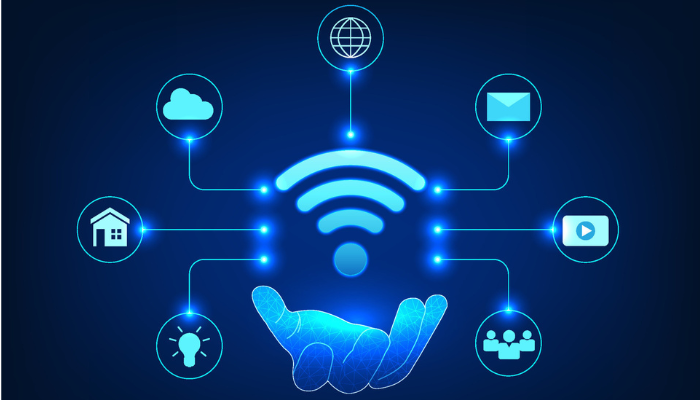
The Internet and Wi-Fi are not the same. Nobody owns the global Internet, but people pay for their connectivity and Wi-Fi services (to the home or office) to access the Internet. Knowing the difference makes for clearer understanding and communication.

And just as it’s the nature of water to flow freely through a well-built system, so does  information on the internet when it’s enabled by the correct infrastructure. Wi-Fi enables us to access this information without having to plug in our devices through a cable – let’s take a look.


The Internet of Possibilities

Back in its earliest days, people had to plug their devices into an ethernet cable (or before that, an ADSL connection, which was essentially a Telkom landline) to connect to the Internet.

That’s why people talked about ‘Being online’ – because you were ON the internet, but only because you were connected to a LINE (i.e. the cable).

Today, most people connect to the Internet in their homes (or at their office premises) through a wireless connection, in other words through Wi-Fi access. It’s a huge step up from having to have your device constantly plugged in to remain connected.

So how does Wi-Fi access enable wireless connectivity?

marvin meyer SYTO3xs06fU unsplash | Vox | Internet, Unplugged: The Convenience of Wi-Fi


From Fibre Outside to Wireless Inside

Your home Wi-Fi network begins with Fibre Optic cables that are laid outside your property within the neighbourhood by the fibre network operators (FNOs). Through these Fibre Optic cables, Internet data is transmitted at the speed of light.

When you sign up for a Wi-Fi service, an internet service provider (ISP) – like Vox – then takes over. The ISP links the FNO Fibre box outside your property boundary with a separate (shorter) Fibre Optic cable to an optical network terminal (ONT) inside your home.

The ONT is linked with one last short cable into your Wi-Fi router, which then ‘converts’ Internet data received via the Fibre optics into radio signals, to create your home Wi-Fi network.

And voila! You and your devices have access to wireless Internet access in your home.


Internet Like Water

Much like water, the Internet, with its constant access to information and services, has become fundamental to modern life today. So you could also think of the process like this:

  • Firstly, the Internet is the water that is constantly flowing.
  • The Fibre cables are your hosepipe – the actual infrastructure that carries the Internet to you.
  • Your Wi-Fi router is the primary sprinkler that makes the Internet easily accessible. Wi-Fi lets you access the Internet without having to literally plug in your device.
  • Finally, mesh units or access points placed strategically within your home further sprinkle your Wi-Fi everywhere it’s needed, allowing for the freest possible flow of the Internet and the information it allows us to share.

hose 3401513 1920 | Vox | Internet, Unplugged: The Convenience of Wi-Fi


From the way we communicate and work, to how we shop, bank and entertain ourselves, the Internet has revolutionised multiple aspects of our lives.

Vox can assist you with all of your connectivity needs, from infrastructure to Wi-Fi, with a host of additional options to quench your thirst for fully-enabled communications.

We’re proud to say that there’s no obstacle to free-flowing communications that we can’t solve for you.


Don’t Sleep on Data Backup and Recovery

Even Presidents Can Be Hacked

Data is the life blood of all organisations, and any loss of data can have serious implications for a business. The sudden loss of sensitive financial records or confidential information would be devastating to a company, with potential consequences including operational disruption, financial loss and reputational damage, as well as emotional distress to its customers.

Data loss can occur in many different ways. A hardware failure, a power outage, a natural disaster, or a cyber attack could all result in the loss of critical business data. Without a data backup plan, your organisation could be at risk of losing everything.

This means it’s essential to have proactive cybersecurity in place, as well as steps to control data backup and recovery, to protect an organisation’s digital assets. Having a reliable and redundant backup solution can assist companies to recover from incidents such as ransomware or hardware failure.

cyber 1654709 1920 | Vox | Don’t Sleep on Data Backup and Recovery


Three, Two, One: Go! For Data Backup

Data backup is a proactive measure that involves creating duplicate copies of critical data to guard against potential loss. These copies act as insurance against unforeseen events like hardware failures, accidental deletions and even cyberattacks.

Establishing a reliable backup strategy is like giving yourself a digital safety net to protect against risks – or an insurance policy, to put it another way.

Effectively implementing data backup and cybersecurity requires a strategic approach. Establishing a solid data backup plan involves adhering to the 3-2-1 backup rule, which has been used for many years and is supported by solution providers, businesses and even governments.

The 3-2-1 backup rule outlines that three backups must be kept, two of which should be on two different media (usually disk and tape), while one copy must be outside the primary data centre. This approach ensures protection against various scenarios, from hardware failures to natural disasters.

SA President Not Immune from Ransomware Attacks

South African government institutions have been battered by ransomware gangs over the last year.

The Development Bank of Southern Africa was targeted by a ransomware attack in June 2024, with servers, logfiles and documents stolen. In September this year, South Africa’s defence department was hacked by a gang that also allegedly leaked the personal phone number and email of President Cyril Ramaphosa, as well as a portion of the 1.6 terabytes of data stolen from the country’s defence systems.

The country’s International Trade Administration Commission also said it was hit with ransomware in early 2024. More recently, in June, the National Health Laboratory Service (NHLS) was targeted by a ransomware attack in which hackers deleted sections of their system, including backup servers, which meant that they were required to rebuild many of the affected parts. The attack took place at a time when Mpox outbreaks in the country were of concern.

These statistics show that data loss is a severe problem that can have a significant impact on an organisation, causing financial and reputational damage.

cyber 4444450 1920 | Vox | Don’t Sleep on Data Backup and Recovery 

Protect Your Data with Vox

At Vox, we understand the critical importance of keeping your data safe with a backup and recovery plan. As a Veeam Gold Partner, we offer your business the opportunity to create a copy of your data through our Backup as a Service, which uses the 3-2-1 rule.

As a trusted leader in the data protection space, Veeam provides backup, recovery and replication for critical workloads, like VMware, AWS, Microsoft Azure, SQL Server, Oracle, Windows, Linux and NAS, across physical, virtual and cloud platforms, in a single offering.

With the Vox 3-2-1 Backup solution, we provide an onsite data store for fast local restores, and replicates the data to our Cloud repository in case of major onsite disaster. It supports onsite virtual or physical servers as well as Windows and Linux desktops.


AdobeStock 572971403 | Vox | Don’t Sleep on Data Backup and Recovery

We offer a number of benefits:

  • A fully managed solution with proactive monitoring to ensure data isn’t lost
  • Ongoing integrity testing ensures that data is not corrupt and that backups can be recovered
  • The option to quickly restore to Vox Cloud so that users can continue to work.

Companies implementing a backup strategy often only keep data on-site, believing this to be infallible. However, a ransomware attack or critical hardware failure, in most instances, renders the data unrecoverable. With our Vox solution, you can protect against this risk by adding an additional layer of redundancy, as follows:

  • 3 copies of your data: This is the primary copy of the data you are using as well as two backups.
  • Saved on 2 different mediums: In addition to your primary copy, an onsite NAS device stores your backups, enabling quick restore functionality to reduce downtime.
  • 1 copy offsite in the Vox Cloud: Using Veeam’s Cloud connect, a backup copy is stored and maintained in the Vox Cloud.


The urgency to backup data lies in the potential devastation that is caused by data loss. You don’t want your organisation to become another statistic – or another bad news story in the headlines.


Is the future of work remote, hybrid, or both?

Time to Leave Your Business Rental Lease – Or Not?

Employees are collectively one of an organisation’s most valuable assets, and if they’re motivated, your company is more likely to achieve its best possible results. It’s therefore good sense for management to check in periodically on what makes their employees happy – besides salary increases, of course.

According to the latest Cisco Global Hybrid Work Study, skilled South Africans prefer to work remotely at least some of the time, with almost 95 percent of the local respondents (from a global poll of 28,000 participants) wanting to work either in a hybrid or fully remote working model.

It therefore makes good sense to consider the possible benefits of remote or hybrid working arrangements, to both the organisation as well as the workforce. One of the employer advantages could include needing less office space, thereby freeing up significant rental or maintenance costs.

Remote But Not Removed

Employees who enjoy working remotely and are enabled to do so with the correct tools and infrastructure (a decent laptop and a fast and reliable internet connection are key) value a potentially better work-life balance. This includes not having to spend hours commuting every week, and so gaining back time while also reducing stress.

Productivity has been shown to spike because of reasons such as people getting more sleep, having fewer distractions from colleagues, and experiencing improved morale overall. With lengthy commutes out of the equation, attendance should also improve.

Video conferencing platforms such as Microsoft Teams allow geographically dispersed colleagues people to have virtual meetings, conduct presentations, and foster face-to-face interactions. This also allows organisations of all sizes to hire in top employees from a global talent pool, without being bound by location limitations (providing that differences in time zones are managed efficiently).

virtual coworkers 3382503 1920 | Vox | Is the future of work remote, hybrid, or both?

However, this doesn’t necessarily mean that your organisation should immediately terminate its rental lease, or sell a corporate property investment at the first available opportunity – not everything about remote working is advantageous.

Isolation and Other Issues

Going to the office regularly can bring structure and routine to people’s lives, while in contrast, working remotely can be isolating and lonely for some. Managers might worry that their team members are not working as efficiently as they would be in the office, and conversely, some employees can struggle without face-to-face leadership input.

It can also be more challenging for remote employees to find and locate all the information they need. Additionally, remote working can bring decreased collaboration, with fewer opportunities for employees to talk to each other during breaks, thereby cementing workplace friendships and cooperation.

Enter the ‘middle ground’.

Saying ‘Hi’ to Hybrid

A hybrid workplace model mixes in-office and remote work to offer employees flexibility and support. In a hybrid workplace, employees typically enjoy more autonomy and better work-life balance – and are more engaged as a result. Employers benefit by building a more productive and stable workforce, with people more easily able to engage and learn from each other.

husna miskandar FC4z3l4sUYc unsplash happy employees | Vox | Is the future of work remote, hybrid, or both?

Unified digital workplace platforms make it easier for employees to access all their work-related data and applications, while also assisting with effective communications. For example, Microsoft Teams facilitates effective communications among skilled colleagues, no matter where they are based. As a Microsoft Operator Connect partner, Vox can assist your employees to make and receive phone calls directly within Teams, for both landline and mobile phones.

Another option is to have your employees using Vobi, from Vox – our mobile softphone app, that gives users the ability make and receive voice and video calls, including in app texting from their mobile phones using the Vox network. Designed for both home users and businesses, Vobi allows users to benefit from reduced call rates on video and voice calls across all networks. Vobi enables you to route your home phone and/or office phone calls to your mobile phone, ensuring you are always available.

Getting Real with Real Estate Issues

For employers, renting office space – or owning and maintaining it – can be very costly. Remote working can lower costs by reducing the amount of office equipment and space required, potentially allowing your organisation to move into smaller premises – or even forego a physical space entirely.

office 95311 1920 | Vox | Is the future of work remote, hybrid, or both?

Instead, all employees could work remotely, and your company might simply hire meeting rooms or co-working space as and when needed.

If an office premises is owned by a company, selling it outright could put money back into the organisation.

Where to From Here?

We believe the future of work for skilled employees will continue to embrace both hybrid models and fully remote opportunities, with these options being driven by modern technology, increased flexibility, cost savings, a desire for an improved work-life balance, and being able to hire people from a global talent pool.

The Covid-19 pandemic first turned people’s homes into their offices. Now, the aftermath can drive a movement in which unused offices can be turned into homes. Around the world, including in South Africa, property developers are looking at ways to turn empty office buildings into housing solutions. While not every empty office building is suitable for conversion, it offers interesting possibilities.

Africrest Prop Atlas Apollo Sunninghil 744x418 1 | Vox | Is the future of work remote, hybrid, or both?
The Atlas in Sunninghill, the largest office park conversion to a residential complex in SA, according to Africrest Properties.

And so, if your organisation is going to embrace a fully or partially remote solution, do you have a building to sell? It could be an added bonus.

Affordable High-Speed Broadband, Plus Value-Adds, for Every South African

Is that all? The importance of offering ‘more’ in a saturated environment


Today’s world is defined by Connectivity in ways that seemed unimaginable when the clock first ticked over into the current millennium. Whether it’s WhatsApp, X, LinkedIn, Pinterest, Facebook, Snapchat or TikTok, people love being connected, and online is here to stay.

Here at Vox, Connectivity lies at the heart of everything we do.

As a leading South African Internet Service Provider (ISP), we are all about connection, communication and conversation – but we also know that we’re not alone. The local telecoms landscape has more than 20 ISPs in operation – you could call it a saturated market.

And so Vox goes above and beyond to offer our customers more than the competition – you definitely won’t hear the phrase: ‘Is that all?’ about any of our offerings! At the heart of our multiple solutions is the goal of being able to offer every South African access to affordable high-speed broadband.

Let’s take a look at how we can get our customers connected.


Rocket1 | Vox | Affordable High-Speed Broadband, Plus Value-Adds, for Every South African 

Dealing With Market Saturation

In addition to high-speed broadband, Vox provides many excellent value-adds. As well as lightning-fast Internet, we offer Wi-Fi solutions to keep you connected; cost-effective and quality Voice over Internet Protocol (VoIP) offerings; energy back-up products for power outages; and even cell boosters to enhance your mobile phone experience – no more ‘dead’ zones in the house!

You can look to Vox for the following:

  • Our connectivity solutions begin with Vox Fibre, which comes with value-added extras upon sign-up, like free installation and a free-to-use router.
  • When Fibre is unavailable, other options are provided:
    • Vox Wireless presents high-speed, fixed Microwave Data Connectivity that uses the most innovative microwave technology on the market. It comes with free installation, meaning more money to invest in your business.
    • Consumers and businesses also have the option of choosing Fixed LTE, 5G, and satellite, depending on factors such as their needs and budget, and geographic location.
  • To ensure that our customers get the most out of their Internet solution, we supply best-of-breed Wi-Fi devices, which allow you to maximise your Wi-Fi experience. We also offer managed Wi-Fi network solutions, which enable remote software, firmware updates and reduced technician callouts with remote troubleshooting and fault remediation. Additionally, our expert advice is always available to enhance your overall network experience.
  • We also provide excellent access to power solutions for those times when the power goes down, to keep your Wi-Fi running even in an energy outage.
  • Vox’s shared Mobile Data offering is an ideal mobile wireless solution for a family with multiple SIM-enabled devices, to keep everyone connected while maintaining control over your mobile data bill using our simple online portal.


AdobeStock 478762309 | Vox | Affordable High-Speed Broadband, Plus Value-Adds, for Every South African

What Sets Our Connectivity Options Apart?

Vox offers our clients high network availability and an extensive national footprint, as follows:

  • We have a huge range of subscription and pricing solutions, and our sales agents will help you choose the best package for your needs, rather than upselling you on the most expensive.
  • Vox subscribers, both consumers and businesses, have the option of adding backup Internet solutions to their Fibre packages (like LTE or Wireless) to ensure they stay online all the time.
  • Our Proactive Network Monitoring offers safer, more secure Internet access and lower latency.
  • A 24/7/365 in-house Service Centre is available for troubleshooting and incident response for all our customers, across any product.
  • As far as Voice offerings are concerned, we believe that we’re the number 1 VoIP provider in the country.
    • Individual consumers and SMEs can make use of our Vobi softphone application, which is unique to Vox, and allows customers to make and receive high quality Voice and Video calls over Wi-Fi, 3G, 4G-LTE and 5G on the Vox network.
    • Organisations can make use of our Titanium partnership (the highest status possible) with global cloud PBX leader 3CX, to experience a comprehensive communication platform that includes Live Chat, WhatsApp, Facebook, SMS and Video Conferencing.


Orange woman megaphone resized | Vox | Affordable High-Speed Broadband, Plus Value-Adds, for Every South African

Vox teams are situated in multiple locations across the country, supported by our extensive footprint of over 1 000 business partners to ensure that our customers receive fast, efficient service wherever they are, whenever needed.

Value-Added Service Offerings

We take full responsibility for all our technical implementations and systems, from concept to installation.

  • The Vox Service Centre offers immediate support to all our customers.
  • The Service Centre also continuously monitors all of Vox’s networks and infrastructure, to ensure that quality of service is always maintained.
  • Specialist product managers are assigned to oversee each portfolio, for continuous research and development to ensure each product is always of the highest standard.
  • An extensive team of account managers and technical engineers offers convenient customer service and solution implementation.
  • If you’ve decided to upscale your business with better Connectivity, don’t stop there! Vox can also organise a customised domain and email address for you, to turbocharge your professionalism, as well as taking care of your email archiving needs with the most comprehensive and hassle-free cloud email and compliancy solution on the market.
  • There’s always a good time to sign up with us – you could win with our ‘Refer a friend’ campaign, and there’s always a fabulous promo running that allows you to sign up and save.

Expertise, innovation and superior quality products are at the heart of Vox. Ultimately, we have everything required to meet our customers’ needs at every stage of their journey – both now, and in the future – and that’s how we keep South Africans staying connected together.

With us, there’s always more.


AdobeStock 399195503 resized | Vox | Affordable High-Speed Broadband, Plus Value-Adds, for Every South African

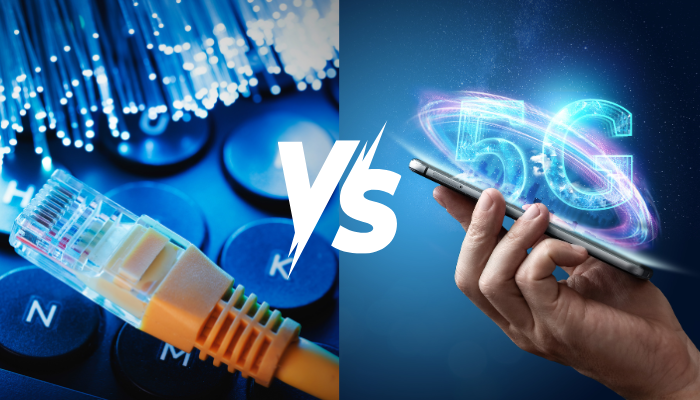
Fibre vs 5G – Where is the Future Headed?

In a world of constant innovation, two contenders make their claim to the throne.

The title in question? King of Connectivity.

Up until now, both have emerged as leading innovations destined to shape the future of communication. Fibre was firmly King Undisputed, and there was that incident with 5G and Covid (which we don’t talk about – but that’s firmly behind us). Today, both offer groundbreaking advantages yet vastly different applications, scalability, and uses. Today, we’ll unpack the strengths of each, and make a definitive decision as to which one is truly best.

Fibre Internet:

Often called the Backbone of Connectivity, Fibre Cables transmit Data as light through microscopic strands (known as, shock horror, Fibres). For years, it’s been the undisputed gold standard of Internet – offering unmatched speed and reliability.

Why it’s Awesome:

  • More Speed, Better Bandwidth: You know the deal. Fibre offers up to 100Gbps speeds and more, meaning it’s a perfect conduit for data-heavy applications like 4K Video Streaming, Cloud Services, and Large Scale Enterprise Networks.
  • Low Latency, Low Problems: Fibre generally boasts minimal delays due to its use of light-based Data transmission, meaning it’s perfect for gaming and real-time connectivity needs.
  • Real Internet, Real Reliable: Remember the days of Copper Cables? Long gone. Fibre is less susceptible to interference, damage, or theft – meaning it’s ultra-reliable (and South Africa proof).


The Downsides:

  • It Can Be Costly: Performance wise, Fibre is unbeatable. However, the process of getting there can be quite time-consuming and, more importantly, expensive. This makes accessibility, particularly in rural areas, a significant investment and reduces the potential reach thereof.
  • Mobility Matters: Unlike more mobile alternatives, Fibre is primarily a fixed connection. It’s great at the home or at the office, but if you’re after on-the-go Connectivity, there’s not much Fibre can do (nor can you take it with you).


5G Network:

We’re way beyond the doomsday projections linking the pandemic to 5G towers. Today, the technology represents the fifth generation of wireless networks – promising faster speeds, improved latency, and the capability to support large numbers of connected devices.


Why it’s Awesome:

  • UltraSpeeds Made Mobile: With amazing download/upload speeds, 5G offers lightning quick browsing and streaming to smartphones or mobile devices – making it essential for those who need rapid connectivity on-the-go.
  • Connectivity, and Beyond: since it’s designed to support as many as 1 million devices per square KM, 5G promises to be the backbone of smart cities or densely populated urban areas requiring Internet less prone to interruption.


The Downsides:

  • Coverage Matters: The problem with 5G signals is that they can struggle to penetrate thick walls, or cover long distances. This creates a need for more towers (and we all know how well that went in 2020) and limits immediate expansion into suburban areas.
  • It’s Codependent: You can’t unlock the full potential of 5G without a robust Fibre backbone – meaning it needs to be backed by proper cabling and infrastructure.


The Future: A Complementary Partnership

Rather than one technology replacing the other, Fibre and 5G will work hand in hand to shape the future of connectivity.

The question should then be reworked from “which one will replace the other” to “how will they work together” to shape the future of Connectivity.

First, Fibre:

The bottom line is that Fibre is revolutionary and will continue serve as the foundation blocks for years to come. As our Internet demands increase, no alternative at present has the capability (or scalability) required to meet these enhanced demands. Fibre does. From Cloud to Datacentres to home, business, and iOt needs, it’s primed to dominate the industry for generations to come.

Furthermore, it is pivotal to powering 5G networks – requiring a correlation to each 5G base station in order to maximise its potential.

Next, 5G:

5G is primed to dominate mobile connectivity and high-speed internet on-the-go. From innovating smart cities to vehicles, industrial automation, and healthcare, the high capacity/low latency power dynamic means it’s primed to be a cornerstone of a majorly connected connectivity ecosystem.


Our takeaway? The future will be HYBRID.

Fibre will continue to be the backbone, but 5G will serve as the central nervous system required to power the perfect body. They’ll serve to complement rather than compete with one another – with the endgame being seamless, fast, reliable Internet for both fixed and mobile users alike.

In South Africa, the debate “fibre vs 5G” keeps cropping up, but each technology serves different needs. Fibre internet remains the backbone for high-capacity, low-latency links (think datacentres, enterprise and fixed broadband), while 5G network takes mobility, dense device support and smart-city applications to the next level.


FAQs

Is Fibre faster than 5G?
Yes — Fibre can offer higher, more consistent speeds and symmetrical upload/download performance; 5G can be very fast on mobile but is more variable depending on coverage.

Do I need Fibre for 5G to work?
Essentially yes — 5G base stations typically rely on a Fibre backbone to deliver the full benefits of low latency and high throughput.

Which is cheaper: Fibre or 5G?
It depends. Fibre installation can be costly upfront, especially in rural areas; 5G fixed wireless can be cheaper to deploy in hard-to-reach areas but may offer different performance levels.

Will 5G replace Fibre in homes?
Unlikely. Fibre remains the best option for consistent, high-capacity home and business links. 5G is a strong complement, particularly where Fibre isn’t available.

Which is better for businesses?
For stable, scalable operations and cloud services, business Fibre is preferred. For mobility, IoT or temporary sites, 5G provides flexibility — most organisations benefit from both.

Cops Versus Robbers? The Beginner’s Guide to NOT Getting Cyber Attacked

Being “cyber attacked” means someone targets your devices, accounts or data to steal, disrupt or extort. The good news: common sense and a few simple steps — like patching, strong passwords, MFA and backups — stop most attackers.

Why should you treat cyber security like a neighbourhood watch?

Remember how we lock doors, set alarms and teach kids not to talk to strangers? The same basic rules apply online. In the physical world we have obvious barriers (walls, gates, locks). Online, we build those barriers with software settings, routines and awareness. People are often the weakest part of the chain — so awareness is your best first defence.

Common tricks the “robbers” use

  • Phishing: convincing emails or messages that look legit, asking you to click a link or enter details.
  • Malware and ransomware: malicious software that installs itself and steals or locks your files.
  • Weak or stolen passwords: reused or simple passwords let criminals open multiple accounts.
  • Unsecure Wi‑Fi and public hotspots: attackers can snoop on traffic if the network isn’t protected.
  • Social engineering: attackers manipulate people (often over the phone or messaging) to reveal information.

Quick checklist — how not to get cyber attacked

Treat this like a home‑security checklist. Do these first:

  • Patch and update: keep your phone, computer and router firmware up to date — updates often fix security holes.
  • Use strong, unique passwords: one per account. Better: use a password manager to generate and store them.
  • Turn on multi‑factor authentication (MFA): a second step (code or app) stops many account takeovers.
  • Install reputable anti‑malware and keep it current: antivirus plus real‑time protection reduces risk.
  • Secure your Wi‑Fi: use WPA2/WPA3 encryption and a strong admin password on your router.
  • Back up your data regularly: offline or cloud backups let you recover if ransomware hits.
  • Think before you click: check senders, hover to preview links, never enter credentials on odd pages.
  • Limit admin privileges: don’t run daily tasks as an administrator account.
  • Be careful with attachments and downloads: only open files from people you trust.
  • Protect children: use parental controls and teach them not to share personal info.

Simple, everyday analogies that help

  • Passwords = keys: don’t use the same key for every door.
  • MFA = a deadbolt + key: if someone gets the key, they still need the deadbolt.
  • Updates = fixing broken locks: delaying updates is like leaving the back door open.

If you suspect you’ve been cyber attacked — take immediate action

  1. Disconnect affected device(s) from the network (Wi‑Fi/mobile data) to limit spread.
  2. Change important passwords from a different, clean device — start with email and banking.
  3. Turn on MFA where possible and check account recovery options.
  4. Restore from backups if files are encrypted, and seek expert help for ransomware.
  5. Notify your bank and relevant services if financial details were exposed.
  6. Get professional help if needed — a managed service or security specialist can contain and investigate.

Keep it proportionate — tips for families and small businesses

You don’t need an army of tools. Focus on the basics — updates, MFA, backups and awareness — and build from there. For businesses wanting to step up, consider managed detection or firewall services, but start with the essentials first.

Play the game smarter than the robbers

Teaching simple habits — like not clicking suspicious links and using MFA — makes you a much harder target. Cyber security doesn’t need to be scary; make it part of daily routine and you’ll reduce the odds of getting cyber attacked significantly.

Frequently Asked Questions

What does it mean to be “cyber attacked”?
It’s when a person or group uses digital tools to steal, damage or block access to your devices, accounts or data — for example phishing, malware or account takeover.

What’s the quickest way to reduce my risk of being cyber attacked?
Turn on multi‑factor authentication, use unique strong passwords (with a password manager), keep software updated and back up your data.

Can antivirus stop all cyber attacks?
No. Antivirus helps a lot, but it’s not a complete shield. Combine it with updates, MFA, secure Wi‑Fi and cautious behaviour for best protection.

I clicked a phishing link — what should I do?
Disconnect from the internet, change passwords (from a different device), enable MFA, scan for malware, and contact your bank or service providers if you entered any financial details.

Are kids at risk of being cyber attacked?
Yes — kids can be targeted by social engineering or exposed to unsafe content. Use parental controls, teach safe habits and monitor what they install or share.