Flexible Work Spaces: What’s the Right Connectivity for Your Hybrid Environment?

Hybrid working is now mainstream — people split their time between home, the office and third‑space locations. That flexibility is great for productivity and wellbeing, but it complicates one core requirement: finding the right connectivity. The right blend of services depends on where people are working, how they use bandwidth (video calls, cloud apps, VoIP) and the local infrastructure — and in South Africa we also must plan around power failures…

Why the right connectivity choices matter for hybrid work

A hybrid workforce needs consistent performance whether staff are on site or remote. Poor audio, jittery video or slow uploads can kill a meeting. The ideal approach pairs a high‑quality access link (Fibre, LTE‑A or 5G) with good local Wi‑Fi and sensible redundancy so work continues when one path fails.

Fibre first: the gold standard for fixed sites

If you can get Fibre, it should be your first choice for permanent offices. Fibre to the Business (FTTB) delivers symmetrical bandwidth, low latency and predictable performance — ideal for shared office environments and critical applications. Fibre to the Home (FTTH) is the same technology tailored for residences, making remote work robust for individual staff.

When to pick Fibre

  • Central office or branch where multiple users need stable, high throughput.
  • Cloud‑first teams, heavy file‑sharing or high‑definition video conferencing.
  • When you need a future‑proof, low‑latency backbone for managed services.

Wi‑Fi: the final step inside the building

Fibre provides the pipe; Wi‑Fi distributes that connectivity to devices inside the workplace or home. A well‑designed managed Wi‑Fi deployment (business or home mesh solutions) ensures even coverage, secure BYOD access and centralised management. For offices, managed enterprise Wi‑Fi reduces onsite troubleshooting and supports WFH/BYOD policies. At home, mesh systems remove dead spots and enable a lag‑free experience across multiple devices.

Fixed LTE‑A and 5G: fast wireless when Fibre isn’t available

Where FTTB/FTTH isn’t feasible, fixed LTE‑A and fixed 5G provides a Fibre‑like experience using radio links. These solutions are quick to deploy and can offer excellent throughput and low latency in many areas. They’re also useful as a permanent alternative to Fibre or as a failover solution if your Fibre link goes down.

When to use LTE‑A / 5G

  • Rapid deployments or temporary offices.
  • Locations outside existing Fibre footprints.
  • As a failover or secondary link to keep services running if Fibre is interrupted.

Mobile voice and softphone options

Hybrid teams need reliable voice. Vox offers mobile and IP voice options that work across links:

  • Vobi (softphone app) — make and receive calls over data, locally or internationally, at reduced rates. Good for staff who move between home, mobile and office.
  • Supafone — an IP handset that runs over any internet connection and can switch between IP and fixed calling, suitable for shared desks or home offices that prefer a physical handset.

Uninterrupted Power: the practical companion

In South Africa, load‑shedding and power failures are an unavoidable risk. An affordable UPS for the router and critical devices (router, laptop, modem) keeps calls and meetings active during outages. For businesses, combining UPS units with failover links (Fibre + LTE) keeps operations running and protects revenue and reputation.

Choosing the right mix — practical scenarios

  • Office HQ (multiple teams): Primary FTTB with managed enterprise Wi‑Fi, dedicated UPS and LTE/5G failover.
  • Small office or satellite branch: Premium FTTH/FTTB where available, or fixed LTE‑A with a managed Wi‑Fi package.
  • Home worker: FTTH where possible, mesh Wi‑Fi for coverage and a desktop Supafone or Vobi for consistent voice quality; a compact UPS to ride out load‑shedding.
  • Temporary/rapid deployment: Fixed LTE‑A/5G to get people online fast, then migrate to Fibre when available.

Failover best practices

A simple failover plan combines two different access technologies — for example, Fibre as the main link and LTE‑A as automatic backup. That diversity reduces single‑point outages and gives hybrid teams continuity when one service faces disruptions.

Moving forward

There’s no single connectivity answer for hybrid work — the right choice balances availability, speed, cost and operational needs. Combining Fibre where you can, reliable managed Wi‑Fi inside buildings, smart mobile/softphone options, and UPS protection creates a resilient hybrid environment that supports day‑to‑day productivity and reduces downtime risk.

Frequently Asked Questions

What is the best connectivity for hybrid work?
Use Fibre for fixed offices where available, pair it with managed Wi‑Fi for device access, and add an LTE‑A or 5G link as a failover. For home workers, FTTH plus a mesh Wi‑Fi system and a UPS is the most reliable setup.

Can LTE‑A or 5G replace Fibre for an office?
Yes — in many cases fixed LTE‑A or 5G delivers Fibre‑like speeds and can be a permanent solution or a quick alternative until Fibre is available.

Do I need managed Wi‑Fi for hybrid teams?
For offices and larger homes, managed Wi‑Fi improves coverage, security and reduces support calls — it’s recommended for BYOD and heavy video conferencing.

How do I keep calls working during loadshedding?
Use a UPS for your modem/router and choose a failover link (LTE/5G) so voice services can continue if the primary link or power fails.

What are Vobi and Supafone used for?
Vobi is a mobile softphone app for calls over data; Supafone is an IP handset that connects via internet for HD voice — both keep teams reachable across different work locations.

Key Considerations for Fibre to the Business (FTTB) Deployment

Fast and reliable connectivity for businesses in South Africa has never been more important. With many organisations encouraging staff to return to the office, and the increasing importance of agility and innovation when it comes to cloud and digital infrastructure, implementing the right fibre to the business (FTTB) has grown significantly in importance.

According to Tim Wood, Executive Head: IS & IT at Vox, each business has its own unique requirements and digital transformation needs which have to be considered when looking for the right connectivity solution.

“Given the ongoing inevitable enhancements that come with moving to the cloud and digital technology, there are certain capabilities that are reliant on your office infrastructure being up to scratch,” says Wood.

This includes cloud migration and computing. Given that many employees still work within a hybrid landscape, it is integral for a business to be able to connect from wherever you are. “Integrating digital transformation across the organisation and the ability to access and leverage big data and the opportunities presented by AI and machine learning all depend on an optimal office environment, based on a foundation of fast, reliable connectivity.

Wood says that an important step in any businesses’ digitalisation journey is to find the right technology partner. “Designing a company’s office fibre infrastructure involves so much more than mapping out fibre links. Each company’s connectivity solution needs to come with an understanding about the unique requirements of the business, while ensuring that its digital transformation needs are met.”

He adds that, critical to getting this right, is to do the required homework first. This includes assessing a partner’s experience, investigating their reach and thoroughly checking SLAs, contracts, terms and conditions before committing.

Budget, Broadband and Bandwidth

Aligning with the financial resources available is another step to assess the right connectivity to match the requirements of the business. This includes factoring in whether to invest in Broadband or Dedicated Internet Access (DIA). If reliable, uncontended high-performance access is a firm requirement, then DIA needs to be budgeted for. The same goes for Ethernet deployments run over dedicated fibre links which guarantees reliable performance but at a higher cost.

ISPs can offer various bandwidth options ranging from 5 Mbps to 1 Gbps or even 10 Gbps. For those businesses that consume more data than they upload, cost effective asymmetrical alternatives have now also started becoming a popular option. Knowing how many users and devices will connect and the amount of traffic these devices will download and upload as well as when peak usage is expected, will help a technology partner to marry the right bandwidth with the business.

Many businesses may also have specific requirements for prioritising certain types of traffic such as voice over IP or video streaming, which needs to be factored into quality of service on offer.

Another cost consideration comes into play when assessing whether a static public IP address or a dynamically assigned IP Address is needed. Static IP addressing, a requirement of many businesses needing a constant fixed point of reference for devices connected to the internet, comes at a cost and is one of the many budgetary considerations to keep in mind.

Prioritising Safety and Security

No digital transformation consideration can be made without prioritising data safety and network security. When designing a solution, an ISP needs to understand a business’s requirements upfront, including factors such as security policies, encryption standards, firewall and intrusion detection and prevention, network segmentation, authentication mechanisms as well as end-point security.

A VPN encrypts internet traffic and prevents outside parties from being about to intercept and access sensitive information, a critical aspect across both a corporate network and to facilitate remote work ecosystems.

A critical step when choosing an ISP is to assess these capabilities as well as whether they offer robust protection against Distributed Denial of Service (DDoS) attacks.

Agility, Scalability and Connectivity

Few businesses today can afford not to adapt and scale according to the changing environment, and the same applies to an FTTB service, which needs to adapt and scale with the business according to changing needs.

Other considerations include incorporating alternative access routes to prevent downtime when connectivity fails. If available, Alternative Fibre Network Operators (FNOs) or wireless solutions need to be factored into the design of a company’s solution framework.

This framework can also include using VOIP solutions to enhance communication and reduce costs.

Both hybrid and office-based work environments can also be enhanced by incorporating tools such as Cloud PBX and platforms such as Microsoft Teams to further enhance collaborative workflows.

Implementation Considerations

Once all the initial requirements are identified and implementation begins, remember to factor in what a business can do to speed up the process. While your ISP may have the expertise to meet your digital transformation needs, a business needs to avoid possible installation delays and extended time frames by ensuring infrastructure readiness as well as obtaining the necessary wayleave and landlord approvals.

By assessing all of these considerations, a company can partner with the right technology service provider to ensure that their FTTB deployment meets the budget, performance, speed and scalability needed.


FAQs

What is FTTB (fibre to the business)?
FTTB (fibre to the business) delivers high‑speed fibre connectivity directly to your premises, giving businesses faster, more reliable and scalable internet than copper or standard broadband.

How does FTTB differ from broadband and Dedicated Internet Access (DIA)?
Broadband is typically contended and cost‑effective, while DIA provides uncontended, guaranteed performance; FTTB is the physical fibre delivery method and can be used for either broadband or DIA depending on your service agreement.

How much bandwidth does my business need?
Bandwidth depends on factors such number of users and devices, peak usage times and workloads (e.g. video conferencing, cloud backups, AI/data processing. A technology partner can assess usage and recommend anything from 5 Mbps to 10 Gbps or more.

Do I need a static public IP or will a dynamic IP suffice?
If you run services that require a fixed reference point (VPN hubs, hosted servers, remote access), a static public IP is usually necessary; dynamic IPs are cheaper but can complicate inbound service access.

What security measures should be included with FTTB?
Ensure that your ISP supports strong encryption, firewall and intrusion prevention, DDoS protection, network segmentation and endpoint security, and that VPNs are available for remote workers to protect sensitive traffic.

How long does FTTB implementation take and what can delay it?
Lead times vary from weeks to months depending on wayleave/landlord approvals, local infrastructure readiness and required civil works; preparing approvals and site access upfront helps speed installation.

How do I choose the right technology partner for FTTB?
Assess a partner’s experience, national reach, SLA terms, redundancy options and security capabilities. Vox recommends reviewing SLAs and contract terms and asking for a tailored design that matches your digital transformation goals.

Is Fast Fibre to the Home Still Relevant?

You’re back in the office: the daily commute is real again and working from home has mostly gone. So: is Fibre to the home still relevant in a non‑WFH world? The short answer is yes. Fast home fibre remains a smart household investment in South Africa, for security, entertainment, study, gaming and futureproofing, even when most people spend weekdays at the office.


So there you are, heading back to work in the morning traffic.

Life (perhaps via a Company Policy, or otherwise loadshedding?) has made the decision for you – working from home is over, and it’s now back to the office, like it or not.

Which is making you wonder whether you really need that fast Fibre to the Home (FTTH) now, after all.

As you dodge those special drivers who mistakenly believe that they own the road, your thoughts turn back to those pleasant days of WFH for almost everyone, when the main part of the daily commute to your desk involved just a short walk, and perhaps a change out of your night clothes (optional for some).

Then, of course, fast Fibre was as necessary for our collective well-being in the home as access to water and electricity. It was also – when boosted by an uninterruptible power supply (UPS) – arguably more reliable.

So this begs the question: if you’re back in the office for most or all of the working week, do you still need that amazing Fibre to the Home? Is fast FTTH still relevant in a non-WFH world?

After wading through the acronyms, the answer should surely be an emphatic ‘Yes, it is!’

Fibre to the Home


Why Fibre Comes First

As a company, Vox supports the upliftment of South Africans at both the Macro-Economic level as well as for individuals.

Economic growth depends on reliable and high-speed digital infrastructure – as a country, we need to work towards a digital future for everyone. Fibre lines use light, not electricity, to transfer data, offering significantly higher bandwidth speeds and capacity – the amount of information that your internet connection can handle at a given time – when compared to other internet solutions. (Short science lesson: this is because nothing yet discovered is as fast as the speed of light, which is quite literally what your data is being carried on.)

Currently, too many South Africans still have to rely on mobile data for their home internet communications, or even on copper-based ADSL lines. Neither of these internet options is steadily reliable, and they don’t offer the same high-speed connection as Fibre.

ADSL’s copper wires are unfortunately stolen regularly and, even when left undisturbed, have both a limited capacity and lifespan – not to mention that they are also susceptible to lightning strikes. Not unsurprisingly, and following in other global footsteps, ADSL is being phased out in South Africa and replaced with more modern technology wherever the opportunity arises.

Mobile data also does not offer South Africans the digital future we all deserve. With regular power outages and load-shedding, network towers can’t provide a stable connection. Fibre towers, on the other hand, often operate on solar energy, and users can back up their Fibre routers with UPS systems.

Despite all these advantages presented by Fibre, some people might feel that, if they are no longer working from home, they could downgrade their Fibre line speed to save some money. Below, we’ll unpack why you might want to think twice about this option.


Taking It Personally

Let’s look at how fast Fibre to the Home benefits you and your family members – even when you’re at work.
FTTH on your property is able to do the following:

  • Improve security: Beyond enabling a more digital-friendly lifestyle, Fibre contributes to good security such as channelling CCTV feeds through always-on internet access. Fibre-optic networks also offer improved security compared to traditional copper cable networks – they are difficult to tap into or intercept, making them a secure choice for transmitting sensitive data. (In comparison, copper cables are vulnerable to physical tampering, as they can be easily accessed and spliced into, leaving them open to data interception and manipulation.)
  • Provide entertainment: In the old days we would channel-hop. Today, the streaming options just keep on coming for those who like their entertainment in passive format. Stream shows and download movies faster, and enjoy your current-favourite shows with less buffering, or better yet none at all.
  • Gamers unite: Download and play games faster – gamers need the highest speed internet with minimal lag. Fibre has lower latency – the millisecond delay when data travels from your device to the game hosting server – and it should be low to prevent in-game lagging.
  • Facilitate studies: You might be at work in the afternoons again, but the chances are that your children will be at home (at least the older ones). Being able to use the internet for their homework and to research projects is critical. Give them the benefit of proper Fibre speeds and enable them to finish their projects faster and better, whether they’re at school or tertiary level. It’s all about enabling their future.
  • Futureproofing your home: And speaking of the future – connecting your home to high-speed Fibre will ensure your household’s digital activities can continue at future speeds without replacing the cabling in a few years’ time, because a Fibre network, once installed, does not require an imminent future change. Because the fibre-optic cabling infrastructure has unlimited bandwidth and can cover long distances, it will be able to handle future technological inventions. (Some of them, actually, like smart fridges, smart sensors and other appliances connected to the Internet of Things (IoT) are already here – but that’s a different story.)


home fibre for gamers


Why downgrading can cost you more

If you’re considering a cheaper, slower package because you no longer work from home, consider the hidden costs: slower downloads, more buffering, weaker CCTV feeds, and less headroom for multiple devices.

A small upgrade in monthly spend can deliver a markedly better experience and protect the value of smart devices and services you use at home.


Going Home

Fibre to the Home

So, there you are. The working day is over and you’re back in traffic, now on the evening run and driving home.

You have the satisfaction of knowing that your house – and most importantly, your family – is secured by a good security system channelled by CCTV feeds.

Your older kids are busy with their educational projects before putting away their homework and enjoying some well-deserved YouTube or gaming moments.

And for the adults, there is the latest streaming programme to look forward to as you prepare to wind down the day.

Before that, you might do a spot of quick banking, messaging or online shopping using your phone apps – with the emphasis being on quick, because it’s all enabled by super-fast Fibre to the Home.

And it makes your home just that bit more comfortable – and secure – all round than if you’d decided to downgrade to a slower Fibre package.

So yes. In a non-WFH world, super-fast FTTH is definitely still relevant.

Learn more about Vox Fibre to the Home options and find the right package for your household. Explore Vox Fibre packages at vox.co.za or Call 087 805 5050 to speak to an advisor.


Frequently Asked Questions

Do I still need fast Home Fibre if I don’t work from home?
Yes. Fast Home Fibre supports home security, streaming, gaming and multiple devices, which are benefits that remain even if you’re primarily office‑based.

How does Fibre compare to ADSL or mobile data?
Fibre offers higher speeds, lower latency and better stability than ADSL or mobile data. ADSL is being phased out and mobile can be affected by load‑shedding and tower congestion.

Will Fibre keep working during load‑shedding?
Fibre itself is resilient; many users back up their home router with a UPS. This keeps internet and home security systems running during power outages.

Is Fibre worth it for gamers?
Definitely. Fast Home Fibre lowers latency and provides consistent speeds needed for online gaming and quick downloads.

Can Fibre improve home security?
Yes. Constant high‑speed connectivity makes CCTV feeds and smart‑home alerts more reliable and secure compared with copper or mobile solutions.

If I downgrade my Fibre package, what could I lose?
You may experience slower downloads, more buffering, longer game update times and reduced performance when multiple devices are online simultaneously.

How do I sign up for Vox Fibre?
Visit vox.co.za to view available Home Fibre packages or Call 087 805 5050 to speak to a Vox advisor.

Does fibre futureproof my home?
Yes. Fibre cabling supports high capacities and new technologies, so it’s a long‑term solution for growing household connectivity needs.

How do I get the best speeds from my Fibre connectivity?

Have you ever wondered why your Netflix still buffers on occasion, or why you can get no WiFi signal in some parts of the house when you’re meant to have super fast Fibre? Maybe you have experienced these frustrations and your initial reaction is to swear a little at your Fibre provider. However, what you are experiencing is most likely a lack of WiFi coverage in your home or small office and has nothing to do with your Fibre connectivity.


Why do I have poor WiFi coverage?

Home conditions vary significantly from one home to another. The size of the home, the makeup of the walls, the number of floors, and the level of interference are among numerous factors that cause poor WiFi coverage across the entire home. One WiFi access point in your home only extends to a confined coverage area and has a limited throughput available. This means one access point only reaches to a small area in your home or office and can only connect a limited number of devices at the same time.

If you have one router in your home, then you only have one WiFi access point. Medium sized homes require more than one access point to cover every room in the house. This is where your WiFi signal drops off. Most people are utilising their Fibre connectivity over a large area with multiple users connecting to the same access point.


How do I get better WiFi coverage?

To get the best WiFi signal from your Fibre connectivity, you need more access points. Getting a booster or extender access point can provide better coverage in the house. You can get multiple boosters or one booster, depending on the size of your home and the amount of people sharing your Internet connection. With a WiFi Mesh kit, you can get 100% coverage throughout your home with multiple users on multiple devices. WiFi boosters and WiFi Mesh kits require no installation.

The Vox AirTies Mesh is a good solution to boost your WiFi signal and extend your coverage throughout your home. Order yours today.

How to Secure Your Home the Smart Way – The Vox Wi-Fi Camera

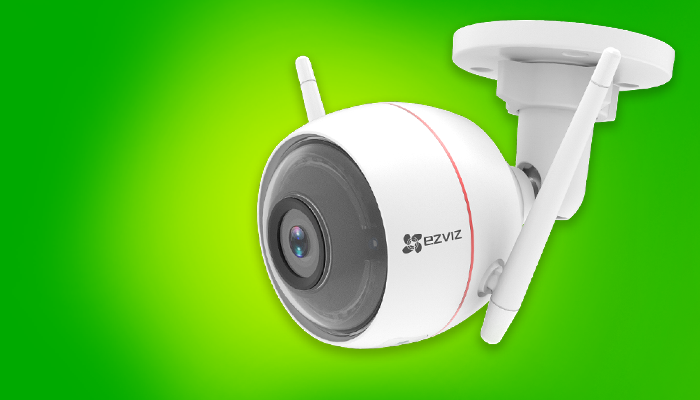
Crime is unfortunately a reality in today’s world, making home security is an important investment. That being said, many homes do not need a full multi-channel CCTV system. A simple easy-to-install smart security camera controlled via smartphone, aka the Vox Guardian Eye Wi-Fi Camera, can do more than the trick.


Four things you need to know about the Vox Guardian Eye Wi-Fi Camera

Power and installation:

The Vox Guardian Eye Wi-Fi Camera is easy to install. In fact, you can install it yourself. The camera does need electricity to be powered up but can also function perfectly off an Uninterruptible Power Supply (UPS) if the electricity goes down.

Internet usage and storage:

To enable live view functionality from your camera to your phone, receive push notifications and store footage to the cloud, you will need to have a fixed or wireless Internet connection. The camera only uses 2Mbps when live streaming which is less than streaming TV or downloading files.

If you do not have Internet connectivity, the Vox Guardian Eye Wi-Fi Camera can still record locally on an SD card, but much of the smart functionality will be lost.

Added functionality:

The Vox Guardian Eye Wi-Fi Camera is more than just a camera, it’s a robotic security guard. Features include motion detection, a built-in siren and strobe light, two-way audio, nighttime infra-red, push notifications and alerts, as well as built in analytics.

Another great feature of the Vox Guardian Eye Wi-Fi Camera is that it integrates into most home automation systems like Amazon Alexa and Google Home Assist. It also supports functionality of If This Then That (ITTT), a service that allows you to connect apps, devices and services and create conditions for your smart home.

Cost:

The Vox Guardian Eye Wi-Fi Camera is a reasonable deal at R161* per month over 12 months rental or R90* per month over 24 months.

Microsoft’s local data centres – To move or not to move?

Microsoft is in the process of moving all Office 365 services over to Microsoft data centres in Johannesburg and Cape Town, South Africa. The move has already been made for OneDrive, SharePoint and Exchange services. The rest of the Office 365 services are to follow suit soon.

This has been done to help SA customers meet with compliancy laws and reduce latency that has occurred when SA clients connect to data centres in Ireland.

For Office 365 users, this means their core data will reside in the confines of the South African border with added layers of data privacy and reliability.

New SA customers will automatically have their data stored in local data centres, while existing SA customers will have six months to choose whether to keep their data where it is or join the Office 365 Move Program. Choosing to move will mean Microsoft moving your data over to local data centres in their own time, within the next two years.

Microsoft has ensured their customers that whether they keep their data where it is or whether they move it to local data centres, their experience will remain the same and the process will be seamless. There is also no cost to move data over to local data centres for O365 customers.

Choose the move

Barry Kemp, Head of Managed Services at Vox, advises SA customers to move their data to local data centres. “The quicker you make the move, the quicker you’ll get reduced latency when using Office 365 products and services,” says Kemp.

After two years, all Office 365 users will be moved over to local data centres automatically. “It’s not a case of if you should make the move, it’s a case of when. The sooner the better. Not only for latency, but to also to comply with POPI laws,” adds Kemp.

Making the move involves logging onto your Microsoft portal and clicking “Move”. Microsoft will take it from there.

“Another positive that has come out of Microsoft having local data centres in SA is that government will be able to use Office 365 in their organisations,” says Kemp.

Sign up for Office 365 with Vox and enable your employees to work from anywhere on any device, to collaborate easily with team members on specific projects, find organisation resources, manage content and share ideas all within a single integrated system. Office 365 is available on a monthly subscription so that you can reduce your business’ capital expenditure.

What is a Shared APN and why does your business need it?

Mobile data is a necessity in any business. For one, any company with a sales team needs their sales force to be connected wherever they are, whether on the road, at a client, in a meeting, or at the office. Mobile data is also a great failover connectivity solution in the event of a fixed-line Internet outage as well as when starting a remote or satellite office that does not have any infrastructure set up yet.

Vox Shared APN is a quick to deploy mobile data solution that connects to the MTN or Vodacom network via Vox’s APNs, using one shared data bundle. To put it plainly, with Shared APN, you can manage the usage, security, allocation and analytics of mobile data within your company through one online portal.

Four reasons why your business will benefit from a Shared APN Solution.

  • Administrative life saver!

Imagine having fifty 2GB data contracts for fifty users! That means fifty invoices and fifty users whose data needs to be managed. With Shared APN you are invoiced for one data bundle that can be allocated to a limitless number of users in the company, all done online. Saving you time, hassle and paper!

  • Every cent counts!

Overall data costs are less with Vox Shared APN data. In-bundle rates cost 10c per MB for MTN and 15c per MB for Vodacom, while out-of-bundle rates cost 15c per MB for MTN and 17c per MB for Vodacom. Contract or prepaid out of bundle rates average at roughly 45c per MB with these network providers.

  • Get smart and stay safe!

Shared APN is a secure solution. Sim cards require a username and password in order to connect to the data bundle. If a sim gets stolen, the sim card can’t be accessed without the relevant credentials. If one of your employees decides to abscond and run away with their “free” data, you can immediately disable their username online.

  • Understand your usage

Shared APN provides users with usage reports. Not only does this create accountability for every user (they can be billed for excess use), but it allows you to see who needs more data and who needs less data. These insights will allow you to allocate data to different users based on their usage, helping you avoid overall out-of-bundle rates.

Shared APN gives your business the control it needs over the cost and usage of company mobile data. It is offered in three different solutions: Shared MTN APN, Shared Vodacom APN and a combination of MTN and Vodacom sims called AnyNet APN. Visit Vox to find out more: https://www.vox.co.za/mobile/anynet/.

Data Breaches 101: Don’t Become a Victim

The recent breach of a listed financial services company is a stark reminder that cybercrime is still very much on the rise – with more and more companies and individuals being hit. Here’s how to ensure your organisation doesn’t become a statistic by adopting a security and backup strategy.  

Thanks to our modern reliance on mass quantities of data and internet-based storage and interaction, data breaches are becoming more and more common. And, as our companies and organisations become more connected and dependent on data, the more vulnerable we are to hackers accessing our information.

What is a Data Breach?

A data breach occurs when cybercriminals successfully infiltrate a data source and extract sensitive, protected and confidential information. The main primary intent of the breach is malicious, where the hacker usually threatens to expose the said-information – or use it unlawfully – if a ransom isn’t paid. The breach can be done physically by accessing a computer or network to steal local files, or by bypassing network security remotely.

Cybercrime Continues to Escalate

Recently, cyber security firm, Norton, said globally, 978 million consumers were affected by cyber crime in 2017 stealing a total of $172 billion. According to the South African Banking Risk Information Centre (SABRIC), South Africa reportedly has the third highest number of cybercrime victims worldwide, losing about R2.2 billion a year to cyberattacks. It has also fallen victim to more cyberattacks than any other African country.

Head of Dialdirect Insurance, Maanda Tshifularo, said the losses were more than just financial – each victim of cyber crime spent, on average, nearly two working days dealing with the aftermath of the attack. “The most common crimes were generally low-tech, such as attempts to trick individuals into revealing their personal information through bogus emails,” says Tshifularo.

“With malicious intent underlying these incidents, attacks are directed through multiple areas including the network perimeter, websites and email,” says Jurgen Sorton, Vox Senior Product Manager (Cloud Security Solutions).

Daniel Jacobs, Vox Senior Product Manager (Cloud Computing) adds, “SME clients are most at risk because if they get hit by a full data breach, they could lose their entire customer base and have no choice but to pay the ransom that can cripple their business.”

That’s why both Jurgen and Daniel insist that the only way to effectively respond to these threats is with a full-integrated security and backup strategy.

Prevention is Better than Response

Jurgen offers his top tips on how to put the correct measures in place to stop data breaches in their tracks, so you won’t have to react to them:

  1. Ensure Email Security Has Targeted Threat Protection: Statistics show that up to 90 percent of breaches come via email phishing, and proactively screening for these types of potential threats helps minimise risk.
  2. Use a Reputable Firewall: Rather than relying on consumer equipment, businesses should turn to more robust firewall solutions that include advanced functionality like web and email filtering, data loss prevention, and management and reporting features.
  3. Run Scheduled Tests: Actively looking for weaknesses in your network to close vulnerabilities before they are exploited by hackers. Apart from running a battery of tests including network and port scans (manually or automated through software), companies are turning to hiring ‘white hat’ hackers or even offering the public rewards for finding bugs.
  4. Change Passwords Regularly: A joint study by Google and the University of California that monitored stolen credentials shows that nearly two billion usernames and passwords exposed through breaches are available on the black market. Regularly changing passwords ensures that the integrity of your network and/or data is not compromised.
  5. Check Policies and Procedures: Depending on the size of your business, this can range all the way from a single sheet to a comprehensive document that deals with anything from regulatory compliance to employee awareness. This policy needs to be regularly updated to keep up with business changes and new threats emerging.
  6. Be Cautious About Opening Unsolicited Emails: Employees are increasingly being targeted.with Hackers using ever more sophisticated methods including ‘whaling attacks’ that are a highly personalised form of phishing that are directed at senior management, aimed at getting them to part with confidential company information.
  7. Train Your Staff: As much as companies can rely on technology to improve data and network security, training employees to be digitally vigilant is vital to ensure that endpoints do not turn into the weakest link in the cybersecurity chain. This is especially important as work concepts such as enterprise mobility and ‘Bring Your Own Device’ gain in momentum.

The Backup Plan

Despite best efforts and effective secure measures in place, data breaches can still happen. “The breach could be internal, someone could steal a database and allow a breach, or the individual or company’s email could have been compromised,” says Jurgen.

“That’s why you need a backup plan as protection of your data is two-fold,” adds Daniel. “, Ensure your data is protected so that if something should happen, you are sufficiently armed with the right tools to take the correct and necessary precautions.”

Having an adequate cloud backup service will also ensure redundancy in case of data loss through equipment failure, accidental error, data corruption, natural disasters etc.

“If your perimeter, mail, or endpoint are compromised or fail, your backup gives you that sense of assurance that you can restore your data and continue to work without having to pay a ransom or meet the hackers’ demands,” says Daniel.

Another perk of backup is, because the data is encrypted, it’s unlikely that it can and will be hacked. Also, best practice calls for data backups to be held offsite, and away from your main network. Turning to the cloud for backup and disaster recovery is the most viable option as it further guarantees your information’s safety.

Ask yourself:

  • Do I have internal protection in place and know who has access to what?
  • Do I have adequate perimeter protection so no one can get into my network?
  • Is my email being protected so that I have policies to prevent data leaking via mail and/or people getting in via links and attachments?
  • Do I have backup in the event that someone has been able to breach my perimeters, so that I can restore without having to pay the ransom and/or having to pay it in order to get my client data?

If you answered ‘no’ to any of the above, then Vox can help you. Visit www.vox.co.za to view our full range of cloud security and backup options.

Why you need Managed Desktop Services

According to the South African Banking Risk Information Centre (SABRIC), South Africa has the 3rd highest number of cybercrime victims in the world. As an active target for cyber criminal’s, South African businesses need to be at the forefront of cyber security.

Many viruses use known vulnerabilities in Windows to infect a computer. One of the basic steps to secure an environment is to make sure that all the computers are updated with the latest updates from Microsoft.

A proper desktop security solution includes, anti-virus, OS patching and backup. These are all critical in ensuring that computers are not infected by ransomware or other viruses.

Centrally managed desktop support takes the headache out of managing the protection on a computer and provides a consistent and up to date security experience.

Having all your security components managed by a single provider lets you concentrate on running your business and not worrying about the current Bitcoin price.

Visit https://www.vox.co.za/managed-it-2/ to find more about their Managed IT services.

What is Telephony Reporting and why does your business need it?

Telephony reporting is a tool that gives management greater insights into telephonic office communication habits. The tool helps users make informed decisions about expense management, departmental KPIs, and time management.

Three important ways telephony reporting can add value to your business

  1. No nasty bill surprises

Telephony reporting provides analytical data that can be drilled down from overall business usage to branch, department, user, device, and pin code (issued to a user using multiple devices). This helps you assign budget limits to individual users or specific departments. Budget limits will allow you to predict your bill each month, giving you more control over company spend.

  1. Increase company productivity

Some companies make use of uncapped voice, a voice solution with a set bill each month. Uncapped voice is another great way to have a predictable bill, but it doesn’t have the ability to help you understand usage. With telephony reporting, sales teams and debtor’s clerks can pull reports to see if they have reached or exceeded their call targets for the month. This allows employees to take ownership of their productivity and be accountable for their KPIs.

  1. Take control of your telephony spend

Telephony reporting allows you to see dates, time, calls based on duration, call cost, region, mobile calls, landline calls and top dialed numbers. Users have insight into their usage and can mark calls as business and private. This kind of understanding will help minimize voice call abuse in the company.

Vox offers a telephony reporting tool, Communications Manager, which has all the above mentioned benefits and more. Visit Vox’s website for more information.