Your Wi-Fi Router Matters. Here’s Why.

Shop Wi-Fi Routers

Sad but true, your router has an expiry date. If you’re battling to get the most from your Internet plan, it might be time for a refresh.

There’s no point denying it. Whether it’s via Fibre or LTE, we’re all looking to make a secure, reliable connection. When it comes to our home networks, we’re usually looking to make multiple connections from various devices at the same time… Having a Wi-Fi router that can cope with the demands of modern life will make all the difference.

Speed

They may seem like the same thing, but Wi-Fi and Internet are two parts of the same whole. The greatest router in the world isn’t going to make your 25Mbps Fibre line magically jump to 50Mbps if 25Mbps is what you’ve signed up for in the first place.

What a router CAN do is help you enjoy that speed to its full potential. And it really matters if you’ve sprung for a Fibre line in 1GBps territory, because the last thing you want to do is pay for speed you’re not getting.

Again, Wi-Fi is a tricky beast to master – so, if you really need that 1Gbps, you’re better off connecting your most important devices directly to your router or access point via Ethernet cable. So, choose a router with at least one or two Ethernet ports capable of supporting the speed you need.

As with all things tech, it helps to know what those weird-looking numbers and acronyms mean. For speed, choose a router that supports the latest Wi-Fi protocols.

Both the 802.11ac (Wi-Fi 5) and Wi-Fi 6 operate over the 2.4GHz and 5GHz frequencies simultaneously, allowing you to split your usage across each and make the most of the speeds and signal strength available.

The 2.4GHz band is usually the most congested (which means slower), but provides coverage over a larger area, while the 5GHz band gives you faster speeds, but without the range. Get you a router that can do both. It’s called dual-band, baby.

Last, but not least, look for a router that offers MU-MIMO (Multiple Users, Multiple Input, Multiple Output).

MU-MIMO technology allows your router to connect to a lot of devices at the same time without causing congestion and slowing down the speed for everyone.

Coverage

So, it’s fast. That’s great! But it doesn’t really matter how fast your Wi-Fi is if it can only reach certain areas of your home, leaving the rest in the cold. In the early days of Wi-Fi, routers would send out signal in every direction, diluting your signal.

These days, our new routers are built a lot smarter than that. It’s all thanks to a little something called Beamforming. It’s one of the few Wi-Fi innovations that isn’t an acronym (thankfully), but it still sounds like something out of Star Trek. What it actually means is that your router will focus and lock onto your devices and send signal directly to them, making that signal stronger.

If you live in a medium to large house, Beamforming is a definite must for improving your signal strength.

As mentioned earlier, Wi-Fi is finicky at the best of times. Is your house more than one storey? Do you live in a block of flats? Are the walls made of concrete instead of brick? Is there a microwave or fish tank sitting in-between you and your router? Then say hello to some of your home’s most notorious signal blockers.

Don’t panic. Wi-Fi Mesh is the perfect solution here. Because the idea is to place them throughout your home to create a seamless blanket of beautiful signal, they’re also pretty easy on the eye from a design perspective.

Mesh Wi-Fi isn’t just for Fibre either. If you find yourself struggling with your LTE signal, our range of TP-Link Decos will come in handy there too. Simply connect your LTE router to one of the Decos in access point mode and add more Deco units around your home where needed for better Wi-Fi coverage.

Control

Not only does updating your router help you enjoy faster speeds or better coverage, you’ll also be able to take comfort in the fact that it includes enhanced security protocols and possible built-in Antivirus to keep your network safe from intruders.

If you choose to future-proof your network with a Wi-Fi 6 compatible router, you’ll automatically enjoy enhanced security on all your Wi-Fi 6 compatible devices with WPA3 security, which features robust password protection and 256-bit encryption algorithms already built in.

TP-Link Deco makes set up a breeze thanks to step-by-step instructions via its Android and OS compatible app – but this app also includes enhanced controls that allow you to monitor your network usage, set up personal profiles for each member of your household and, crucially, set time limits for and block inappropriate content from all of your kids’ devices over the network.

Step out of the router dark ages and into the light.

Your Vox Wi-Fi Router Quick Guide

Let’s put the Premium in your WordPress Hosting

The general sentiment seems to be that if you want to make something sound high-end, you can either give it Woolworths’s water or stick the word “Premium” around it.

Case in point: you get regular Ster-Kinekor, and then you get Ster-Kinekor Premier. You get the PSL (with Benny McCarthy’s waistline), and then you get the Barclay’s Premier League (with Cristiano Ronaldo’s jawline). You get Eskom, and then you get, well, darkness (sorry Houghton, we’re in this together).

We’ve come to learn that, like an awesome new weave or posh accent at Saint, give it a few hours and something that seems fancy at first doesn’t always hold up well. Except, of course, when it comes to Premium WordPress Hosting – which has all of the high-end and none of the needing a tender to afford it.

What is Premium WordPress Hosting? Well, it’s like Airbnb for websites, except the homes are in Camps Bay and there’s no brown stains on any of your surfaces.  

Look, there’s only so much we can say about generic website hosting. Everyone from Jeff Bezos to all the creators responsible for Incognito Mode (we see you) know what it’s about. Like building a house without owning a plot of land (a joke that probably holds up better outside of SA), you can’t have a website without a domain or some form of hosting.

Back in the day, Shared Web Hosting was sufficient much like flared jeans were acceptable in the late 90’s. However, as time has progressed, so too have the needs of modern business (and, in turn, their hosting solutions).

Enter Premium WordPress Hosting: which is basically the spinach to your website’s Popeye. Not only does it take your site to the next level, but it offers a rock-solid, secure and scalable platform. Your business and website have enough moving parts (especially if you’re one of those Incognito Mode pages we spoke about earlier) without you needing to sweat the small stuff. PWH offers a reliable, locally hosted WordPress Hosting service without the headache of managing a server – leaving you free to focus on your content.

Okay, we’re with you – but why should my business even consider this? My website works fine?

Sadly, there was a time when City Power also worked fine – but if you’re seeking longevity (and no angry Twitter base), just “fine” isn’t enough (trust us on this one). Here are some of the reasons you should consider PWH with Vox:

  1. We’re hosted on the Vox Carrier Cloud Network (at the Edge of the Internet).

Relax, flat-earthers, the Internet isn’t another 2D object you can theorise falling off. Rather, ‘Edge’ Computing is a modern take on Datacentre and Cloud computing Architectures. Basically, it takes your real-time applications and analyses them more efficiently.

This means that instead of running your website with a Chico engine, you’ll instead be running full throttle with a V12 strong enough to make Vin Diesel stop talking about family.

  1. Did someone say, “Free Vulnerability Scan”?

We included that purely because ‘free’ anything usually brings in traffic (which is why you saw so many free Yellow, Green and Black T-shirts recently. Wink wink). Jokes aside, Vulnerability Scans allow for Proactive Risk Monitoring (which is some technicians way of saying we check for weaknesses before a hacker gets there). Rather than let your site be stolen, our PWH services make sure there’s nowhere for hackers to break into. And no, we can’t offer the same service to your physical premises.

  1. Get your Backup against the Wall

Unlike your Google Search History, your Website Data is something you want to keep. We conduct ongoing Backups to ensure that your site can’t be lost, or, in the event of a worst-case scenario, your information isn’t stolen by some guy in an Anonymous mask who thinks he’s Mr Robot.

  1. Locally Hosted is Lekker

Look, we have our share of problems like any other country, but sometimes local is just better (have you ever eaten Australian Biltong? No wonder they choke at the RWC). Our locally hosted services actually offer a 99.9% Uptime Guarantee – come rain, hail, looting or load shedding, your site will be able to run regardless of how many Guptas it takes to ruin a power station.

Honestly, this sounds like a high-end product for the Takealot’s of the world. Why my SME?

That statement, like a speech before election time, couldn’t be less factually correct. Our packages start from R249.00pm and cater for everyone from start-ups to WordPress enthusiasts (yes, those are a thing). Whether you have a booming E-commerce site or just need a landing page to justify your marketing budget to your line manager, the competitive advantage of PWH places you head and shoulders above your competition. It’s like steroids for your website, except instead of smashing your keyboard out of pure rage, the only thing you’ll be smashing is web traffic and conversions.

So, there you have it. Dedicated infrastructure, lightning-fast speeds, backed by Vox, Secure and reliable – if only it had its own political party. Your website is the face of your business but, if not done right, could also be another body part instead.

A slow, unattractive website will have a seriously negative impact on your business – so take your brand experience and online presence to the next level and let Premium WordPress Hosting send your humble website to private school.

Is your PBX a Team(s) Player?

Now this is a story all about how the modern workspace got flip-turned upside down, and we’d like to take a minute just sitting right there to tell you how 3CX and Microsoft Teams can work as a pair.

Truth be told, we’ve covered PBX in immense detail here. By now, we’re all well versed in what it is, how it works, and how your boss can use it to make sure you aren’t slacking on the clock. We all assumed that come the end of 2021 we’d be returning to some form of normality, with home and hybrid workspaces slowly being phased-out. What we didn’t factor in was that the day South Africa decided to be efficient at something, it picked “finding new strains”, which means flexi-work environments are seemingly here to stay for the foreseeable future.

(Seriously, couldn’t those scientists be communicating via Zoom or Yeastar instead? That way, their discoveries could either be intercepted or leaked to Kim Jong Un).

It seems like everything today is going hybrid. From cars which hog the fast lane (with smug owners to match), to workspaces and those Ligers being held captive by Joe Exotic, single-purpose items are yesterday’s news. Likewise, why limit your business to a single form of communication when today’s solutions have become so vast, so efficient and so all-encompassing that even the licensing department has multiple channels? (Not that theirs ever work, but anyway…).

Admittedly, we  agree that at surface value, a PBX is as interesting as a deposition by Helen Zille (and less entertaining than one of those DA ads promising to get things done). Like a Nokia 3310 (which could withstand an earthquake and we’re pretty sure was made from pure iron), the first telephone systems were created solely for their call functionality. However, as human behaviour evolved, so too did PBX systems as a whole (we’re not Nokia after all) – systems adapted, grew and became more integrated with the unique needs and requirements of the people who used them. Similarly, the decision to utilise a PBX as a whole has evolved from the concept of a grudge purchase to one of necessity.

Today, the end product boasts a wealth of features which are rich in functionality and benefits, meaning they’re an integral part of many successful businesses. That being said, we’ve come to learn that with a modern, mobile and adaptable workforce, sometimes versatile solutions which combine two or more functional elements are not just pivotal, but essential.

This goes a long way towards explaining why more and more business are opting for Hybrid software models, particularly with regards to the amalgamation of their Microsoft Teams and 3CX PBX systems. We won’t lie, Teams is AWESOME. So awesome, we’d 100% vote if they ran for mayor last November. However, the licensing and upkeep can prove costly, which is why an increased number of businesses are choosing to split their workers between a Teams system and a PBX system (usually in an 80:20 / 70:30 ratio) so as to maximise their resources, enabling the correct functionality while also saving costs.

By opting for a balance between the two, you equip your users with the right applications and tools to thrive.

Better yet, Teams and 3CX can communicate with one another (rather than function as separate entities the way Zoom emulates the EFF and works in isolation). Essentially, Microsoft Teams can now connect to your office PBX systems. In simple English, anybody can make, receive or place internal and external calls with anyone, anytime, anywhere. End result? Connecting is easier for your clients and co-workers, whether on the road, in an office, at home or on the can (hey, it happens).

The benefits?

Well, aside from sounding sophisticated when you explain to your board why you’re running multi-system software, you can expect the following:

  • Streamlined communications
  • Simplified collaboration
  • Increased cost-efficiency
  • Adaptability for remote team members, office employees and WFH stalwarts alike.
  • Flexibility to choose the features and functionality your business requires.

The days where your business need be limited to a finite, one-or-another set of tools belong to a long time ago in a galaxy far, far away (because only a Sith deals in absolutes, after all). Like pineapple on pizza (yeah, we’re those people), South Africa and darkness or Government and unwanted lockdowns, some things go so well together, it’s like they were made for each other. Your PBX and Teams can be no exception – provided it’s done correctly.

Interested? Let us tell you more by checking out www.vox.co.za/pbx.


Achieve Total Peace of Mind with Sixth Sense

Shop Asset Trackers

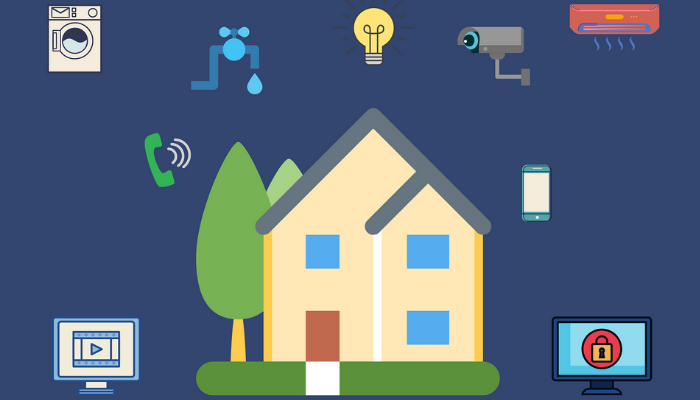
The Internet of Things is here to make our lives easier by giving us direct access to the things that matter most. We’ve made it even better with Sixth Sense.

It’s one thing to invest in a fridge that lets you know when you’re about to run out of milk or a washing machine you can turn off and on from your phone, but that’s really just scratching the surface when it comes to the value of IoT (Internet of Things) in the home.

What if we told you IoT can give you the kind of superpowers you’ve probably only dreamed about? Like, say, being in two places at once, and knowing for sure if you remembered to close the garage door when you’ve arrived at your holiday destination?

Or the Spidey-sense of giving yourself enough time to fix that leaky geyser before it really becomes a problem?

Better still, what about the ability to track the location of any person or valuable object in near-real time, removing the stress of the unknown and those anxiety-inducing “What ifs” if they ever happen to go missing?!

Vox Sixth Sense gives you the power to confidently eliminate those unknowns right from the palm of your hand. Some might argue you can’t put a price on that kind of power, but they’d be wrong. We have. And we’ve made it super affordable too.

Home Monitoring Tech Made Easy

As intimidating as IoT may sound, it really doesn’t have to be. When it comes down to it, this type of monitoring technology features three components. Physical sensors to collect and send info, a Data transmission network to receive that info and a platform for you to view and analyse all the info collected. Boom.

With Vox Sixth Sense, you don’t even have to worry about higher-grade things like setting up and configuring your sensors either. Once shipped, our self-powered sensors will already be added to your profile and transmitting Data before you even open the box. That’s right – these sensors won’t be a drain to your personal home network or Data package. They connect automatically to a Sigfox IoT-specific network, which also covers more than 93% of the population.

Once you’ve registered and logged into your Sixth Sense profile, just place your sensors where needed, rename them on your app, set your preferences for alerts and sit back and watch the Data start rolling in.

Already shaking your head at the thought of possible home DIY? Fear not. These sensors are compact and hard-wearing for a reason – and nothing a bit of double-side tape can’t handle. That’s for use indoors, though. If you’re taking them outside (and you can!), then we’d suggest opting for something a little more durable to keep your sensors (and senses!) where they need to be.

The Sixth Sense App Is Where It’s At

This is literally where all the magic happens.

We’ve gone above and beyond to create a locally-hosted, user-friendly application that gives instant access to all your sensors from any connected device.

Depending on the types of sensors you’ve chosen to add/activate on your profile, you’ll be able to view alerts, choose how you’d like to receive those alerts, add users, rename your sensors, and keep a check on the battery life for each one, all from a single platform.

The four sensors on offer right now are just the start. Vox Sixth Sense will grow to include even greater functionality with a more diverse selection of sensors and full integration into your home security Wi-Fi camera network via Guardian Eye.

Through it all, you’ll have a trustworthy partner in IoT to help you connect all the dots and see the bigger picture when it comes to eliminating doubts and protecting the things you value most. Honestly? There’s no putting a price on that.

Does Renting a Laptop Make any Sense?

For those who work from home, remotely, or even in the office, their work laptop probably ranks between “first-born child” and “favourite dog” on the importance scale. Anyone who’s ever spun around in a frenzy and turned every surface upside down before dashing to their car can testify that when it comes to your laptop, you can’t take chances – just ask that sinking feeling in your stomach when you think you’ve lost it.

Fact is, that the laptop has become as fundamental to the modern employee as a pen and notebook. It’s effectively replaced and digitised all components of today’s workspace – from taking notes to communicating, running systems and software and, of course, slacking off. Whereas previously, employees would diligently work at their desks or on their feet, we’ve come to embrace the mobile PC like a long-lost lover and, for better or worse, they’ve essentially redefined the way we work, communicate and collaborate.

Despite costing an arm and leg, the reality is that any half decent machine is worth its weight in gold. The financial cost of replacing one may be tangible, but the damage, headache and admin (plus having to fork out another lump sum) is immeasurable. It’s little wonder then that an increased amount of people are choosing to rent rather than purchase – and we’re about to explore why.

  1. It’s more affordable. Duh.

Obvious statements are obvious, but you can’t pick up anything above an entry level machine without forking out a small fortune. Even if you do go for something more cost-effective, you can expect to have to replace it within 3 – 5 years, and ultimately end up paying double within a short space of time. And let’s just say you do go all-in with your machine, once the technology upgrades and newer features arrive, your pride and joy will ultimately end up obsolete a lot sooner than you’d hope.

Much like with renting a house (NOT like with a car, where the only options available are Tata Indicas and i10s), leasing a PC allows you to circumvent the costly overheads and proceed straight to enjoying everything you need for a more affordable monthly fee.

  1. You can upgrade without trashing your old one.

Instead of hoping that Cash Crusaders give you more than R150 to go towards a new one, rental models allow for option to upgrade at the end of your contract. It makes perfect sense, as since your previous machine has served its purpose, why continue with obsolete technology and have your money go to waste (a philosophy we don’t encourage when it comes to spouses)?

This is especially useful if you’re somebody who likes to keep up with the latest tech – you can easily jump to the next big thing without any hassles and staying in the loop won’t cost you an arm, leg and old PC.

  1. It just simplifies life.

Think about how much admin goes into buying something with such a short shelf life – we’d be better served investing in Bitcoin and hoping for the best. There’s driving to multiple shops (sometimes with long lines and technicians who can’t even spell PC), putting in hours online, ordering, waiting, saving, spending and then hoping that nothing happens to it. Drop it on the way out? Hard luck, bro. Hit a pothole and your laptop bag goes flying? Sucks to be you.

With laptop rentals you don’t have to stress about paying for repairs, upgrades or any of the nitty gritty involved in finding your perfect machine. As far as you’re concerned, it’s just identify what’s right for you, get the process rolling, use it as you need and, when you’re done, on to the next one – a process we also don’t encourage when it comes to spouses.

…So, does renting a laptop make any sense? In short – YES, a million times over. And we’re not just saying this because you can do it with Vox.

Is Business Fibre Still Relevant in 2022?

You’ve probably read (or, if you’re like us, written) a thousand words about the work from home revolution. Terms like remote offices, hybrid workstations, mobile compatibility and the like, once foreign concepts to any business sphere, are as ingrained in our vocabulary as “I hate sitting in traffic” once was.

There’s a reason for this. Work from home is the here and the now, it’s here to stay and, for all intents and purposes, we’d best get used to it. We also fully understand why – the benefits, convenience and ease of access are immense, productivity is at an all time high and, let’s be honest, what’s more satisfying than being able to sit in those three-hour meetings while still enjoying the cool breeze from your boxer shorts?

That said, WFH does present its own share of challenges and burning questions, one of which we hope to answer today. Without further ado, let’s explore whether Business Fibre is still relevant all the way in 2022…

…First, a recap: why would my business need Fibre at all?

By now, we all know that any Fibre-optic Internet connection can add immeasurable value to an organisation. The technology can no longer be considered new and, with the rate of adoption across businesses and homes alike on a perpetual increase, there are millions of end users worldwide who can testify to its practicality. In fact, it seems that to many, the benefits of Fibre have long outweighed the perceived hassle of switching over from conventional connectivity methods – and with good reason.

Fibre cables utilise pulses of light to transmit Data between any two given points. Based on scientific Data alone, Fibre is proven to be the pinnacle of technology as far as Data communications go – and, as such, a Business Fibre line should STILL be every organisations primary choice as far as Internet goes.

BUSINESS FIBRE BENEFITS

  1. Speed, speed and more speed

Terms like ‘light speed’ and ‘symmetric speed’ should get you really excited. The reality is that slow Internet connectivity can cost a business up to a week’s worth of production time. That’s huge. Fibre optic cables are thinner, lighter and more durable than ADSL, allowing the Data to travel at light speed – up to 100 times faster than ADSL. This means transferring higher volumes of traffic without impacting on the download speeds. ‘Symmetric’ speed refers to equal upload and download times with Fibre optic connections, so you can expect:

  • Faster file transferring
  • Uninterrupted streaming
  • Faster page load times
  • Uninterrupted VOIP (long distance voice calls)
  1. Take it to the Cloud

The seamless transfer of Data means that you can move your business processes straight into the Cloud. This is a really business-friendly tool for apps, hosting and storage applications with easy access to all cloud-hosted information from anywhere. This also means no more bulky storage devices that are prone to crashing and losing vital information.

  1. Scalability

The technology allows for huge increments over the limited bandwidth that copper and wireless technologies support. Entry level Fibre offerings start at 10Mbps, which is usually the highest ranges of traditional copper (except, you know, nobody can steal the former). These can easily scale upwards to 100Mbps – or even 1GB if your business requires it.

4.Reliability

Copper cables are notoriously unreliable. The illegal copper market, particularly in SA, makes them vulnerable to theft, they are subject to degradation over the years and susceptible to electromagnetic interference. Heavy traffic flow across the cables slows down Internet connection, a problem for those in big organisations. Fibre cables, on the other hand, are constructed from glass so are not susceptible to theft, electromagnetic interference or weathering. There is also no impact on speed from other users making it the optimum business option.

5.Bring on the Bandwidth

Reaching your Data cap is something every business can attest to and, while Fibre optics are not unlimited, they do offer significantly higher Bandwidth. The following activities traditionally tend to eat up a lot of Bandwidth, so if your business depends on any items below, definitely consider the Fibre optic solution:

  • Web conferencing
  • Streaming high-definition video
  • SIP trunking
  • File sharing
  • Cloud applications
  1. Security and resilience to interference

Fibre optic, by its nature, is a point-to-point technology, making it dedicated to you, so there is no sharing of your Fibre line with outside parties like copper or Wi-Fi solutions allow. Fibre is also not susceptible to magnetic, electrical or other types of interference that plague both copper and wireless technologies.

  1. Cost savings

Once the initial costs have been factored into the installation of Fibre optic cabling, the savings will become increasingly evident. Enhanced speed and reliability result directly in improved business productivity.

Fibre optics also allow for scalability so, as this business grows, so can the Internet connection. This means you don’t have to outlay huge expenses at the start.

Most major cities across South Africa now have access to Fibre Optic Internet services, with smaller towns and outlying areas also poised for connection. It’s important to liaise with the right Internet service provider, however, to ensure you get the right package, for your company.

In short, the advent of work from home is by no means the funeral of the conventional business – there are a plethora of organisations that not just rely but thrive on the traditional workspace environment. True, some places can operate fine without staff coming in every day, but for the most part, there will always be a time, place and connectivity need as far as work is concerned – so can your brand really afford anything less than the best?

Taking a Closer Look at Home Email Security

It’s your first line of defence against just about every cyber-attack imaginable. When it comes to home email security, you can’t be too safe.

We all use email so often every day, the importance of it has almost become an afterthought as most of us manically rush to open every digital envelope and reach the elusive inbox zero.

Who has time to actually read, let alone make sure that link you’re clicking on or file you’re about to open looks legit? It’s for this reason (among a few others) that email has become the most popular method of attack for cyber criminals.

Even if most of the mails we send don’t include pieces of important information – like our banking details or ID numbers – it doesn’t mean they don’t hold any value to cyber criminals who may use that info to gain your trust and create targeted phishing attacks.

No matter what you put in an email, including your nicknames for your cat and the last thing you ate for breakfast, chances are it has value to someone other than the person you’re sending it to. Also, let’s not kid, that’s exactly the kind of info you’re using to create your millionth password for the month when you have absolutely no more passwords left in you.

Valuable Info? Go Phish

Which brings us to phishing. Unlike fat with a ‘ph’, fishing with a ‘ph’ has never been cool. Phishing emails are responsible for 90% of cyber-attacks, and it’s just getting worse.

They’ve evolved beyond the standard ‘long lost deceased uncle’ narrative with the promise of millions in unclaimed inheritance and become a lot more convincing in their approach, often impersonating trusted brands or organisations to trick you into clicking that link or giving away your personal information.

Even though it’s always best to manually check each email address or hover your curser over each URL to double-check its destination, with so many emails flooding your inbox each day, having a reliable cyber security software with anti-virus and a password manager will definitely take the pressure off.

A good anti-virus solution will automatically alert you to any suspicious links or block them. Additionally, a good email gateway security solution will stop those malicious mails coming through to you in the first place.

Keep it Private

Anti-virus and anti-phishing software are excellent for protecting your inbox from malicious content and guarding against cyber criminals stealing your data, identity, and money.

Vox Internet Security is powered by Kaspersky Total Security – a comprehensive home Cyber Security solution that allows you to protect one or more of your home devices under a single licence. Kaspersky Total Security includes everything from anti-virus to parental controls and password managers.

If you’re sending emails using a browser (like via Gmail), Total Security will provide private browsing capabilities to stop websites tracking your activity and data.

Meaning those creepy, often all-too-accurate targeted ads will be a thing of the past. It also hides your data before you send it out into the wilds of the worldwide web, allowing you to shop peacefully and securely as nature intended – from the comfort of your own home.

Lock it Down

And if you’d really like to have all your bases covered, then choose a Cyber Security solution that allows you to secure your emails via a cloud gateway solution and also store it securely on your PC.

While, technically speaking, its main purpose is to keep enterprise email secure and safe from prying eyes, Synaq Securemail is also an affordable solution for home users too, offering email security for three users or more for less than R100 per month.

It’s a bargain, considering the fact that Securemail provides 99.95% spam protection, 100% virus protection, phishing protection, identity threat protection along with malware and ransomware attack removal via URL-based phishing and the ability to whitelist / blacklist email senders in a single solution.

A combination of Kaspersky Total Security and Synaq Securemail offers you the greatest prevention against possible ransomware attacks. Because honestly? It’s a jungle out there and, yes, even home users are considered fair cyber game.

Wi-Fi 6 is Here to Help Your Business Make Faster Connections

If you’re considering upgrading your network infrastructure, look no further than Wi-Fi 6.

When it comes to managing your IT infrastructure in business, the smart play is to always remain one step ahead. Doing so allows you to stay productive when it inevitably comes time to upgrade, while also avoiding further upgrades and expenses later down the line.

But these days it feels almost impossible to keep up with the latest catch-phrases in the fast-paced world of technology.

All except for one, that is. After a lot of talk over the last few years, Wi-Fi 6 has finally arrived.

What is Wi-Fi 6 all about again?

Wi-Fi 6, most notably, allows users to experience faster and more efficient Wi-Fi speeds with a greater number of devices connected to the Wi-Fi network.

It achieves this by means of new, more advanced technologies and, yes, there are acronyms involved… Some of which include:

  1. OFDMA (Orthogonal Frequency-division Multiple Access)
  2. MU-MIMO (Multiple User, Multiple Input, Multiple Output)
  3. TWT (Target Wake Time)

These technologies are designed to allow APs (Access Points) to serve multiple Wi-Fi clients / devices at the same time.

OFDMA is ideal for low-bandwidth applications, while MU-MIMO takes care of high-bandwidth applications. This technology increases capacity and efficiency in high-bandwidth applications and delivers a channel to multiple users simultaneously (up to eight separate devices in a group).

MU-MIMO is ideal for applications such as online gaming, HD video conference calls or online classes.

OFMDA and MU-MIMO technologies complement each other and increase performance on the uplink and the downlink. With Wi-Fi 6 equipment, we can access both technologies, and, as they both have a managed approach, the result is a better Wi-Fi experience overall.

TWT is a new feature of Wi-Fi 6 (11ax) that allows an AP to “wake up” more efficiently to receive and send data based on transmission scheduling.  This improves power saving on APs and your Wi-Fi devices.

Wi-Fi 6 is capable of delivering Wi-Fi Internet throughput three to six times faster than our current legacy devices.

Vox’s approach to best of breed equipment means that intelligent AI (Artificial Intelligence) functionality built into some Wi-Fi 6 AP’s can now be utilised in partnership with qualified Wi-Fi engineers to monitor performance and usage, to continuously improve the Wi-Fi experience around your office.

Coupled with our Managed Service offering, this can be helpful for remote troubleshooting and network configurations to resolve any network issues timeously.

Not so fast – eliminate your upgrade barriers first

There are a few things to look out for in your organisation’s network deployment that may cause bottlenecks. These include outdated routers, switches, cabling, and other hardware limitations.  Any of these products may result in your organisation not achieving its WLAN objective.

To truly make the most of Wi-Fi 6, all of your equipment needs to be capable of delivering the speed, throughput and experience required in the objective.

The cabling solutions available include CAT 5, CAT 5e, CAT 6 and CAT 6A – which are all progressively faster in terms of throughput over the distance of cable run.  From 100Mbps to more than 1Gbps.  Nowadays, Cat 5e and Cat 6 are considered the standard for faster and better throughput.

Conduct a wireless site survey

A desktop survey should be conducted first, and we’ll need building floorplans to do this. This will give you an idea of the number and type of APs required to achieve your coverage and throughput needs.

An active site survey conducted with an AP on a stick and a spectrum analyser or survey software can be conducted after the desktop survey to validate the AP placement.  A second on-site survey should be conducted after the installation to validate and confirm that the original goals have been met and for fine tuning AP placement, power output, channel assignment, SNR (Signal-to-Noise Ratio), RSSI (Received Signal Strength Indicator) values and roaming configuration.

This is the best way to ensure your wireless environment will meet your organisation’s needs, based on actual factors within your environment.

Choose the right Access Points

The right APs should provide enough flexibility to meet your WLAN objectives, whether you’re a school or university, hospital, government institution or a business. APs come in a range of indoor and outdoor, managed, or unmanaged solutions to fulfil your WLAN objective – and an experienced Wi-Fi Sales Specialist is more than capable of advising you which APs to choose to fulfil yours.

Your future business will thank you

Almost all businesses today have or need Wi-Fi, and demand is only increasing with more devices and more bandwidth-hungry applications.

With Wi-Fi 6, you’ll experience improved throughput and AP resource allocation that boosts efficiency to offer low latency, high-density deployments, improved outdoor performance and better spatial re-use.

Top five global tech trends and how SA businesses can get on board

By Tim Wood, Executive Head – IS & IT at Vox

Mark Twain reportedly once said: “Never make predictions, especially about the future.” The world of technology is awash with predictions, and these excite and scare us in equal measure.

Some predictions have lived to haunt those who made them, such as CEO of Intel, Andrew Grove, as quoted by the New York Times in 1992 saying: “…the idea of a wireless personal computer in every pocket is ‘a pipe dream driven by greed’”.

Another, made in 1998 by Professor Emeritus at Princeton University Paul Krugman reads: “The growth of the internet will slow drastically, as the flaw in Metcalfe’s Law – which states that the number of potential connections in a network is proportional to the square of the number of participants – becomes apparent: most people have nothing to say to each other! By 2005 or so, it will become clear that the internet’s impact on the economy has been no greater than the fax machine’s.”

While we reflect on these predictions, we should also acknowledge that driverless cars, augmented reality, Internet of Things, mass data and a host of other technological advancements were all predicted in various guises before they occurred.

Another well-known saying is that forecasts reveal more about the forecaster than the future – and in my case, I believe in technology’s potential to add value to our lives and businesses. And so, as we look at technology trends for 2022 and beyond, it’s important to do so to the backdrop of exciting innovations globally that will improve lives and businesses, while acknowledging the reality of our South African context.

Many businesses are stretched, electricity security continues to be a concern, cybercrime is on the rise and specialised IT skills are in short supply and come at a premium. This means many small and medium enterprises (SMEs) are likely to continue contracting outsourced IT service providers to bolster their IT teams, where they will be able to take advantage of IT audits, support on cloud strategies, pen tests to find cybersecurity weaknesses in their organisation, and desktop support, among a host of other functions.

Let’s get back to the future. While much of the global technology commentary going into 2022 and beyond won’t necessarily be of immediate concern to local businesses and their budgeting teams, there are a number of ways local businesses can start dipping their toes into new technology.

The big five global technology themes for 2022 and beyond.

  1. Artificial Intelligence

AI tools are embedded into many widely used cloud services and this will continue to grow exponentially over the next few years as the technology is embraced by service vendors.  Some of these are natively part of the core offering, such as spam filtering, credit scoring, anti-malware and fraud detection, while others are being offered as additional add-on modules that come with hefty price tags.  As competition between the service providers grows, AI technology will increasingly be embedded into the core service offering and will no longer be seen as a separately licensable add-on.  As with the evolution of all technology over time, it will become more affordable to adopt.

How can South African businesses benefit?  Position your business to take advantage of cloud service offerings as the AI toolset becomes part of mainstream applications. If you want to start dabbling with AI technology, have a look at available functional software-as-a-service (SaaS) offerings such as lead forecasting or cybersecurity threat detection. If you are interested in internal development projects, consider the API web services available from the cloud super vendors (Amazon Web Services, Google Cloud, Microsoft Azure).

Choose a project that will turn the dial and start prepping relevant data because clean, organised data will be key to success. Remain focused on practical implementation to solve real business problems.

Hang tight, before you know it, South Africa will have driverless taxis overtaking on yellow lines and cutting in front of us!

2. Internet of Things

Telemetry and SCADA devices have been around forever so what is different heading into 2022? The world is more connected than ever with massive volumes of data being generated every second of the day.  IOT device proliferation (including wearables), advances in connectivity, storage and processing capability backed by advances in AI and machine learning have transformed what is possible.

How can local businesses take advantage of IoT in SA today? In its simplest terms an IOT environment takes a data feed from a monitored data source and triggers appropriate workflows based on predetermined triggers. Identify areas of your business that could benefit from this level of insight and automation.

Integration into CRM, ERP or other business applications can enrich the data feed and provide improved insights and customer experience management capability.

Areas where businesses could benefit would be asset tracking with geo-fencing capability to generate an alert if the asset leaves a demarcated area, or security monitoring including license plate, biometric monitoring and facial recognition.

However, cybercrime means that security and defence mechanisms must be paramount in any IoT strategy.

3. Quantum computing

When the technology becomes commercially available it will completely revolutionise what is possible but it won’t be troubling local IT manager budgets in 2022. However, businesses that are positioned to leverage cloud services will benefit first when the technology arrives.

4. 5G

5G rollout will progress steadily but coverage will continue to be patchy over 2022. The technology holds a lot of promise, as it will take South Africa another stride forward in mobile connectivity but we will need to wait a little longer for it to completely change our world.

It will provide another weapon in the IT manager’s arsenal and can provide alternative permanent or temporary connectivity and redundancy options to mainstream fibre. In time, it will further enable the mobile workforce and a work from anywhere model.

5. Blockchain and Non-fungible tokens (NFTs)

Blockchain technology fuelled the rise of cryptocurrency and continues to find application across the cyber landscape.  Its immutable, or unalterable, nature, secure architecture and global transparency make it a compelling technology for tracking digital transactions.

Non-fungible tokens (NFTs) are growing in popularity as a way of uniquely identifying digital assets (movies, videos, photos) and representing ownership in the digital world. Content creators are able to make their creations available to a global market, retain ownership and earn royalties through this mechanism.  As an example, Adobe is adding a “Prepare for NFT” (Content Credentials) option to their Photoshop software.

Business use cases that could leverage this technology include:

    1.  Identification and certification of documents such as ID or passport
    2. User identity management
    3. Domain name ownership
    4. Real estate (virtual and physical)
    5. Supply chain tracking

Continuous improvements are bringing local cloud providers to the fore

By Barry Kemp, Head of Managed IT at Vox

With the demand for cloud-based services growing as South African companies look to enable seamless remote or hybrid working and mitigate against power outages, local providers have been continually improving their offerings in order to provide customers with solutions that compare with those of international peers, but are more cost-effective.

Changes in business and society in response to the multiple levels of lockdowns over the past year has however seen these organisations taking a new view toward the continued use of on-premise infrastructure. The first headache is floorspace: at a time when many offices are downsizing as they adjust to a hybrid working model where everyone is not in at the same time, the area dedicated to a company’s on-premise infrastructure remains the same.

Beyond worrying about office leases, they need to worry about cooling for their server room, that connectivity remains uninterrupted and perhaps even the increased physical security risk from having your equipment in a sparsely occupied building. Not to mention ensuring that your generators are topped up with fuel, serviced as required and is regularly tested; there have been many instances where companies have been left in the dark after a power outage because their generator has failed to kick in.

This is a growing distraction for businesses at a time when many are looking to cut costs and recover from a tough economic environment. For organisations that already have their own infrastructure, and are looking to maximise their investments, co-location gives them the ability to place their infrastructure at data centres, which offers peace of mind when it comes to physical security, and reliability of power supply and access to connectivity.

Co-location isn’t the final solution however; while it keeps companies from having to worry about many of the external challenges traditional office environments would face, it still leaves them responsible for maintaining their servers that will now be located inside a vendor-neutral data centre.

Breaking free of IT maintenance

Fully freeing themselves from having to worry about IT infrastructure requires them to take the next step, and instead migrate to a virtual data centre, such as that offered by Vox, which provides them with remote compute and storage capabilities, as well as a range of connectivity solutions including direct point to point, VPN, MPLS or dedicated Internet breakout, all connected through a secure edge gateway.

Continuous developments by Vox over the past few years have ensured competitiveness with solutions offered by international providers, with new innovations being rolled out to cater to growing business requirements and the latest trends, such as the growing preference for multi-cloud.

Through offerings such as CrossConnect, customers have access to up to a 1Gbps dedicated link that provides a secure direct connection between Vox’s Virtual Data Centre and other providers, be it another co-location facility, or to a public cloud such as Amazon Web Services or Microsoft Azure.

Making cloud more cost-effective

Based at data centre facilities that adhere to the latest ISO 27001 and ISO 9000 standards, turning to a virtual data centre takes away the headache of companies having to manage large IT infrastructure anymore – safe in the knowledge that there are highly skilled specialists to assist with managed cloud or migration services if needed.

Being a local company, Vox can work closer with customers in order to design and implement unique network requirements that they might have. In fact, Vox uses its own virtual data centre to run its connectivity and voice business.

Leaving companies with fewer things to manage – their operating system, applications and data – not only means that IT staff have more time to carry out more strategic tasks that add real value, but businesses stand to benefit overall from the agility and flexibility of moving from capital expenditure to a consumption based model.

In Vox’s instance, this also means being able to provide local support for customers, as well as to bill in Rands and not Dollars, making it more cost effective and ensuring that customers are not subject to billing increases resulting not from increased consumption, but as a result of currency depreciation. With a return to loadshedding, a trend toward hybrid working, and availability of quality local solutions, can your company afford not being in the cloud?